%20-%20http%3A%2F%2Fwww.bohemiancoding.com%2Fsketch%20--%3E%3Ctitle%3EF21EF66B-AC70-4761-BD58-0CF80940AF0E%3C%2Ftitle%3E%3Cdesc%3ECreated%20with%20sketchtool.%3C%2Fdesc%3E%3Cdefs%3E%3ClinearGradient%20x1%3D%220.00537998663%25%22%20y1%3D%2249.9970053%25%22%20x2%3D%22100.036289%25%22%20y2%3D%2249.9970053%25%22%20id%3D%22linearGradient-1%22%3E%3Cstop%20stop-color%3D%22%23FF3176%22%20offset%3D%220%25%22%3E%3C%2Fstop%3E%3Cstop%20stop-color%3D%22%23FF7369%22%20offset%3D%22100%25%22%3E%3C%2Fstop%3E%3C%2FlinearGradient%3E%3ClinearGradient%20x1%3D%2248.5798817%25%22%20y1%3D%2254.2967493%25%22%20x2%3D%2255.1676529%25%22%20y2%3D%2234.4061796%25%22%20id%3D%22linearGradient-2%22%3E%3Cstop%20stop-color%3D%22%23FFFFFF%22%20offset%3D%220%25%22%3E%3C%2Fstop%3E%3Cstop%20stop-color%3D%22%23000000%22%20offset%3D%22100%25%22%3E%3C%2Fstop%3E%3C%2FlinearGradient%3E%3C%2Fdefs%3E%3Cg%20id%3D%22Page-1%22%20stroke%3D%22none%22%20stroke-width%3D%221%22%20fill%3D%22none%22%20fill-rule%3D%22evenodd%22%3E%3Cg%20id%3D%22Share-Collection-Page%22%20transform%3D%22translate(-428.000000%2C%20-134.000000)%22%3E%3Cg%20id%3D%22logo%22%20transform%3D%22translate(428.000000%2C%20134.000000)%22%3E%3Cpath%20d%3D%22M20.2986321%2C10.9688889%20L3.64248989%2C0.458888889%20C2.93397974%2C0.0108924108%202.04660609%2C-0.00636245151%201.32230058%2C0.413773117%20C0.597995072%2C0.833908685%200.149820407%2C1.62585232%200.150471698%2C2.48444444%20L0.150471698%2C14.6233333%20C0.132465611%2C15.4836852%200.56615818%2C16.2867701%201.28404255%2C16.7224094%20C2.00192692%2C17.1580487%202.89162767%2C17.1580487%203.60951203%2C16.7224094%20C4.3273964%2C16.2867701%204.76108897%2C15.4836852%204.74308288%2C14.6233333%20L4.74308288%2C6.71444444%20L7.45802224%2C8.42777778%20L12.9061725%2C11.8655556%20L12.935192%2C11.8844444%20L14.7365532%2C13.0211111%20L10.3997439%2C15.8311111%20L8.52852089%2C17.0422222%20C7.79949217%2C17.4755559%207.35782454%2C18.2861166%207.37715348%2C19.1552437%20C7.39648242%2C20.0243707%207.87371725%2C20.8130913%208.62123974%2C21.2113308%20C9.36876222%2C21.6095703%2010.267044%2C21.5536505%2010.962938%2C21.0655556%20L20.3136792%2C15.0055556%20C20.9876242%2C14.5689795%2021.3949851%2C13.8029055%2021.3903879%2C12.9807208%20C21.3857907%2C12.158536%2020.9698904%2C11.3973815%2020.2911085%2C10.9688889%20L20.2986321%2C10.9688889%20Z%20M2.51502695%2C20.9288889%20C1.54073252%2C20.928889%200.662393628%2C21.5356783%200.289647775%2C22.466264%20C-0.0830980782%2C23.3968496%200.123170463%2C24.4679301%200.812254393%2C25.1799777%20C1.50133832%2C25.8920252%202.53750581%2C26.1047847%203.43751166%2C25.7190299%20C4.3375175%2C25.3332751%204.92408368%2C24.4249898%204.92364892%2C23.4177778%20C4.92187147%2C22.0435305%203.84436182%2C20.930113%202.51502695%2C20.9288889%20Z%22%20fill%3D%22url(%23linearGradient-1)%22%20fill-rule%3D%22nonzero%22%3E%3C%2Fpath%3E%3Cpolygon%20id%3D%22Path%22%20fill%3D%22url(%23linearGradient-2)%22%20points%3D%2212.9061725%2011.8655556%207.45802224%208.42777778%207.45694744%208.41333333%22%3E%3C%2Fpolygon%3E%3C%2Fg%3E%3C%2Fg%3E%3C%2Fg%3E%3C%2Fsvg%3E)

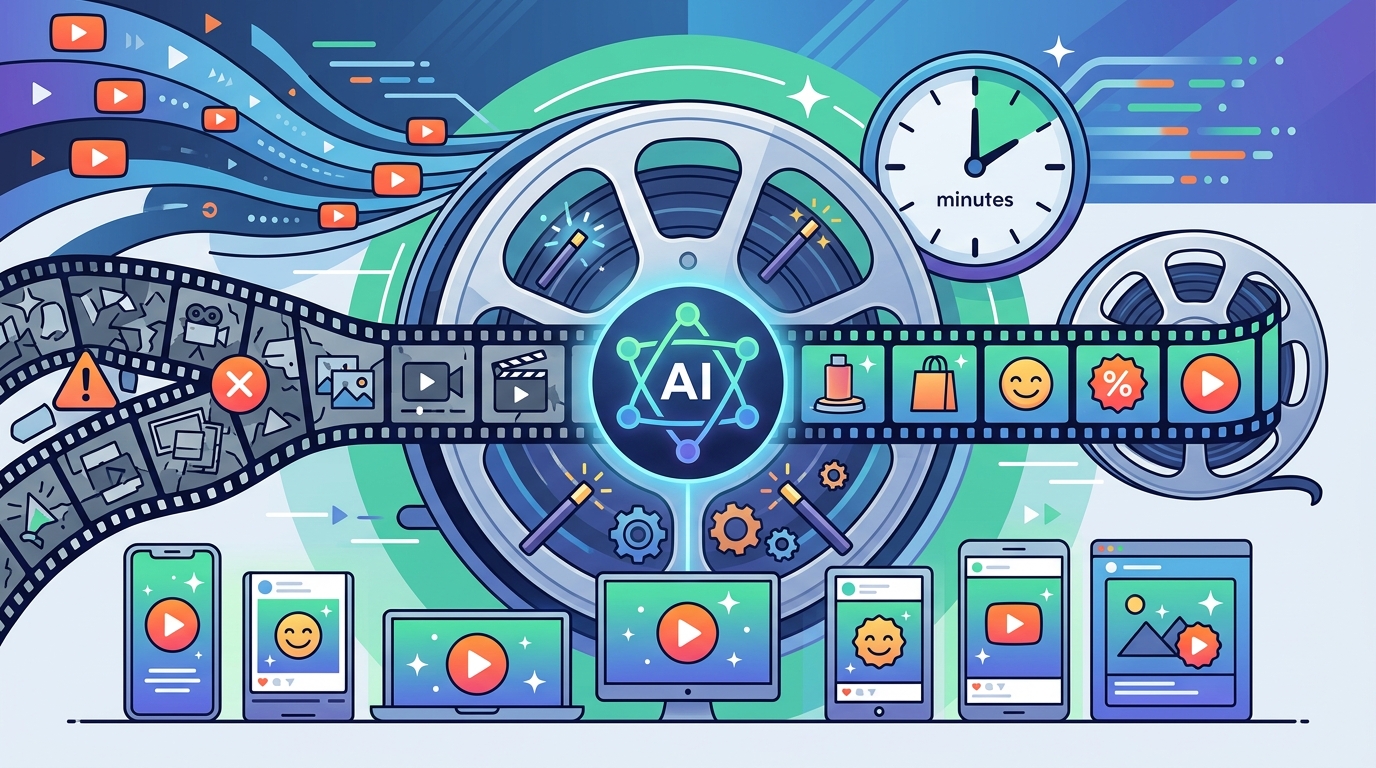
Video content dominates the digital landscape, with over 80% of internet traffic driven by video in recent years. Despite this overwhelming demand, many business owners and marketers hesitate to produce video content because they believe it requires expensive software and years of technical training. This belief is no longer accurate. Artificial intelligence has democratized video production, allowing anyone to create professional-grade marketing assets in minutes. By leveraging AI-driven tools, you can bypass the steep learning curve of traditional editing suites and focus entirely on your message and brand strategy.
What Is AI Video Editing?
AI video editing is the process of using machine learning algorithms to automate complex tasks that traditionally required manual intervention. Video editing involves cutting, arranging, and enhancing video clips to tell a coherent story. In the past, this required mastering intricate timelines, keyframes, and color grading wheels. Today, AI interprets your raw footage or text prompts to execute these tasks automatically.
This technology reduces the time spent on technical adjustments and shifts the focus to creative direction. For marketers, this means you can produce content at scale without hiring a dedicated video team. The AI handles the heavy lifting, such as auto-framing, background removal, and subtitle generation, ensuring your videos look polished and professional regardless of your technical background.
Core AI Features for Non-Editors
To edit marketing videos without professional skills, you need to understand the specific AI capabilities that simplify the workflow. These features act as your virtual assistant, guiding you through the creation process.
Auto-Generation from Text
One of the most powerful features is text-to-video generation. You provide a script or a topic, and the AI selects relevant stock footage, adds voiceovers, and applies transitions. This is ideal for creating explainer videos or social media ads quickly. According to recent market data, the demand for short-form video content is growing exponentially, making this feature essential for staying relevant.
Smart Trimming and Resizing
AI algorithms can automatically detect the most engaging parts of your footage and trim the rest. Furthermore, they can instantly resize videos for different platforms. A single video can be adapted for YouTube, Instagram, and TikTok without manual cropping. This ensures your content fits perfectly within the aspect ratios required by each social network, maximizing visibility.
Automated Subtitles and Captions
Most social media users watch videos with the sound off. AI-powered speech-to-text tools generate accurate captions automatically. This not only improves accessibility but also boosts engagement rates. Studies show that videos with captions can increase watch time by 80% or more on social platforms.
Step-by-Step: Creating Your First AI Video
Creating a marketing video with AI is straightforward. Here is a practical workflow using a platform like Promo.com to demonstrate the ease of use.
Step 1: Choose a Template or Start from Scratch
Begin by selecting a template that matches your industry. Whether you are in real estate, fitness, or e-commerce, there are pre-designed layouts that ensure professional aesthetics. If you prefer a custom look, you can start with a blank canvas and let the AI suggest design elements based on your brand colors.
Step 2: Input Your Content
Upload your raw video clips or images. Alternatively, you can use the AI video maker to generate content from scratch by entering a text prompt. The AI will analyze your input and suggest the best visual matches. This step eliminates the need to search through massive libraries of stock footage manually.
Step 3: Customize with AI Tools
Use the built-in AI tools to enhance your video. Add music from a curated library that syncs with the mood of your video. Apply auto-captions to ensure your message is clear. You can also use the AI video editor to adjust the pacing and transitions automatically. The goal is to keep the process intuitive, so you do not get bogged down in technical details.
Step 4: Review and Export
Preview your video to ensure the flow is logical and the branding is consistent. Once satisfied, export the video in the desired format. Most AI platforms offer one-click publishing to social media channels, saving you additional time.
Platform Comparison: Promo.com vs. Others
Not all AI video tools are created equal. For marketers who need speed and simplicity, specialized platforms often outperform general-purpose editors. The following table compares key features relevant to non-professional users.
| Feature | Promo.com | Traditional Editors (e.g., Premiere Pro) | General AI Generators |
|---|---|---|---|
| Learning Curve | Low (Template-based) | High (Complex Interface) | Medium (Prompt Engineering) |
| Marketing Templates | Extensive Library | Limited | None |
| Auto-Captioning | Yes | Manual or Plugin Required | Yes |
| Social Media Optimization | One-Click Resizing | Manual Export Settings | Variable |
| Cost Efficiency | Subscription-Based | High Software Cost | Pay-Per-Use |
As shown, platforms designed specifically for marketing, such as Promo.com, offer a more streamlined experience for non-editors. They prioritize speed and brand consistency over granular control, which is exactly what most marketers need.
Best Practices for AI-Generated Content
While AI simplifies the technical aspects, strategic planning remains crucial. Here are some best practices to ensure your AI-edited videos perform well.
Keep It Short and Focused: Attention spans are short. Aim for videos under 60 seconds for social media. Use AI to trim any unnecessary pauses or filler content automatically.
Maintain Brand Consistency: Even with AI, you must define your brand guidelines. Upload your logo, choose your brand fonts, and select a color palette. AI tools allow you to save these settings, ensuring every video looks like it comes from your brand.
Humanize the Output: AI can sometimes feel too polished or generic. Add personal touches, such as a custom voiceover or a unique hook in the first three seconds. This helps connect with your audience on an emotional level.
Test and Iterate: Use A/B testing to see which AI-generated variations perform best. Analyze metrics like click-through rates and watch time to refine your approach. According to marketing industry reports, data-driven optimization is key to long-term success.
Key Takeaways
- AI video editing removes the need for professional software skills, making video production accessible to everyone.
- Features like auto-captioning, smart resizing, and text-to-video generation significantly reduce production time.
- Platforms like Promo.com offer template-based workflows that are ideal for marketers.
- Video content drives the majority of internet traffic, making AI efficiency a competitive advantage.
- Consistency in branding and format is more important than complex visual effects.
- Automated tools can handle up to 80% of the editing workload, leaving you to focus on strategy.
- Regular testing of AI-generated content helps optimize engagement and conversion rates.
Frequently Asked Questions
Can I really edit videos without any experience?
Yes. AI tools are designed to be intuitive. By using templates and automated features, you can create professional videos without knowing technical editing terms or software interfaces.
How long does it take to create a video with AI?
Depending on the complexity, AI can generate a video in minutes. Traditional editing might take hours or days. This speed allows you to produce content at scale.
Is AI-generated video content low quality?
No. Modern AI tools use high-definition stock footage and advanced rendering engines. The output is often indistinguishable from manually edited content, especially for marketing purposes.
Do I need to pay for stock footage?
Most AI video platforms include licensed stock libraries in their subscription. This means you can use professional images and videos without additional costs or copyright issues.
Can I customize AI-generated videos?
Absolutely. While AI handles the heavy lifting, you can customize text, colors, logos, and music. This ensures the final video aligns with your specific brand identity.
What is the best AI tool for marketing videos?
For marketers, platforms like Promo.com are optimized for speed and social media formats. They offer specific templates for ads, stories, and reels that are ready to use.
Does AI replace human creativity?
AI enhances creativity by removing technical barriers. It allows you to focus on the story and message, while the tool handles the execution. It is a collaborative process, not a replacement.
Start Creating Today
You do not need to be a video expert to succeed in the digital age. AI has leveled the playing field, giving you the power to create compelling marketing content in minutes. By leveraging tools like Promo.com, you can produce high-quality videos that engage your audience and drive results. Stop letting technical limitations hold you back. Start your free trial today and transform your marketing strategy with the power of AI.