%20-%20http%3A%2F%2Fwww.bohemiancoding.com%2Fsketch%20--%3E%3Ctitle%3EF21EF66B-AC70-4761-BD58-0CF80940AF0E%3C%2Ftitle%3E%3Cdesc%3ECreated%20with%20sketchtool.%3C%2Fdesc%3E%3Cdefs%3E%3ClinearGradient%20x1%3D%220.00537998663%25%22%20y1%3D%2249.9970053%25%22%20x2%3D%22100.036289%25%22%20y2%3D%2249.9970053%25%22%20id%3D%22linearGradient-1%22%3E%3Cstop%20stop-color%3D%22%23FF3176%22%20offset%3D%220%25%22%3E%3C%2Fstop%3E%3Cstop%20stop-color%3D%22%23FF7369%22%20offset%3D%22100%25%22%3E%3C%2Fstop%3E%3C%2FlinearGradient%3E%3ClinearGradient%20x1%3D%2248.5798817%25%22%20y1%3D%2254.2967493%25%22%20x2%3D%2255.1676529%25%22%20y2%3D%2234.4061796%25%22%20id%3D%22linearGradient-2%22%3E%3Cstop%20stop-color%3D%22%23FFFFFF%22%20offset%3D%220%25%22%3E%3C%2Fstop%3E%3Cstop%20stop-color%3D%22%23000000%22%20offset%3D%22100%25%22%3E%3C%2Fstop%3E%3C%2FlinearGradient%3E%3C%2Fdefs%3E%3Cg%20id%3D%22Page-1%22%20stroke%3D%22none%22%20stroke-width%3D%221%22%20fill%3D%22none%22%20fill-rule%3D%22evenodd%22%3E%3Cg%20id%3D%22Share-Collection-Page%22%20transform%3D%22translate(-428.000000%2C%20-134.000000)%22%3E%3Cg%20id%3D%22logo%22%20transform%3D%22translate(428.000000%2C%20134.000000)%22%3E%3Cpath%20d%3D%22M20.2986321%2C10.9688889%20L3.64248989%2C0.458888889%20C2.93397974%2C0.0108924108%202.04660609%2C-0.00636245151%201.32230058%2C0.413773117%20C0.597995072%2C0.833908685%200.149820407%2C1.62585232%200.150471698%2C2.48444444%20L0.150471698%2C14.6233333%20C0.132465611%2C15.4836852%200.56615818%2C16.2867701%201.28404255%2C16.7224094%20C2.00192692%2C17.1580487%202.89162767%2C17.1580487%203.60951203%2C16.7224094%20C4.3273964%2C16.2867701%204.76108897%2C15.4836852%204.74308288%2C14.6233333%20L4.74308288%2C6.71444444%20L7.45802224%2C8.42777778%20L12.9061725%2C11.8655556%20L12.935192%2C11.8844444%20L14.7365532%2C13.0211111%20L10.3997439%2C15.8311111%20L8.52852089%2C17.0422222%20C7.79949217%2C17.4755559%207.35782454%2C18.2861166%207.37715348%2C19.1552437%20C7.39648242%2C20.0243707%207.87371725%2C20.8130913%208.62123974%2C21.2113308%20C9.36876222%2C21.6095703%2010.267044%2C21.5536505%2010.962938%2C21.0655556%20L20.3136792%2C15.0055556%20C20.9876242%2C14.5689795%2021.3949851%2C13.8029055%2021.3903879%2C12.9807208%20C21.3857907%2C12.158536%2020.9698904%2C11.3973815%2020.2911085%2C10.9688889%20L20.2986321%2C10.9688889%20Z%20M2.51502695%2C20.9288889%20C1.54073252%2C20.928889%200.662393628%2C21.5356783%200.289647775%2C22.466264%20C-0.0830980782%2C23.3968496%200.123170463%2C24.4679301%200.812254393%2C25.1799777%20C1.50133832%2C25.8920252%202.53750581%2C26.1047847%203.43751166%2C25.7190299%20C4.3375175%2C25.3332751%204.92408368%2C24.4249898%204.92364892%2C23.4177778%20C4.92187147%2C22.0435305%203.84436182%2C20.930113%202.51502695%2C20.9288889%20Z%22%20fill%3D%22url(%23linearGradient-1)%22%20fill-rule%3D%22nonzero%22%3E%3C%2Fpath%3E%3Cpolygon%20id%3D%22Path%22%20fill%3D%22url(%23linearGradient-2)%22%20points%3D%2212.9061725%2011.8655556%207.45802224%208.42777778%207.45694744%208.41333333%22%3E%3C%2Fpolygon%3E%3C%2Fg%3E%3C%2Fg%3E%3C%2Fg%3E%3C%2Fsvg%3E)

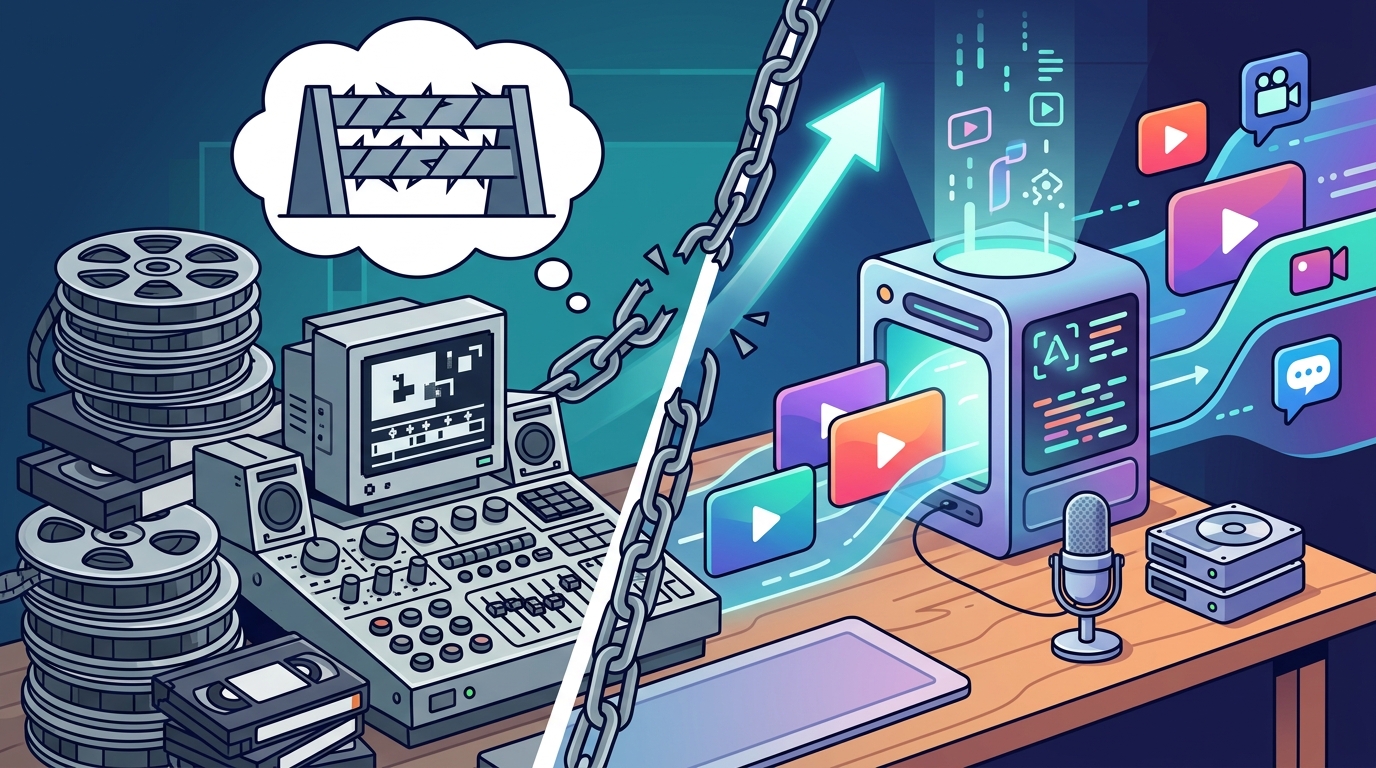
Creating professional marketing content used to demand expensive software licenses and years of editing experience. Today, that barrier has collapsed. According to recent industry data, over 60% of marketers now use AI tools to streamline their video production workflows, allowing them to publish content faster than ever before. This shift means you no longer need to master complex timelines or keyframe animations to produce high-converting ads. You simply need a clear strategy and the right platform to execute it.
What Is AI Video Editing?
Before diving into the "how," it is essential to understand the "what." AI video editing is the automated process of generating, assembling, and refining video content using machine learning algorithms. Unlike traditional software that requires manual input for every cut, transition, and color grade, AI tools analyze your raw footage or text prompts to make intelligent decisions. This technology handles the heavy lifting, such as auto-captions, background removal, and rhythm-based cuts, so you can focus on the message rather than the mechanics.
This definition highlights a critical shift in digital marketing. You are no longer just a creator; you are a director. Your role is to provide the creative direction, while the software handles the technical execution. This democratization of video production allows small businesses and solo entrepreneurs to compete with large enterprises that have dedicated media teams. The result is a surge in content volume without a corresponding increase in overhead costs.
Core Features for Non-Editors
To edit marketing videos without professional skills, you need a platform that offers intuitive, automated features. These tools are designed to remove friction from the creative process. Here are the essential capabilities you should look for.
Text-to-Video Generation
This feature allows you to type a script or a prompt, and the AI generates a video scene. It selects stock footage, adds voiceovers, and applies transitions automatically. This is ideal for creating explainer videos or social media ads where you do not have original footage. It eliminates the need for filming equipment or actors.
Auto-Captioning and Subtitles
Most social media videos are watched without sound. Auto-captioning tools transcribe your audio and sync the text to the video in real-time. This not only improves accessibility but also boosts engagement rates significantly. According to data from social media platforms, videos with captions see a 15% increase in watch time on average. This feature ensures your message is received regardless of the viewer's environment.
Smart Templates and Brand Kits
Professional design requires consistency. AI video makers offer pre-built templates that are optimized for specific platforms like Instagram, TikTok, or YouTube. You can upload your brand colors, logos, and fonts once, and the AI will apply them to every new video you create. This ensures your marketing materials look cohesive and professional without requiring graphic design expertise.
Platform Comparison
Choosing the right tool is the first step in your journey. Not all AI video editors are created equal. Some focus on automation, while others emphasize customization. Below is a comparison of the primary approaches available to non-professional editors.
| Feature | AI-Generated Video Makers | AI-Assisted Editors | Traditional Editors with AI Plugins |
|---|---|---|---|
| Primary Use Case | Creating videos from scratch using text prompts. | Enhancing existing footage with smart tools. | Manual editing with automated assistance. |
| Skill Level Required | Beginner. No editing experience needed. | Intermediate. Basic timeline knowledge helpful. | Advanced. Requires mastery of complex software. |
| Speed of Production | Minutes. Fully automated workflow. | Hours. Semi-automated workflow. | Days. Manual workflow with AI shortcuts. |
| Customization Depth | Medium. Limited to template adjustments. | High. Full control over every frame. | Maximum. Complete creative freedom. |
| Best For | Social media ads, quick promos, and content scaling. | Polished brand videos and detailed storytelling. | High-end commercials and cinematic productions. |
For most non-professionals, AI-generated video makers offer the best balance of speed and quality. They allow you to produce content at scale, which is crucial for modern marketing strategies. If you need granular control over every pixel, you might eventually graduate to AI-assisted editors, but starting with automation is the smartest move.
Step-by-Step Workflow
Now that you understand the tools, let's look at the process. Editing a marketing video with AI is a linear and intuitive journey. Follow these steps to create your first asset.
Step 1: Define Your Goal and Audience
Before opening any software, clarify your objective. Are you creating a YouTube intro, a Facebook Story ad, or a product showcase? Your goal dictates the format and tone. For example, a Facebook Story ad requires vertical formatting and quick cuts, while a YouTube intro needs to be concise and branded. Understanding your audience ensures the AI generates relevant content.
Step 2: Choose a Template or Start from Scratch
Most AI video platforms offer a library of templates. Browse categories like Sales & Promotions or Holiday Templates to find a structure that matches your needs. If you prefer a unique look, you can start from a blank canvas and let the AI suggest layouts. Using a template reduces the cognitive load and speeds up production time significantly.
Step 3: Input Your Content
Upload your raw footage or type your script. If you are using text-to-video, be specific with your prompts. Describe the scene, the mood, and the desired visuals. If you are uploading footage, the AI will analyze it and suggest the best clips to use. This step is where your creative vision meets the AI's execution capabilities.
Step 4: Customize and Refine
Review the AI-generated draft. Make adjustments to the text, swap out stock images, or change the music track. Most platforms allow you to drag and drop elements to rearrange the timeline. Use the Video Editor tools to fine-tune the pacing. Ensure your brand colors and logos are prominently displayed.
Step 5: Export and Publish
Once you are satisfied with the result, export the video in the appropriate format. For social media, choose high-resolution MP4 files. Many platforms offer direct publishing integrations, allowing you to share your content instantly. This seamless workflow ensures you can maintain a consistent posting schedule without technical bottlenecks.
Key Takeaways
- AI democratizes video production: You do not need professional skills to create high-quality marketing videos.
- Speed is a competitive advantage: AI tools can reduce production time from days to minutes.
- Templates provide structure: Using pre-built designs ensures professional results and brand consistency.
- Automation handles the technical details: Features like auto-captioning and smart cuts remove the need for manual labor.
- Consistency builds trust: Regular content publication, enabled by AI, strengthens your brand presence.
- Scalability is key: AI allows you to produce more content without increasing your team size.
- Focus on strategy, not software: Your value lies in your message, not your ability to use complex editing tools.
Frequently Asked Questions
Can I really edit videos without any experience?
Yes. AI video makers are designed specifically for users with no prior editing experience. The interface is intuitive, and the automation handles the complex technical tasks. You simply provide the input, and the software generates the output.
How long does it take to create a video with AI?
Depending on the complexity, an AI-generated video can be created in under five minutes. This includes the time for the AI to process your input and render the final file. This is significantly faster than traditional editing methods.
Do I need to pay for stock footage?
Most AI video platforms include access to vast libraries of royalty-free stock footage. You do not need to purchase additional assets. This keeps your costs predictable and simplifies the production process.
Can I customize the AI-generated videos?
Absolutely. While the AI provides a strong foundation, you have full control over the final result. You can change text, swap images, adjust music, and modify colors to match your brand guidelines.
Is AI video editing suitable for all industries?
Yes. Whether you are in real estate, fitness, fashion, or e-commerce, AI video tools can be tailored to your specific needs. Many platforms offer industry-specific templates and features to enhance relevance.
What is the best format for social media videos?
Vertical video (9:16) is currently the most effective format for platforms like Instagram, TikTok, and Facebook Stories. Horizontal video (16:9) remains standard for YouTube and LinkedIn. AI tools can automatically adjust your content to fit these formats.
How do I ensure my videos look professional?
Use high-quality templates and stick to your brand guidelines. AI tools often include design suggestions that follow best practices for typography and color theory. Consistency is more important than perfection.
Start Creating Today
The barrier to entry for professional video marketing has never been lower. You have the tools, the knowledge, and the motivation. Now, you just need to take the first step. Visit Promo.com to start creating your first AI-powered marketing video. Join thousands of businesses that are scaling their content output and driving results with intelligent video automation. Your audience is waiting, and the technology is ready.