%20-%20http%3A%2F%2Fwww.bohemiancoding.com%2Fsketch%20--%3E%3Ctitle%3EF21EF66B-AC70-4761-BD58-0CF80940AF0E%3C%2Ftitle%3E%3Cdesc%3ECreated%20with%20sketchtool.%3C%2Fdesc%3E%3Cdefs%3E%3ClinearGradient%20x1%3D%220.00537998663%25%22%20y1%3D%2249.9970053%25%22%20x2%3D%22100.036289%25%22%20y2%3D%2249.9970053%25%22%20id%3D%22linearGradient-1%22%3E%3Cstop%20stop-color%3D%22%23FF3176%22%20offset%3D%220%25%22%3E%3C%2Fstop%3E%3Cstop%20stop-color%3D%22%23FF7369%22%20offset%3D%22100%25%22%3E%3C%2Fstop%3E%3C%2FlinearGradient%3E%3ClinearGradient%20x1%3D%2248.5798817%25%22%20y1%3D%2254.2967493%25%22%20x2%3D%2255.1676529%25%22%20y2%3D%2234.4061796%25%22%20id%3D%22linearGradient-2%22%3E%3Cstop%20stop-color%3D%22%23FFFFFF%22%20offset%3D%220%25%22%3E%3C%2Fstop%3E%3Cstop%20stop-color%3D%22%23000000%22%20offset%3D%22100%25%22%3E%3C%2Fstop%3E%3C%2FlinearGradient%3E%3C%2Fdefs%3E%3Cg%20id%3D%22Page-1%22%20stroke%3D%22none%22%20stroke-width%3D%221%22%20fill%3D%22none%22%20fill-rule%3D%22evenodd%22%3E%3Cg%20id%3D%22Share-Collection-Page%22%20transform%3D%22translate(-428.000000%2C%20-134.000000)%22%3E%3Cg%20id%3D%22logo%22%20transform%3D%22translate(428.000000%2C%20134.000000)%22%3E%3Cpath%20d%3D%22M20.2986321%2C10.9688889%20L3.64248989%2C0.458888889%20C2.93397974%2C0.0108924108%202.04660609%2C-0.00636245151%201.32230058%2C0.413773117%20C0.597995072%2C0.833908685%200.149820407%2C1.62585232%200.150471698%2C2.48444444%20L0.150471698%2C14.6233333%20C0.132465611%2C15.4836852%200.56615818%2C16.2867701%201.28404255%2C16.7224094%20C2.00192692%2C17.1580487%202.89162767%2C17.1580487%203.60951203%2C16.7224094%20C4.3273964%2C16.2867701%204.76108897%2C15.4836852%204.74308288%2C14.6233333%20L4.74308288%2C6.71444444%20L7.45802224%2C8.42777778%20L12.9061725%2C11.8655556%20L12.935192%2C11.8844444%20L14.7365532%2C13.0211111%20L10.3997439%2C15.8311111%20L8.52852089%2C17.0422222%20C7.79949217%2C17.4755559%207.35782454%2C18.2861166%207.37715348%2C19.1552437%20C7.39648242%2C20.0243707%207.87371725%2C20.8130913%208.62123974%2C21.2113308%20C9.36876222%2C21.6095703%2010.267044%2C21.5536505%2010.962938%2C21.0655556%20L20.3136792%2C15.0055556%20C20.9876242%2C14.5689795%2021.3949851%2C13.8029055%2021.3903879%2C12.9807208%20C21.3857907%2C12.158536%2020.9698904%2C11.3973815%2020.2911085%2C10.9688889%20L20.2986321%2C10.9688889%20Z%20M2.51502695%2C20.9288889%20C1.54073252%2C20.928889%200.662393628%2C21.5356783%200.289647775%2C22.466264%20C-0.0830980782%2C23.3968496%200.123170463%2C24.4679301%200.812254393%2C25.1799777%20C1.50133832%2C25.8920252%202.53750581%2C26.1047847%203.43751166%2C25.7190299%20C4.3375175%2C25.3332751%204.92408368%2C24.4249898%204.92364892%2C23.4177778%20C4.92187147%2C22.0435305%203.84436182%2C20.930113%202.51502695%2C20.9288889%20Z%22%20fill%3D%22url(%23linearGradient-1)%22%20fill-rule%3D%22nonzero%22%3E%3C%2Fpath%3E%3Cpolygon%20id%3D%22Path%22%20fill%3D%22url(%23linearGradient-2)%22%20points%3D%2212.9061725%2011.8655556%207.45802224%208.42777778%207.45694744%208.41333333%22%3E%3C%2Fpolygon%3E%3C%2Fg%3E%3C%2Fg%3E%3C%2Fg%3E%3C%2Fsvg%3E)

Video marketing has become the dominant force in digital outreach, with reports indicating that over 80% of businesses now rely on video content to drive engagement and conversions. However, the traditional barrier to entry has always been the steep learning curve associated with professional editing software. This dynamic has shifted dramatically with the advent of generative artificial intelligence. Today, you can produce high-impact marketing assets without mastering complex timelines or color grading tools. The technology has democratized content creation, allowing marketers to focus on strategy rather than technical execution.
How AI Video Mechanics Work
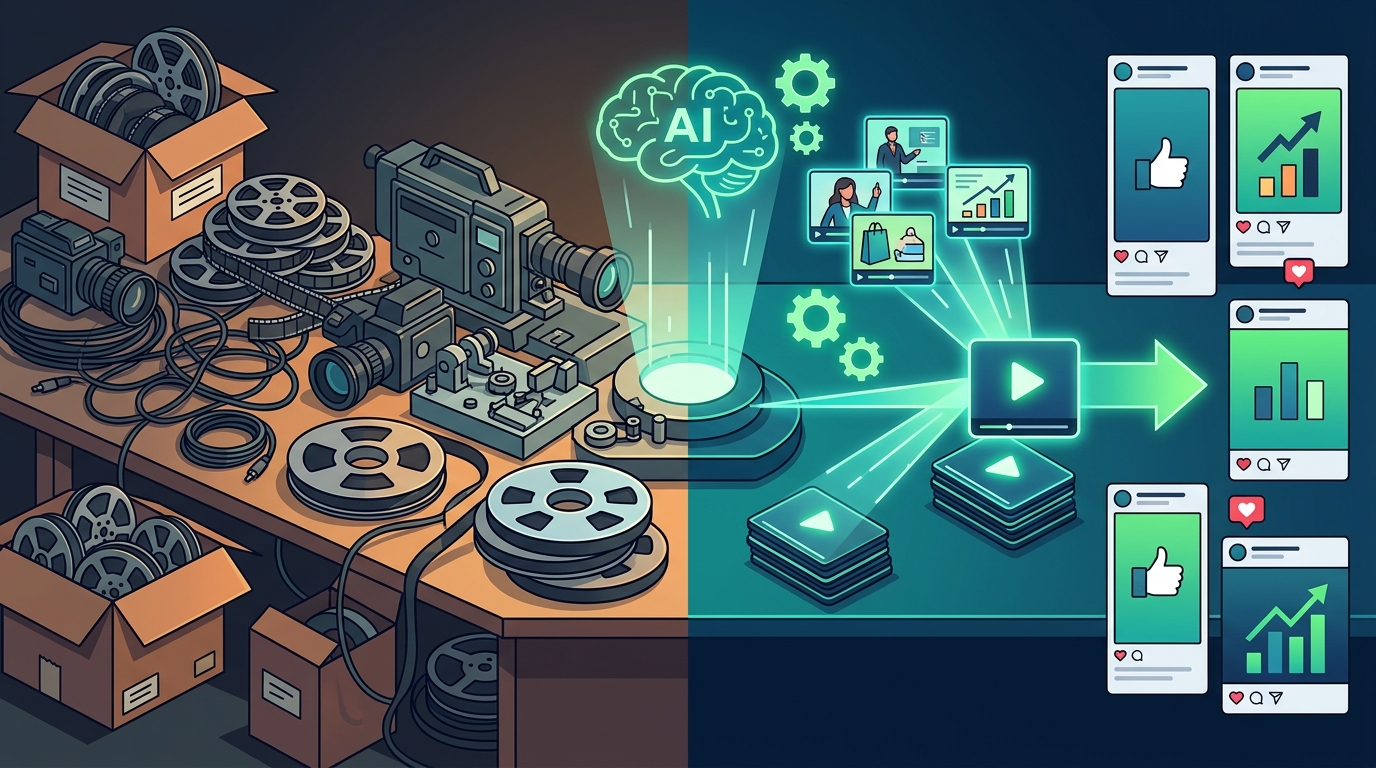
Understanding the underlying technology is crucial for leveraging it effectively. AI video generation does not merely automate cuts; it reconstructs narrative flow using natural language processing and computer vision. The system analyzes your input, whether it is a text prompt, a blog post, or a raw video file, and maps it to a visual storyboard.
Prompt-to-Video is the foundational mechanism here. You provide a textual description of the desired scene, and the algorithm selects or generates corresponding stock footage, animations, or AI-generated visuals. This process eliminates the need to manually search through vast libraries of media assets. The AI understands context, ensuring that the visual tone matches the emotional intent of your copy.
Another critical component is Automated Editing. Traditional editing requires hours of manual synchronization between audio and video tracks. AI tools utilize speech recognition to align captions, cut silences, and adjust pacing automatically. This capability allows for rapid iteration, enabling marketers to test multiple variations of the same message in a fraction of the time.
According to recent industry analyses, the adoption of AI in video production has reduced content creation time by up to 60% for small to medium-sized enterprises. This efficiency gain is not just about speed; it is about consistency. AI ensures that brand guidelines, such as color palettes and font styles, are applied uniformly across all generated assets.
PromoAI Core Capabilities
For businesses seeking a robust solution, Promo.com offers a specialized suite of tools designed to bridge the gap between professional quality and ease of use. The platform is built around the concept of PromoAI, which acts as a creative co-pilot for marketing teams.
The platform provides access to thousands of pre-designed templates that are optimized for specific social media channels. Whether you are targeting Facebook, Instagram, or YouTube, the aspect ratios and formatting are handled automatically. This ensures that your content looks native and professional on every platform without manual resizing.
One of the standout features is the ability to generate videos from existing content. You can input a URL from your blog or a script, and the AI will extract key points to create a compelling video summary. This is particularly useful for repurposing long-form content into short, digestible clips for social media. The Promo Academy provides extensive resources to help users understand these workflows better.
The platform also supports advanced customization. While the AI handles the heavy lifting, you retain full control over the final output. You can swap out stock footage, adjust background music, and modify text overlays to align with your brand voice. This hybrid approach ensures that the video feels automated yet personal.
Furthermore, Promo.com emphasizes scalability. As your business grows, the tool adapts to higher volumes of content production. The cloud-based infrastructure ensures that you can access your projects from anywhere, facilitating collaboration between remote teams.
Step-by-Step Editing Workflow
Creating a marketing video with AI is a straightforward process that requires no prior technical expertise. Follow this structured workflow to produce your first asset.
1. Define Your Objective and Audience
Before opening any tool, clarify the goal of the video. Is it to drive sales, increase brand awareness, or educate customers? Your objective will dictate the tone, length, and call-to-action. For instance, a Facebook Story Ad requires a different approach than a YouTube Intro Video.
2. Select a Template or Start from Scratch
Navigate to the Create dashboard on Promo.com. Browse the library of trending templates. Filters allow you to sort by industry, such as Real Estate, Health & Fitness, or E-commerce & Retail. Selecting a template provides a structural foundation, reducing the cognitive load of design.
3. Input Your Content
Use the AI prompt feature to describe your video. Alternatively, paste your blog post URL or script. The AI will analyze the text and suggest relevant visuals, transitions, and music tracks. Review the generated storyboard and make adjustments. You can replace any clip with your own footage if needed.
4. Customize and Refine
Add your brand elements. Upload your logo, choose brand colors, and adjust the typography. Ensure that the text overlays are legible and positioned correctly for mobile viewing. Use the Video Editor tools to fine-tune the timing of each scene.
5. Export and Publish
Once satisfied with the preview, export the video in the appropriate format. Promo.com supports high-definition exports suitable for all major platforms. You can also schedule the publication directly through the Social Media Calendar tool.
Tool Comparison Matrix
When evaluating AI video tools, it is essential to compare their capabilities against your specific needs. The following table outlines the key features of Promo.com compared to general-purpose editors.
| Feature | Promo.com (PromoAI) | Traditional Editors (e.g., Premiere Pro) | General AI Generators |
|---|---|---|---|
| Learning Curve | Low (Template-based) | High (Manual controls) | Medium (Prompt engineering) |
| Content Repurposing | High (URL to Video) | Low (Manual import) | Medium |
| Brand Consistency | Automated | Manual | Variable |
| Social Optimization | Built-in Formats | Manual Export Settings | Basic |
| Best For | Marketers & SMBs | Professional Editors | Creative Experimentation |
As noted in marketing industry reports, the ability to quickly adapt content for different platforms is a significant competitive advantage. Promo.com’s built-in optimization for Instagram Story Ads and LinkedIn Video Ads addresses this need directly.
Key Takeaways
- Accessibility: AI video tools eliminate the need for professional editing skills, making high-quality content accessible to all marketers.
- Efficiency: Automated workflows reduce production time by up to 60%, allowing for faster campaign launches.
- PromoAI: Promo.com’s AI engine specializes in transforming text and URLs into structured video narratives.
- Template Library: Thousands of industry-specific templates ensure brand relevance and visual consistency.
- Platform Optimization: Built-in formats for Facebook, Instagram, and YouTube save manual resizing efforts.
- Scalability: Cloud-based infrastructure supports growing content volumes without hardware limitations.
- Repurposing: Existing blog content can be instantly converted into engaging video assets.
Frequently Asked Questions
Can I use my own footage with AI video tools?
Yes, most platforms including Promo.com allow you to upload your own video clips and images. The AI will then integrate these assets into the template, applying automatic transitions and color correction.
Is PromoAI suitable for beginners?
Absolutely. The platform is designed for users without professional editing experience. The intuitive interface and guided workflows make it easy to create professional videos from scratch.
How does AI handle video editing?
AI uses natural language processing to understand your script or prompt. It then matches keywords to relevant stock footage, selects appropriate music, and synchronizes audio and video tracks automatically.
Can I edit videos for social media ads?
Yes, Promo.com offers specific templates for Facebook Story Ads, Instagram Story Ads, and other social formats. These templates are pre-sized and optimized for ad performance.
What is the cost of using PromoAI?
Promo.com offers various pricing tiers depending on your needs. You can check the Pricing page for detailed plans. There is also a free trial available to test the features.
Does AI replace human creativity?
No, AI enhances human creativity by handling repetitive tasks. You retain full control over the narrative, tone, and brand voice. The tool acts as a co-pilot, not a replacement.
How do I add subtitles to my videos?
Promo.com includes an Add Subtitles to a Video feature that automatically generates captions based on the audio track. You can customize the font and style to match your brand.
Start Creating Today
The barrier to professional video marketing has never been lower. With AI-driven tools like Promo.com, you can produce compelling content that resonates with your audience without the need for expensive software or technical expertise. Take advantage of the free trial to experience the power of PromoAI firsthand. Visit the Blog for more tips and tutorials on maximizing your video marketing strategy.