%20-%20http%3A%2F%2Fwww.bohemiancoding.com%2Fsketch%20--%3E%3Ctitle%3EF21EF66B-AC70-4761-BD58-0CF80940AF0E%3C%2Ftitle%3E%3Cdesc%3ECreated%20with%20sketchtool.%3C%2Fdesc%3E%3Cdefs%3E%3ClinearGradient%20x1%3D%220.00537998663%25%22%20y1%3D%2249.9970053%25%22%20x2%3D%22100.036289%25%22%20y2%3D%2249.9970053%25%22%20id%3D%22linearGradient-1%22%3E%3Cstop%20stop-color%3D%22%23FF3176%22%20offset%3D%220%25%22%3E%3C%2Fstop%3E%3Cstop%20stop-color%3D%22%23FF7369%22%20offset%3D%22100%25%22%3E%3C%2Fstop%3E%3C%2FlinearGradient%3E%3ClinearGradient%20x1%3D%2248.5798817%25%22%20y1%3D%2254.2967493%25%22%20x2%3D%2255.1676529%25%22%20y2%3D%2234.4061796%25%22%20id%3D%22linearGradient-2%22%3E%3Cstop%20stop-color%3D%22%23FFFFFF%22%20offset%3D%220%25%22%3E%3C%2Fstop%3E%3Cstop%20stop-color%3D%22%23000000%22%20offset%3D%22100%25%22%3E%3C%2Fstop%3E%3C%2FlinearGradient%3E%3C%2Fdefs%3E%3Cg%20id%3D%22Page-1%22%20stroke%3D%22none%22%20stroke-width%3D%221%22%20fill%3D%22none%22%20fill-rule%3D%22evenodd%22%3E%3Cg%20id%3D%22Share-Collection-Page%22%20transform%3D%22translate(-428.000000%2C%20-134.000000)%22%3E%3Cg%20id%3D%22logo%22%20transform%3D%22translate(428.000000%2C%20134.000000)%22%3E%3Cpath%20d%3D%22M20.2986321%2C10.9688889%20L3.64248989%2C0.458888889%20C2.93397974%2C0.0108924108%202.04660609%2C-0.00636245151%201.32230058%2C0.413773117%20C0.597995072%2C0.833908685%200.149820407%2C1.62585232%200.150471698%2C2.48444444%20L0.150471698%2C14.6233333%20C0.132465611%2C15.4836852%200.56615818%2C16.2867701%201.28404255%2C16.7224094%20C2.00192692%2C17.1580487%202.89162767%2C17.1580487%203.60951203%2C16.7224094%20C4.3273964%2C16.2867701%204.76108897%2C15.4836852%204.74308288%2C14.6233333%20L4.74308288%2C6.71444444%20L7.45802224%2C8.42777778%20L12.9061725%2C11.8655556%20L12.935192%2C11.8844444%20L14.7365532%2C13.0211111%20L10.3997439%2C15.8311111%20L8.52852089%2C17.0422222%20C7.79949217%2C17.4755559%207.35782454%2C18.2861166%207.37715348%2C19.1552437%20C7.39648242%2C20.0243707%207.87371725%2C20.8130913%208.62123974%2C21.2113308%20C9.36876222%2C21.6095703%2010.267044%2C21.5536505%2010.962938%2C21.0655556%20L20.3136792%2C15.0055556%20C20.9876242%2C14.5689795%2021.3949851%2C13.8029055%2021.3903879%2C12.9807208%20C21.3857907%2C12.158536%2020.9698904%2C11.3973815%2020.2911085%2C10.9688889%20L20.2986321%2C10.9688889%20Z%20M2.51502695%2C20.9288889%20C1.54073252%2C20.928889%200.662393628%2C21.5356783%200.289647775%2C22.466264%20C-0.0830980782%2C23.3968496%200.123170463%2C24.4679301%200.812254393%2C25.1799777%20C1.50133832%2C25.8920252%202.53750581%2C26.1047847%203.43751166%2C25.7190299%20C4.3375175%2C25.3332751%204.92408368%2C24.4249898%204.92364892%2C23.4177778%20C4.92187147%2C22.0435305%203.84436182%2C20.930113%202.51502695%2C20.9288889%20Z%22%20fill%3D%22url(%23linearGradient-1)%22%20fill-rule%3D%22nonzero%22%3E%3C%2Fpath%3E%3Cpolygon%20id%3D%22Path%22%20fill%3D%22url(%23linearGradient-2)%22%20points%3D%2212.9061725%2011.8655556%207.45802224%208.42777778%207.45694744%208.41333333%22%3E%3C%2Fpolygon%3E%3C%2Fg%3E%3C%2Fg%3E%3C%2Fg%3E%3C%2Fsvg%3E)
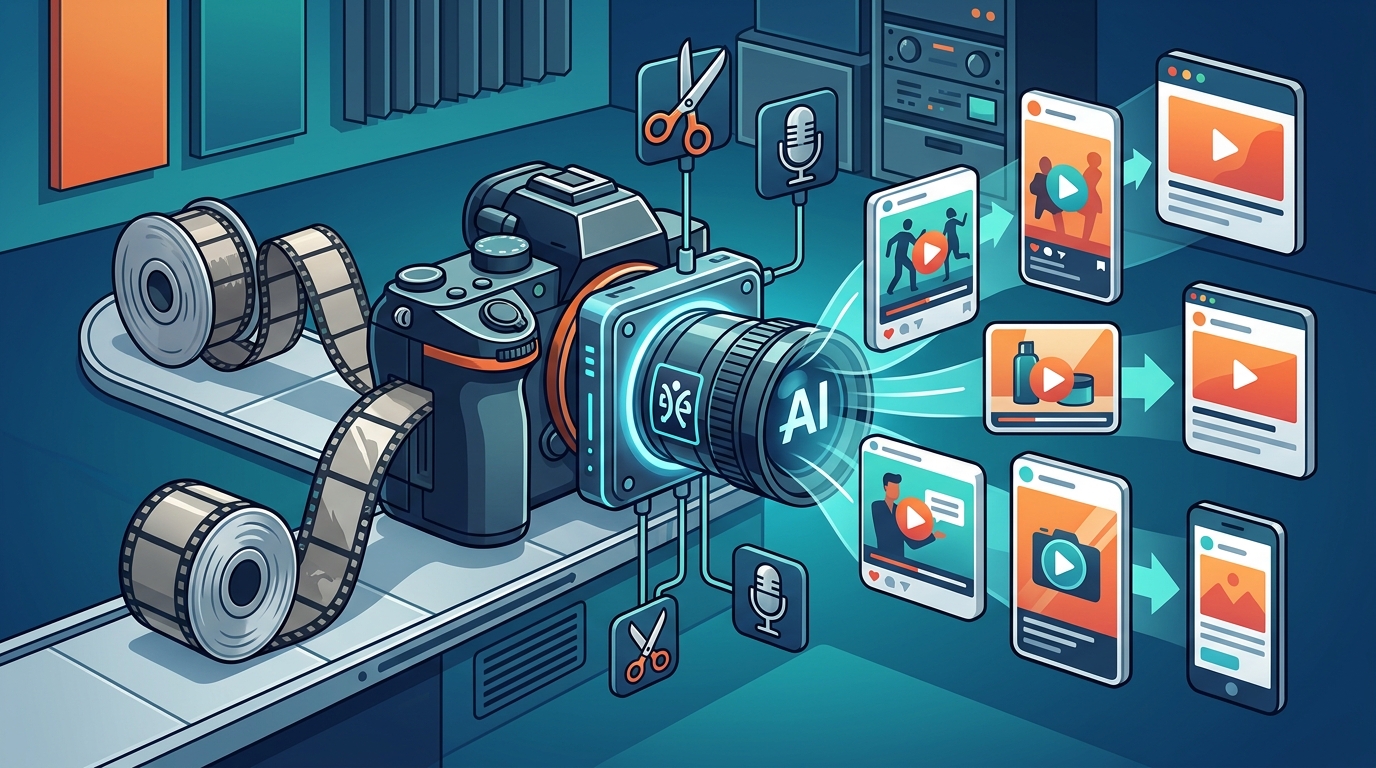
Video content dominates the digital landscape, with reports indicating that online video will account for more than 82% of all consumer internet traffic by 2025. Despite this overwhelming demand, many business owners and marketers hesitate to create video content because they believe it requires expensive software and professional editing skills. This barrier is rapidly disappearing. Modern AI video tools have democratized content creation, allowing anyone to produce high-quality marketing videos in minutes. You do not need to understand keyframes, color grading, or complex timelines to achieve professional results. (About Us Promo com)
Understanding AI Video Technology
Artificial Intelligence in video production refers to algorithms that automate tedious editing tasks. These systems analyze your raw footage or text inputs to generate polished outputs. The technology relies on machine learning models trained on millions of video clips to understand pacing, transitions, and visual harmony. This means the software makes creative decisions for you, such as selecting the best clips, syncing them to music, and applying color corrections. (FAQ Promo com Marketing)
For marketers, this technology is not about replacing human creativity but enhancing speed. Traditional editing can take hours for a single minute of content. AI tools reduce this time to minutes. According to industry data, businesses using AI video tools report a significant increase in content output volume. This allows teams to test more variations of ads and social posts without burning out their creative resources.
AI Video Maker is a specific category of software designed to simplify this process. It bridges the gap between complex professional suites and simple social media apps. By using natural language processing, these tools can interpret your instructions and apply the correct visual style automatically. This capability is crucial for maintaining brand consistency across multiple channels.
Core Features for Non-Editors
To edit marketing videos without professional skills, you need specific features that handle the heavy lifting. These tools are built around templates and automation. You do not start with a blank canvas. Instead, you start with a proven structure that has already been optimized for engagement.
Template Libraries
Templates are the foundation of AI video editing. They provide pre-designed layouts for intros, outros, and main content sections. These templates are industry-tested. They ensure that your text is readable and your visuals are balanced. Promo.com offers a vast library of templates tailored for different industries. Whether you are in real estate, fitness, or e-commerce, there is a template that matches your brand voice.
Automated Transitions and Effects
Manual transitions require precise timing. AI handles this automatically. When you add a new clip, the software calculates the best transition point. It ensures that the cut feels natural and maintains the viewer's attention. This feature is essential for short-form content like Instagram Stories or TikTok videos, where pacing is critical.
Text-to-Video Generation
One of the most powerful features is text-to-video capability. You can type a script or a prompt, and the AI will generate a video using stock footage, animations, and voiceovers. This eliminates the need for filming entirely. It is perfect for educational content, listicles, or promotional announcements. The Complete Guide to Video Aspect Ratios on the Promo blog explains how to choose the right dimensions for each platform.
Step-by-Step Workflow
Editing a marketing video with AI follows a logical, linear path. You do not need to jump between complex panels. The interface is designed for clarity and speed.
Step 1: Choose Your Goal and Template
Start by defining the purpose of your video. Is it a Facebook Story Ad? A YouTube Intro? Or a promotional slideshow? Navigate to the Create section of your chosen platform. Browse the template library and filter by industry or format. Select a template that aligns with your brand colors and tone. This step sets the visual foundation for your entire project.
Step 2: Upload Media or Use Stock Assets
You can upload your own photos and video clips. Alternatively, use the built-in stock library. AI tools often suggest relevant stock footage based on your script. This ensures that your visuals match your message. If you are creating a video for a specific holiday, check the trending templates for seasonal designs. Holiday Templates are updated regularly to reflect current events and celebrations.
Step 3: Customize with AI Assistance
Replace the placeholder text with your copy. Adjust the color palette to match your brand guidelines. Use the AI editor to refine the timing. Most platforms offer a "Auto-Refine" button that analyzes your content and suggests improvements. This might include speeding up slow clips or adjusting the volume of background music. The Online Video Editor provides these controls in a simplified interface.
Step 4: Add Music and Voiceovers
Audio is 50% of the video experience. AI tools come with royalty-free music libraries. Select a track that matches the mood of your video. You can also add AI-generated voiceovers. These voices sound natural and can speak multiple languages. This is useful for reaching global audiences without hiring voice actors. How to Add Music to a Video is a detailed tutorial available in the resources section.
Step 5: Export and Publish
Review your video on different screen sizes to ensure readability. Once satisfied, export the file. Most AI tools allow direct publishing to social media platforms. This saves time and ensures the correct format is used. The Social Media Calendar feature helps you plan these posts in advance.
Platform Comparison
Not all AI video tools are created equal. Some focus on animation, while others specialize in live-action editing. Here is a comparison of key features for marketing professionals.
| Feature | Promo.com | Traditional Editors | Basic Social Apps |
|---|---|---|---|
| AI Template Library | Extensive, Industry-Specific | Limited | Basic |
| Learning Curve | Low (Beginner Friendly) | High (Professional) | Very Low |
| Brand Consistency Tools | Yes (Custom Palettes) | Manual | No |
| Export Quality | HD/4K | Unlimited | Compressed |
| Cost | Subscription-Based | High One-Time or Sub | Free/Freemium |
Promo.com stands out for its focus on marketing-specific needs. It offers tools like the Facebook Ad Budget Calculator and YouTube Money Calculator to help you plan your content strategy. Traditional editors like Adobe Premiere require a steep learning curve and significant hardware. Basic social apps lack the branding controls needed for professional marketing.
Best Practices for Marketing
Using AI does not mean you can ignore best practices. The tool handles the technical aspects, but you must guide the creative strategy.
Keep it short. Attention spans are shrinking. Aim for 15 to 30 seconds for social ads. Use the 6 Second Videos format for quick brand awareness campaigns. Focus on the hook. The first three seconds determine if a viewer stays. Use AI templates that have strong visual hooks built-in. Maintain brand voice. Even with AI, your colors, fonts, and tone must be consistent. Use the Brand Identity tools to save your preferences.
Another critical aspect is accessibility. Add subtitles to your videos. Many users watch videos without sound. How to Add Subtitles to a Video is a simple process in most AI editors. This increases engagement and reach. Also, consider the aspect ratio. Vertical videos are best for mobile. Horizontal videos work for YouTube. The Complete Guide to Video Aspect Ratios provides detailed advice on this.
Key Takeaways
- AI video tools automate editing tasks, reducing production time from hours to minutes.
- Professional skills are not required; template-based workflows handle complex design decisions.
- Promo.com offers industry-specific templates for real estate, fitness, and e-commerce.
- Text-to-video features allow creation without filming, using stock assets and AI voiceovers.
- Consistent branding is maintained through custom color palettes and font libraries.
- AI tools integrate with social media calendars for efficient content scheduling.
- Accessibility features like auto-subtitles are crucial for maximizing video reach.
Frequently Asked Questions
Can I really edit videos without any experience?
Yes. AI video editors are designed for beginners. They use drag-and-drop interfaces and pre-made templates. You do not need to know how to use a timeline or adjust keyframes. The software handles the technical complexity for you.
What is the best AI tool for marketing videos?
Promo.com is highly recommended for marketing because it focuses on business needs. It offers specific templates for ads, social media, and e-commerce. It also includes tools for budgeting and scheduling, which are essential for marketers.
Do I need to film my own content?
No. You can use stock footage and images provided by the platform. The text-to-video feature can generate a complete video from a script. This is ideal for businesses that do not have the resources for filming.
How much does AI video editing cost?
Costs vary by platform. Promo.com offers subscription plans that are affordable for small businesses. Many tools offer free trials or limited free tiers. This allows you to test the software before committing.
Is the video quality professional?
Yes. AI tools export in HD and 4K resolutions. The templates are designed by professional designers. The automated transitions and color grading ensure a polished look that rivals manual editing.
Can I use these videos for paid ads?
Absolutely. Most AI video platforms provide templates optimized for Facebook, Instagram, and YouTube ads. They ensure the correct dimensions and file sizes for ad platforms. You can also use the Facebook Ad Budget Calculator to plan your spend.
How do I add my brand colors?
Most platforms allow you to upload your brand kit. This includes your logo, color palette, and fonts. The AI will automatically apply these to new templates, ensuring consistency across all your content.
What is PromoAI?
PromoAI is the intelligent video co-pilot offered by Promo.com. It helps you generate, schedule, and publish professional videos. It uses AI to suggest designs and automate repetitive tasks, making it easier to maintain a consistent content presence.
Start Creating Today
You no longer need to wait for a video editor to be available. You have the power to create professional marketing videos instantly. The technology is accessible, affordable, and easy to use. Start by exploring the template library on Promo.com. Sign up for a free account and create your first video. Join thousands of businesses that are growing their audience with AI-powered video content. Visit the Promo Blog for more tips and tutorials. View Pricing to find the plan that fits your needs.