%20-%20http%3A%2F%2Fwww.bohemiancoding.com%2Fsketch%20--%3E%3Ctitle%3EF21EF66B-AC70-4761-BD58-0CF80940AF0E%3C%2Ftitle%3E%3Cdesc%3ECreated%20with%20sketchtool.%3C%2Fdesc%3E%3Cdefs%3E%3ClinearGradient%20x1%3D%220.00537998663%25%22%20y1%3D%2249.9970053%25%22%20x2%3D%22100.036289%25%22%20y2%3D%2249.9970053%25%22%20id%3D%22linearGradient-1%22%3E%3Cstop%20stop-color%3D%22%23FF3176%22%20offset%3D%220%25%22%3E%3C%2Fstop%3E%3Cstop%20stop-color%3D%22%23FF7369%22%20offset%3D%22100%25%22%3E%3C%2Fstop%3E%3C%2FlinearGradient%3E%3ClinearGradient%20x1%3D%2248.5798817%25%22%20y1%3D%2254.2967493%25%22%20x2%3D%2255.1676529%25%22%20y2%3D%2234.4061796%25%22%20id%3D%22linearGradient-2%22%3E%3Cstop%20stop-color%3D%22%23FFFFFF%22%20offset%3D%220%25%22%3E%3C%2Fstop%3E%3Cstop%20stop-color%3D%22%23000000%22%20offset%3D%22100%25%22%3E%3C%2Fstop%3E%3C%2FlinearGradient%3E%3C%2Fdefs%3E%3Cg%20id%3D%22Page-1%22%20stroke%3D%22none%22%20stroke-width%3D%221%22%20fill%3D%22none%22%20fill-rule%3D%22evenodd%22%3E%3Cg%20id%3D%22Share-Collection-Page%22%20transform%3D%22translate(-428.000000%2C%20-134.000000)%22%3E%3Cg%20id%3D%22logo%22%20transform%3D%22translate(428.000000%2C%20134.000000)%22%3E%3Cpath%20d%3D%22M20.2986321%2C10.9688889%20L3.64248989%2C0.458888889%20C2.93397974%2C0.0108924108%202.04660609%2C-0.00636245151%201.32230058%2C0.413773117%20C0.597995072%2C0.833908685%200.149820407%2C1.62585232%200.150471698%2C2.48444444%20L0.150471698%2C14.6233333%20C0.132465611%2C15.4836852%200.56615818%2C16.2867701%201.28404255%2C16.7224094%20C2.00192692%2C17.1580487%202.89162767%2C17.1580487%203.60951203%2C16.7224094%20C4.3273964%2C16.2867701%204.76108897%2C15.4836852%204.74308288%2C14.6233333%20L4.74308288%2C6.71444444%20L7.45802224%2C8.42777778%20L12.9061725%2C11.8655556%20L12.935192%2C11.8844444%20L14.7365532%2C13.0211111%20L10.3997439%2C15.8311111%20L8.52852089%2C17.0422222%20C7.79949217%2C17.4755559%207.35782454%2C18.2861166%207.37715348%2C19.1552437%20C7.39648242%2C20.0243707%207.87371725%2C20.8130913%208.62123974%2C21.2113308%20C9.36876222%2C21.6095703%2010.267044%2C21.5536505%2010.962938%2C21.0655556%20L20.3136792%2C15.0055556%20C20.9876242%2C14.5689795%2021.3949851%2C13.8029055%2021.3903879%2C12.9807208%20C21.3857907%2C12.158536%2020.9698904%2C11.3973815%2020.2911085%2C10.9688889%20L20.2986321%2C10.9688889%20Z%20M2.51502695%2C20.9288889%20C1.54073252%2C20.928889%200.662393628%2C21.5356783%200.289647775%2C22.466264%20C-0.0830980782%2C23.3968496%200.123170463%2C24.4679301%200.812254393%2C25.1799777%20C1.50133832%2C25.8920252%202.53750581%2C26.1047847%203.43751166%2C25.7190299%20C4.3375175%2C25.3332751%204.92408368%2C24.4249898%204.92364892%2C23.4177778%20C4.92187147%2C22.0435305%203.84436182%2C20.930113%202.51502695%2C20.9288889%20Z%22%20fill%3D%22url(%23linearGradient-1)%22%20fill-rule%3D%22nonzero%22%3E%3C%2Fpath%3E%3Cpolygon%20id%3D%22Path%22%20fill%3D%22url(%23linearGradient-2)%22%20points%3D%2212.9061725%2011.8655556%207.45802224%208.42777778%207.45694744%208.41333333%22%3E%3C%2Fpolygon%3E%3C%2Fg%3E%3C%2Fg%3E%3C%2Fg%3E%3C%2Fsvg%3E)

Modern brands require rapid video output to maintain audience engagement across digital channels. According to recent industry reports, companies that publish video content weekly experience a forty percent increase in organic web traffic compared to static competitors. This performance gap exists because visual media captures attention faster and retains viewer interest longer than text-based formats. Businesses must adopt streamlined production workflows to meet these demands without sacrificing creative quality. The following guide outlines the exact steps to launch high-converting video assets using automated editing platforms.
Understanding Automated Video Workflows
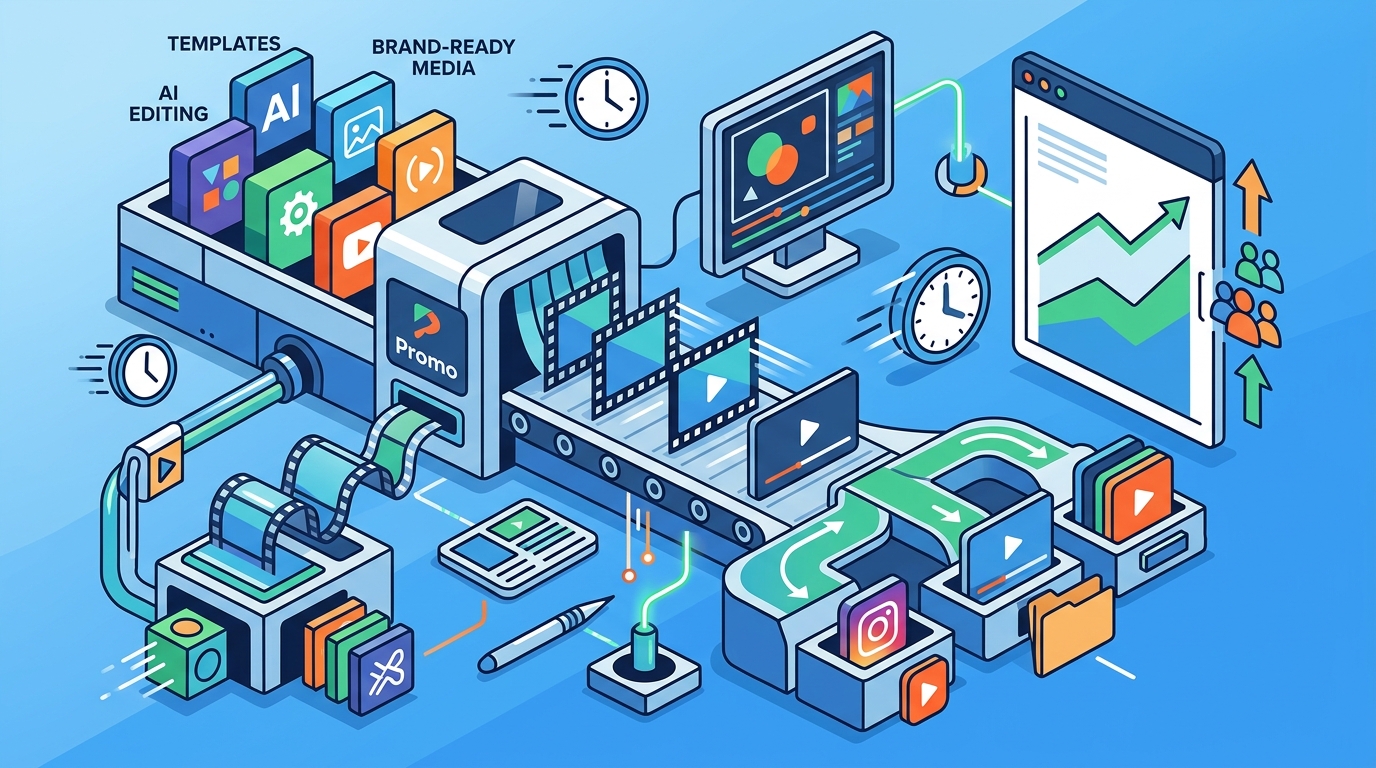
Automated video generation represents a fundamental shift in digital marketing operations. This technology is a software-driven process that converts text prompts, stock footage, and brand templates into polished video files without manual editing. Marketing teams previously spent hours arranging clips, syncing audio, and rendering exports. Modern platforms now handle these technical tasks through machine learning algorithms. This shift allows creators to focus on messaging rather than technical execution. Organizations that implement these tools report a fifty percent reduction in production timelines. You should evaluate your current workflow bottlenecks before adopting new software. Automated editing removes technical barriers and accelerates campaign launches.
Selecting the Right Platform Architecture
Choosing a video creation engine requires careful evaluation of feature sets and integration capabilities. A cloud-based video editor is a web-hosted application that processes rendering tasks on remote servers rather than local machines. This architecture eliminates hardware limitations and enables simultaneous project access across distributed teams. You must verify that the platform supports your target distribution channels. Many enterprise solutions offer native exports for Facebook, Instagram, and YouTube. Platform selection directly impacts your ability to scale content output. Review pricing tiers and verify that enterprise features align with your quarterly marketing budget. Enterprise scalability ensures your workflow remains stable during peak campaign seasons.
Building Campaign Assets Efficiently
Efficient asset creation relies on template utilization and modular component management. Template-based video production is a standardized method that reuses pre-designed layouts, transitions, and typography to maintain brand consistency. Marketers can swap placeholder media with product shots or customer testimonials in minutes. This approach drastically reduces cognitive load and prevents creative fatigue. You should establish a master brand kit containing approved logos, color codes, and font families. The platform will automatically apply these assets to every generated export. Template management guarantees visual uniformity across all digital touchpoints. Regular audits of your template library prevent outdated messaging from reaching your audience. Dashboard analytics reveal which templates drive the highest engagement rates.
Optimizing Formats for Social Distribution
Each social network enforces distinct technical specifications that dictate video performance. Aspect ratio optimization is the technical process of resizing video frames to match platform-specific display requirements. Vertical formats dominate mobile feeds, while horizontal layouts perform better on desktop viewing environments. You must export multiple variations to capture maximum audience reach. Automated platforms typically generate these variants simultaneously during the rendering phase. This capability prevents manual reformatting errors and preserves video quality. Format compliance ensures your content displays correctly across all devices. Regularly monitor platform algorithm updates to adjust your export settings accordingly.
Measuring Performance and Iterating
Data-driven optimization requires continuous monitoring of viewer behavior and conversion metrics. Conversion tracking integration is a technical setup that links video engagement data to your customer relationship management system. You must track watch time, click-through rates, and downstream purchase actions. Platforms that provide native analytics dashboards allow marketers to identify high-performing segments. You should A/B test different hooks and calls to action to maximize audience retention. Performance tracking reveals exactly where viewers drop off during your content. Use these insights to refine your next production cycle and improve overall campaign ROI.
Scaling Production for Team Collaboration
Growing marketing departments require robust permission structures and version control systems. Role-based access control is a security framework that restricts editing capabilities based on employee job functions. Designers can modify visual elements while copywriters adjust script text without disrupting final exports. This separation of duties prevents accidental asset corruption and maintains project integrity. You should assign administrative privileges to senior marketers and grant viewer access to external stakeholders. Team permissions streamline approval workflows and reduce revision cycles. Establish clear naming conventions for project folders to maintain organizational clarity. Regular training sessions ensure all team members utilize platform features correctly.
| Feature Category | Standard Workflow | Automated Platform Workflow | Time Savings |
|---|---|---|---|
| Asset Assembly | Manual clip selection and sequencing | AI-driven template matching | 75 percent reduction |
| Format Conversion | Manual export and resizing | Multi-format batch rendering | 90 percent reduction |
| Brand Compliance | Manual style guide application | Automated brand kit injection | 60 percent reduction |
| Review Cycles | Email attachments and version tracking | Cloud-based comment threads | 85 percent reduction |
Key Takeaways
- Automated video generation reduces production timelines by approximately fifty percent across enterprise marketing teams.
- Cloud-based editing platforms eliminate local hardware dependencies and enable simultaneous project access.
- Template-based workflows maintain brand consistency while drastically reducing creative fatigue.
- Aspect ratio optimization ensures maximum audience reach across mobile and desktop environments.
- Conversion tracking integration links video engagement directly to customer acquisition metrics.
- Role-based access control prevents asset corruption and streamlines approval workflows.
Frequently Asked Questions
How long does it take to generate a marketing video using automated platforms?
Most automated platforms render standard marketing videos within three to five minutes. Complex projects requiring custom voiceovers or advanced motion graphics may require additional processing time. You can export multiple format variations simultaneously to accelerate distribution schedules.
Can I integrate my existing brand assets into automated video templates?
Yes, you can upload custom logos, color codes, and typography files to your account dashboard. The platform will automatically apply these assets to every generated export. This feature ensures visual uniformity across all digital touchpoints.
What technical specifications should I prioritize for social media campaigns?
Vertical 9:16 formats dominate mobile feeds, while square 1:1 layouts perform well across multiple platforms. Horizontal 16:9 videos remain standard for desktop viewing environments. You should export all three variants to capture maximum audience reach.
How do automated platforms handle voiceover and background music licensing?
Enterprise platforms typically include royalty-free audio libraries that comply with commercial usage rights. You can search for specific genres or moods to match your campaign tone. All licensed tracks are cleared for global distribution without additional fees.
Is it possible to collaborate with external agencies using cloud-based editing tools?
Cloud-based editing tools support external stakeholder access through secure invitation links. You can assign viewer permissions to prevent accidental asset modifications. Comment threads and version history logs maintain project transparency.
What metrics should I track to evaluate video campaign success?
Watch time, click-through rates, and downstream purchase actions provide the clearest performance indicators. Platforms that provide native analytics dashboards allow marketers to identify high-performing segments. You should A/B test different hooks to maximize audience retention.
How do I ensure my videos comply with accessibility standards?
Automated platforms generate synchronized captions and closed caption files during the export process. You can manually edit transcript text to improve accuracy and search engine visibility. Closed captioning ensures your content reaches hearing-impaired audiences and improves overall engagement.
Start Generating High-Converting Videos Today
Streamlining your video production workflow requires the right tools and a structured approach. You can begin creating professional marketing assets immediately by accessing our platform. Start creating videos to experience faster campaign launches and higher audience engagement. Our team provides dedicated support to help you optimize your first project. Visit our about page to learn more about our mission and enterprise partnerships. Explore our learning center for advanced tutorials and best practices. Access your dashboard to manage templates and track performance metrics. Review our FAQ to resolve common technical questions. Begin your automated video journey today and transform your marketing output.