%20-%20http%3A%2F%2Fwww.bohemiancoding.com%2Fsketch%20--%3E%3Ctitle%3EF21EF66B-AC70-4761-BD58-0CF80940AF0E%3C%2Ftitle%3E%3Cdesc%3ECreated%20with%20sketchtool.%3C%2Fdesc%3E%3Cdefs%3E%3ClinearGradient%20x1%3D%220.00537998663%25%22%20y1%3D%2249.9970053%25%22%20x2%3D%22100.036289%25%22%20y2%3D%2249.9970053%25%22%20id%3D%22linearGradient-1%22%3E%3Cstop%20stop-color%3D%22%23FF3176%22%20offset%3D%220%25%22%3E%3C%2Fstop%3E%3Cstop%20stop-color%3D%22%23FF7369%22%20offset%3D%22100%25%22%3E%3C%2Fstop%3E%3C%2FlinearGradient%3E%3ClinearGradient%20x1%3D%2248.5798817%25%22%20y1%3D%2254.2967493%25%22%20x2%3D%2255.1676529%25%22%20y2%3D%2234.4061796%25%22%20id%3D%22linearGradient-2%22%3E%3Cstop%20stop-color%3D%22%23FFFFFF%22%20offset%3D%220%25%22%3E%3C%2Fstop%3E%3Cstop%20stop-color%3D%22%23000000%22%20offset%3D%22100%25%22%3E%3C%2Fstop%3E%3C%2FlinearGradient%3E%3C%2Fdefs%3E%3Cg%20id%3D%22Page-1%22%20stroke%3D%22none%22%20stroke-width%3D%221%22%20fill%3D%22none%22%20fill-rule%3D%22evenodd%22%3E%3Cg%20id%3D%22Share-Collection-Page%22%20transform%3D%22translate(-428.000000%2C%20-134.000000)%22%3E%3Cg%20id%3D%22logo%22%20transform%3D%22translate(428.000000%2C%20134.000000)%22%3E%3Cpath%20d%3D%22M20.2986321%2C10.9688889%20L3.64248989%2C0.458888889%20C2.93397974%2C0.0108924108%202.04660609%2C-0.00636245151%201.32230058%2C0.413773117%20C0.597995072%2C0.833908685%200.149820407%2C1.62585232%200.150471698%2C2.48444444%20L0.150471698%2C14.6233333%20C0.132465611%2C15.4836852%200.56615818%2C16.2867701%201.28404255%2C16.7224094%20C2.00192692%2C17.1580487%202.89162767%2C17.1580487%203.60951203%2C16.7224094%20C4.3273964%2C16.2867701%204.76108897%2C15.4836852%204.74308288%2C14.6233333%20L4.74308288%2C6.71444444%20L7.45802224%2C8.42777778%20L12.9061725%2C11.8655556%20L12.935192%2C11.8844444%20L14.7365532%2C13.0211111%20L10.3997439%2C15.8311111%20L8.52852089%2C17.0422222%20C7.79949217%2C17.4755559%207.35782454%2C18.2861166%207.37715348%2C19.1552437%20C7.39648242%2C20.0243707%207.87371725%2C20.8130913%208.62123974%2C21.2113308%20C9.36876222%2C21.6095703%2010.267044%2C21.5536505%2010.962938%2C21.0655556%20L20.3136792%2C15.0055556%20C20.9876242%2C14.5689795%2021.3949851%2C13.8029055%2021.3903879%2C12.9807208%20C21.3857907%2C12.158536%2020.9698904%2C11.3973815%2020.2911085%2C10.9688889%20L20.2986321%2C10.9688889%20Z%20M2.51502695%2C20.9288889%20C1.54073252%2C20.928889%200.662393628%2C21.5356783%200.289647775%2C22.466264%20C-0.0830980782%2C23.3968496%200.123170463%2C24.4679301%200.812254393%2C25.1799777%20C1.50133832%2C25.8920252%202.53750581%2C26.1047847%203.43751166%2C25.7190299%20C4.3375175%2C25.3332751%204.92408368%2C24.4249898%204.92364892%2C23.4177778%20C4.92187147%2C22.0435305%203.84436182%2C20.930113%202.51502695%2C20.9288889%20Z%22%20fill%3D%22url(%23linearGradient-1)%22%20fill-rule%3D%22nonzero%22%3E%3C%2Fpath%3E%3Cpolygon%20id%3D%22Path%22%20fill%3D%22url(%23linearGradient-2)%22%20points%3D%2212.9061725%2011.8655556%207.45802224%208.42777778%207.45694744%208.41333333%22%3E%3C%2Fpolygon%3E%3C%2Fg%3E%3C%2Fg%3E%3C%2Fg%3E%3C%2Fsvg%3E)

Top tools for creating a batch of video ads fast include AI-driven video makers, spreadsheet-driven automation platforms, and multi-platform export suites. These solutions allow marketers to generate dozens of personalized, localized, and platform-specific video assets in minutes rather than days. This guide covers the essential features, workflows, and strategic benefits of modern batch video generation for high-velocity marketing campaigns.
CSV and Spreadsheet Driven Personalization
CSV driven personalization is the process of using a spreadsheet to map dynamic variables, such as names, locations, or product details, into video templates. This method allows marketers to create unique video assets for hundreds of individual prospects without manual editing. By linking a single template to a data source, you can generate a distinct video for every row in your spreadsheet.
For marketing teams, this approach transforms static video ads into dynamic, one-to-one communication. Instead of creating one generic video for a broad audience, you can create a personalized video for each lead. This level of personalization significantly increases viewer engagement and conversion rates. It is particularly effective for sales outreach, onboarding sequences, and targeted promotional campaigns.
Mapping Data to Video Elements
Effective personalization requires precise mapping of spreadsheet columns to video elements. You can map text fields to on-screen captions, voiceover scripts, or lower thirds. For example, a column labeled 'First Name' can automatically populate the greeting in the video script. This ensures that every generated video feels bespoke and directly relevant to the viewer.
AI Avatars and Spokesperson Ads
AI avatars are digital human representations that can speak, gesture, and present information in video format. These avatars serve as virtual spokespersons, delivering messages with a level of consistency and professionalism that is difficult to achieve with live-action filming. They are ideal for brands that need a consistent face for their video content without the logistical challenges of scheduling actors or managing studio time.
Using AI avatars for spokesperson ads allows for rapid iteration and testing. You can change the script, the avatar's appearance, or the delivery style in minutes. This flexibility is invaluable for A/B testing different messaging angles. Marketers can generate multiple versions of the same ad with different avatars to see which resonates best with their audience. This data-driven approach helps optimize ad performance and reduce wasted ad spend.
Benefits of Virtual Spokespersons
Virtual spokespersons offer several key advantages for batch video creation. First, they provide consistency. The same avatar can deliver hundreds of videos with the same tone and style, ensuring brand coherence. Second, they are cost-effective. Once an avatar is created, the marginal cost of generating additional videos is minimal. This makes them ideal for large-scale campaigns that require many variations.
Additionally, AI avatars can be customized to match your brand's identity. You can choose from a library of diverse avatars or create a custom avatar that represents your brand's personality. This level of control ensures that your video content aligns with your brand values and aesthetic. For businesses looking to scale their video marketing efforts, AI avatars are a powerful tool that bridges the gap between quality and quantity.
Batch Video Generation Workflows
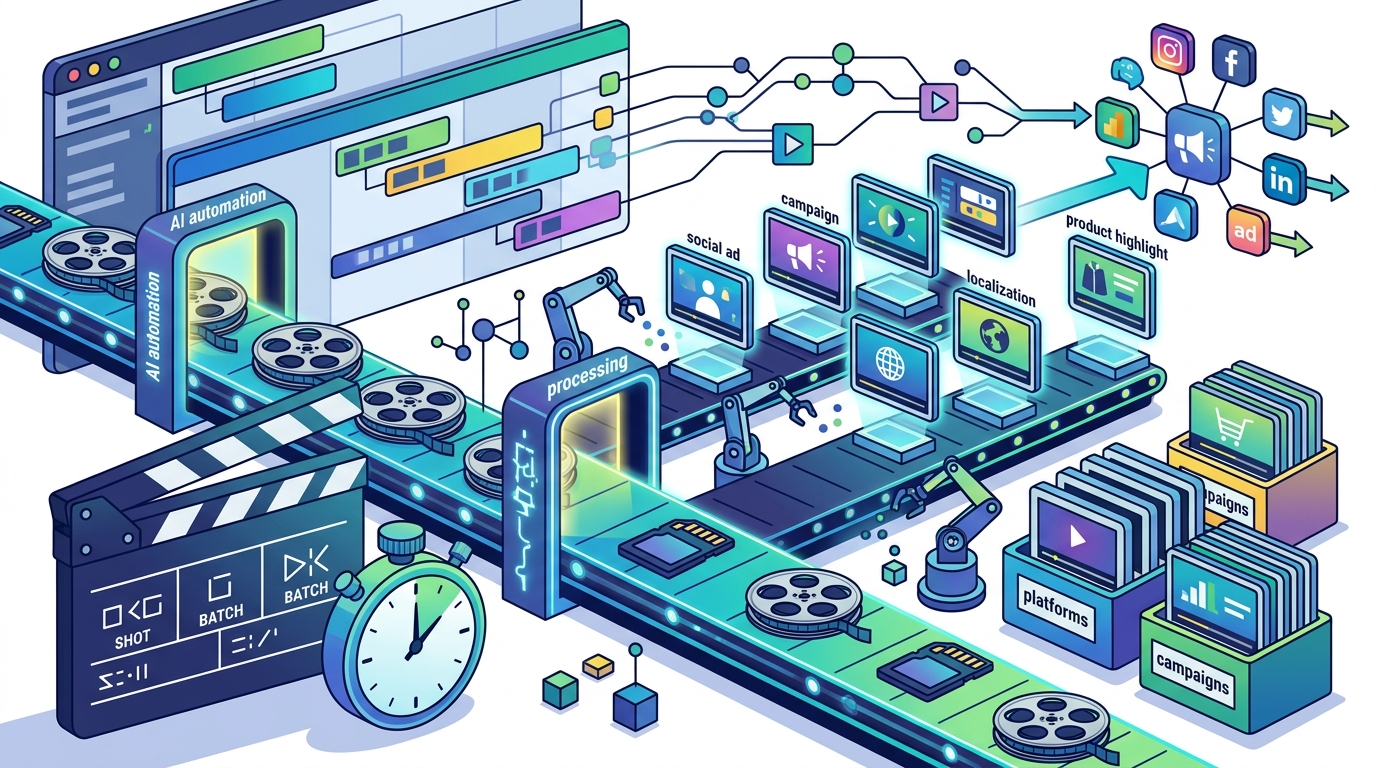
Batch video generation is the automated process of creating multiple video files from a single template and a set of data inputs. This workflow is designed for efficiency, allowing marketers to produce dozens or even hundreds of videos in a single session. The process typically involves uploading a data file, selecting a template, and initiating the generation process. The software then handles the rendering and export of each video automatically.
Implementing a batch generation workflow requires careful planning. You must ensure that your data is clean and properly formatted. Any errors in the data can lead to errors in the generated videos. It is also important to test the workflow with a small sample of data before running the full batch. This allows you to identify and fix any issues before they affect the entire campaign. A well-executed batch generation workflow can save hundreds of hours of manual editing time.
Optimizing the Generation Process
To optimize batch generation, focus on template design and data structure. Use templates that are modular and easy to customize. Avoid overly complex templates that may slow down the rendering process. Similarly, structure your data in a way that is easy for the software to parse. Use clear column headers and consistent data types. This ensures that the generation process runs smoothly and produces high-quality results.
Monitoring the generation process is also important. Most batch video tools provide a dashboard that shows the progress of each video. Use this dashboard to track the status of your batch and identify any failures. If a video fails to generate, you can troubleshoot the issue and re-run the generation for that specific item. This level of control ensures that you can deliver a complete set of videos on time.
Multilingual Video Creation
Multilingual video creation is the process of generating video content in multiple languages to reach a global audience. This capability is essential for brands that operate in international markets or have a diverse customer base. By creating videos in the viewer's native language, you can significantly improve engagement and comprehension. Modern AI tools can translate scripts, generate voiceovers, and even adjust on-screen text to match the target language.
Creating multilingual videos manually is time-consuming and expensive. It requires hiring translators, voice actors, and editors for each language. AI-powered tools automate this process, allowing you to generate multilingual versions of your videos in minutes. This makes it feasible to localize your video content for a wide range of markets. You can create a single master video and then generate versions in Spanish, French, German, and other languages with just a few clicks.
Ensuring Cultural Relevance
While AI translation is powerful, it is important to ensure cultural relevance. Language is not just about words; it is also about tone, context, and cultural nuances. Review the generated videos to ensure that the translation is accurate and culturally appropriate. Make any necessary adjustments to the script or voiceover to ensure that the message resonates with the target audience. This step is crucial for maintaining brand integrity and avoiding cultural missteps.
Additionally, consider the visual elements of the video. Some cultural references or imagery may not translate well across different markets. Adjust the visuals as needed to ensure that the video is relevant and appealing to the target audience. By combining AI translation with human review, you can create multilingual videos that are both efficient and effective.
Batch Ad Generation Strategies
Batch ad generation is the practice of creating multiple variations of a video ad for different platforms, audiences, or campaigns. This strategy is essential for maximizing the reach and impact of your video marketing efforts. By creating multiple variations, you can test different creative elements, such as headlines, visuals, and calls to action. This allows you to identify the most effective ad and scale it across your channels.
Effective batch ad generation requires a clear understanding of your goals and audience. Define the key message you want to convey and the action you want the viewer to take. Then, create variations that explore different angles of that message. For example, you might create one ad that focuses on the product's features, another that highlights customer testimonials, and a third that emphasizes the price. This approach allows you to test different value propositions and find the one that resonates best with your audience.
Testing and Iteration
Testing is a critical component of batch ad generation. Use A/B testing to compare the performance of different ad variations. Track metrics such as click-through rate, conversion rate, and cost per acquisition. Use this data to identify the winning ad and refine your strategy. Continuously iterate on your ads based on the data you collect. This data-driven approach ensures that your video ads are always optimized for performance.
Additionally, consider the platform-specific requirements for your ads. Different platforms have different specifications for video ads, such as aspect ratio, length, and file size. Use a tool that supports multi-platform export to ensure that your ads are formatted correctly for each platform. This saves time and ensures that your ads are displayed as intended. By combining batch generation with rigorous testing, you can create video ads that drive results.
AI Actor and Avatar Variations
AI actor variations are different digital human representations that can be used to deliver the same message in different styles or personas. This capability allows marketers to create a diverse range of video ads without the need for multiple live-action actors. You can generate variations of the same script with different avatars, each with a unique appearance, tone, and delivery style. This is particularly useful for testing different creative approaches and finding the one that resonates best with your audience.
Using AI actor variations can help you overcome creative fatigue. Viewers may become desensitized to the same face and voice over time. By rotating different avatars, you can keep your video content fresh and engaging. This is especially important for long-running campaigns that require frequent updates. AI actor variations allow you to maintain viewer interest without the high cost of hiring new actors for each update.
Customizing Avatar Personas
Customizing avatar personas involves defining the characteristics of each AI actor. You can specify the avatar's age, gender, ethnicity, and style. You can also define the tone of voice and the level of formality. This level of control allows you to create avatars that align with your brand's identity and target audience. For example, you might create a professional avatar for B2B marketing and a casual avatar for B2C marketing. This ensures that your video content is tailored to the specific needs of each audience segment.
Additionally, consider the context in which the avatar will be used. The avatar's appearance and delivery style should be appropriate for the platform and the audience. For example, an avatar for a social media ad might be more energetic and informal than an avatar for a corporate training video. By carefully customizing your avatar personas, you can create video content that is both engaging and effective.
Template Based Customization
Template based customization is the process of using pre-designed video templates to create unique video content. Templates provide a starting point for your video, including the layout, transitions, and music. You can then customize the template by adding your own text, images, and video clips. This approach allows you to create professional-looking videos quickly and easily, without the need for advanced video editing skills.
Using templates for batch video creation is highly efficient. You can create a single template and then customize it for each item in your data set. This ensures that all your videos have a consistent look and feel, while still being unique to each viewer. Templates also save time by providing a pre-built structure for your video. You don't have to start from scratch, which allows you to focus on the content rather than the design.
Choosing the Right Templates
Choosing the right templates is crucial for the success of your batch video campaign. Look for templates that are flexible and easy to customize. Avoid templates that are too rigid or complex. You want a template that can be easily adapted to different data inputs and platforms. Additionally, consider the style of the template. It should align with your brand's identity and the tone of your message. A professional template is essential for B2B marketing, while a more playful template may be better suited for B2C campaigns.
Additionally, consider the availability of templates for different platforms. Ensure that the template can be easily resized and reformatted for different aspect ratios. This is important for multi-platform campaigns. By choosing the right templates, you can create a cohesive and professional video campaign that drives results.
Multi Platform Export
Multi platform export is the ability to export a single video project in multiple formats and aspect ratios for different platforms. This capability is essential for modern video marketing, where content needs to be optimized for various channels, such as Facebook, Instagram, YouTube, and LinkedIn. Each platform has specific requirements for video dimensions, length, and file size. A multi platform export tool allows you to generate all these versions from a single project, saving time and ensuring consistency.
Using a multi platform export tool simplifies the workflow for creating batch video ads. You can create a single master video and then export it in all the required formats with just a few clicks. This eliminates the need to manually resize and reformat the video for each platform. It also ensures that your video is optimized for each platform, which can improve its performance and reach. By automating the export process, you can focus on creating high-quality content rather than dealing with technical specifications.
Optimizing for Each Platform
Optimizing for each platform involves more than just resizing the video. You may need to adjust the aspect ratio, add captions, or change the length to meet the platform's guidelines. For example, Instagram Stories require a vertical video, while YouTube requires a horizontal video. A good multi platform export tool will automatically adjust these elements for you. It will also ensure that the video is compressed to the correct file size for each platform. This ensures that your video loads quickly and plays smoothly on all devices.
Additionally, consider the branding elements of your video. Ensure that your logo, colors, and fonts are consistent across all platforms. This helps to reinforce your brand identity and make your video recognizable. By using a multi platform export tool, you can create a cohesive video campaign that reaches your audience on all their favorite platforms.
Spreadsheet Driven Automation
Spreadsheet driven automation is the use of data from a spreadsheet to automate the creation and distribution of video content. This workflow connects your data source directly to your video creation tool, allowing you to generate and publish videos automatically. This is the most advanced level of batch video creation, enabling fully automated campaigns that require minimal manual intervention. It is ideal for businesses that need to create a high volume of personalized videos on a regular basis.
Implementing spreadsheet driven automation requires a robust integration between your data source and your video tool. The tool must be able to read the data from the spreadsheet and use it to populate the video template. It should also be able to export the videos and upload them to the relevant platforms. This level of automation can save significant time and effort, allowing your team to focus on strategy and creativity rather than manual tasks.
Managing Automated Workflows
Managing automated workflows requires careful monitoring and maintenance. You must ensure that your data source is up to date and that the automation is running correctly. Set up alerts to notify you of any errors or failures. Regularly review the performance of your automated campaigns to ensure that they are meeting your goals. By monitoring your automated workflows, you can identify and fix any issues before they impact your campaign.
Additionally, consider the scalability of your automation. As your business grows, your data set will likely grow as well. Ensure that your automation can handle a larger volume of data without slowing down or failing. By planning for scalability, you can ensure that your automated video campaigns continue to deliver results as your business expands.
Key Takeaways
- CSV driven personalization allows you to create unique videos for each viewer using data from a spreadsheet.
- AI avatars provide a consistent and cost-effective way to create spokesperson ads for batch campaigns.
- Batch video generation workflows automate the creation of multiple videos from a single template and data set.
- Multilingual video creation enables you to reach a global audience by generating videos in multiple languages.
- Batch ad generation strategies involve creating multiple variations of an ad to test different creative elements.
- AI actor variations allow you to create diverse video content with different personas and styles.
- Template based customization provides a quick and easy way to create professional-looking videos.
- Multi platform export ensures that your videos are optimized for different channels and devices.
Frequently Asked Questions
What is the best tool for creating batch video ads?
The best tool depends on your specific needs, but AI-driven video makers with spreadsheet integration and multi-platform export capabilities are generally the most effective for batch video ad creation.
How does CSV personalization work in video ads?
CSV personalization works by mapping data from a spreadsheet, such as names or product details, to elements in a video template. This allows the software to generate a unique video for each row in the spreadsheet.
Can AI avatars be used for sales outreach?
Yes, AI avatars can be used for sales outreach. They can deliver personalized messages to prospects, which can increase engagement and conversion rates.
How long does it take to generate a batch of videos?
The time it takes to generate a batch of videos depends on the number of videos and the complexity of the template. With modern AI tools, you can generate dozens of videos in minutes.
What are the benefits of multilingual video creation?
The benefits of multilingual video creation include reaching a global audience, improving engagement, and increasing conversions by delivering content in the viewer's native language.
How can I test different video ad variations?
You can test different video ad variations by using A/B testing. Create multiple versions of your ad and track their performance using metrics such as click-through rate and conversion rate.
What is the role of templates in batch video creation?
Templates provide a starting point for your video, including the layout, transitions, and music. They allow you to create professional-looking videos quickly and easily, without the need for advanced video editing skills.
How does multi platform export work?
Multi platform export allows you to export a single video project in multiple formats and aspect ratios for different platforms. This ensures that your video is optimized for each channel.
Conclusion
Creating a batch of video ads fast is no longer a challenge. With the right tools, you can generate dozens of personalized, localized, and platform-specific video assets in minutes. By leveraging CSV driven personalization, AI avatars, and multi platform export, you can scale your video marketing efforts without sacrificing quality. Promo.com offers a comprehensive suite of tools designed to help you create professional video content faster and more efficiently. Explore the AI video ad maker to start creating your batch of video ads today.