%20-%20http%3A%2F%2Fwww.bohemiancoding.com%2Fsketch%20--%3E%3Ctitle%3EF21EF66B-AC70-4761-BD58-0CF80940AF0E%3C%2Ftitle%3E%3Cdesc%3ECreated%20with%20sketchtool.%3C%2Fdesc%3E%3Cdefs%3E%3ClinearGradient%20x1%3D%220.00537998663%25%22%20y1%3D%2249.9970053%25%22%20x2%3D%22100.036289%25%22%20y2%3D%2249.9970053%25%22%20id%3D%22linearGradient-1%22%3E%3Cstop%20stop-color%3D%22%23FF3176%22%20offset%3D%220%25%22%3E%3C%2Fstop%3E%3Cstop%20stop-color%3D%22%23FF7369%22%20offset%3D%22100%25%22%3E%3C%2Fstop%3E%3C%2FlinearGradient%3E%3ClinearGradient%20x1%3D%2248.5798817%25%22%20y1%3D%2254.2967493%25%22%20x2%3D%2255.1676529%25%22%20y2%3D%2234.4061796%25%22%20id%3D%22linearGradient-2%22%3E%3Cstop%20stop-color%3D%22%23FFFFFF%22%20offset%3D%220%25%22%3E%3C%2Fstop%3E%3Cstop%20stop-color%3D%22%23000000%22%20offset%3D%22100%25%22%3E%3C%2Fstop%3E%3C%2FlinearGradient%3E%3C%2Fdefs%3E%3Cg%20id%3D%22Page-1%22%20stroke%3D%22none%22%20stroke-width%3D%221%22%20fill%3D%22none%22%20fill-rule%3D%22evenodd%22%3E%3Cg%20id%3D%22Share-Collection-Page%22%20transform%3D%22translate(-428.000000%2C%20-134.000000)%22%3E%3Cg%20id%3D%22logo%22%20transform%3D%22translate(428.000000%2C%20134.000000)%22%3E%3Cpath%20d%3D%22M20.2986321%2C10.9688889%20L3.64248989%2C0.458888889%20C2.93397974%2C0.0108924108%202.04660609%2C-0.00636245151%201.32230058%2C0.413773117%20C0.597995072%2C0.833908685%200.149820407%2C1.62585232%200.150471698%2C2.48444444%20L0.150471698%2C14.6233333%20C0.132465611%2C15.4836852%200.56615818%2C16.2867701%201.28404255%2C16.7224094%20C2.00192692%2C17.1580487%202.89162767%2C17.1580487%203.60951203%2C16.7224094%20C4.3273964%2C16.2867701%204.76108897%2C15.4836852%204.74308288%2C14.6233333%20L4.74308288%2C6.71444444%20L7.45802224%2C8.42777778%20L12.9061725%2C11.8655556%20L12.935192%2C11.8844444%20L14.7365532%2C13.0211111%20L10.3997439%2C15.8311111%20L8.52852089%2C17.0422222%20C7.79949217%2C17.4755559%207.35782454%2C18.2861166%207.37715348%2C19.1552437%20C7.39648242%2C20.0243707%207.87371725%2C20.8130913%208.62123974%2C21.2113308%20C9.36876222%2C21.6095703%2010.267044%2C21.5536505%2010.962938%2C21.0655556%20L20.3136792%2C15.0055556%20C20.9876242%2C14.5689795%2021.3949851%2C13.8029055%2021.3903879%2C12.9807208%20C21.3857907%2C12.158536%2020.9698904%2C11.3973815%2020.2911085%2C10.9688889%20L20.2986321%2C10.9688889%20Z%20M2.51502695%2C20.9288889%20C1.54073252%2C20.928889%200.662393628%2C21.5356783%200.289647775%2C22.466264%20C-0.0830980782%2C23.3968496%200.123170463%2C24.4679301%200.812254393%2C25.1799777%20C1.50133832%2C25.8920252%202.53750581%2C26.1047847%203.43751166%2C25.7190299%20C4.3375175%2C25.3332751%204.92408368%2C24.4249898%204.92364892%2C23.4177778%20C4.92187147%2C22.0435305%203.84436182%2C20.930113%202.51502695%2C20.9288889%20Z%22%20fill%3D%22url(%23linearGradient-1)%22%20fill-rule%3D%22nonzero%22%3E%3C%2Fpath%3E%3Cpolygon%20id%3D%22Path%22%20fill%3D%22url(%23linearGradient-2)%22%20points%3D%2212.9061725%2011.8655556%207.45802224%208.42777778%207.45694744%208.41333333%22%3E%3C%2Fpolygon%3E%3C%2Fg%3E%3C%2Fg%3E%3C%2Fg%3E%3C%2Fsvg%3E)

For beginners seeking an alternative to Animoto or InVideo, Promo.com is the easiest AI video maker. It combines a drag-and-drop editor with AI automation to generate professional marketing videos in minutes. This guide covers how to leverage template libraries and auto captions to create brand-ready content without prior editing experience.
Why Beginners Need AI Video Tools
Traditional video production requires expensive software and a steep learning curve. For small business owners and marketers, this barrier often prevents them from utilizing video content. An AI video maker is a software platform that uses artificial intelligence to automate the creation of video assets from simple inputs. These tools reduce the time required to produce a video from hours to minutes.
Beginners often struggle with technical aspects like aspect ratios, audio syncing, and visual pacing. Promo.com addresses these challenges by providing a streamlined interface. The platform allows users to create videos for social media, advertisements, and corporate presentations. By automating the heavy lifting, AI tools enable users to focus on their message rather than the technical execution.
The Shift to Automated Creation
The landscape of digital marketing has shifted toward short-form and vertical video. Platforms like Instagram, TikTok, and YouTube prioritize video content in their algorithms. This shift means that businesses must produce more video content than ever before. Manual editing cannot keep up with this demand. AI-driven tools like PromoAI generate multiple video variations from a single set of assets.
This automation is critical for maintaining a consistent online presence. It allows a single marketer to manage multiple channels simultaneously. The ease of use is the primary differentiator for beginners. A tool that requires complex keyframing or timeline management is not suitable for a novice. Promo.com simplifies the workflow to ensure that anyone can create professional-looking videos.
Mastering Template Libraries
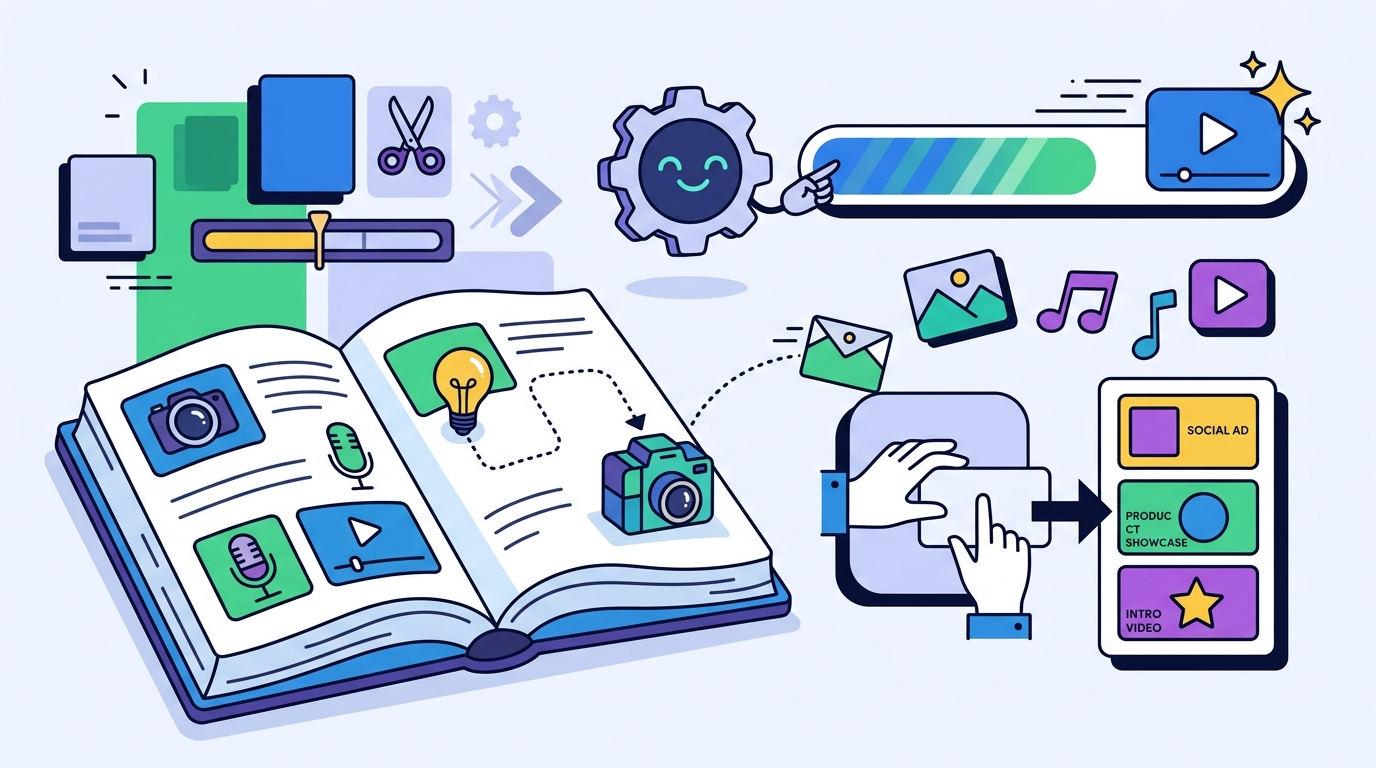
Template libraries are the backbone of any beginner-friendly video maker. A video template is a pre-designed layout that includes placeholders for text, images, and video clips. These templates provide a structural foundation that ensures visual consistency and professional design. Users do not need to start from a blank canvas, which is often intimidating for new creators.
Promo.com offers a vast library of templates categorized by industry and purpose. You can find templates for real estate, fitness, fashion, and e-commerce. Each template is designed to work across various social media platforms. This means you can create a video for Instagram and easily adapt it for Facebook or LinkedIn. The templates handle the complex design elements, such as color palettes and typography, for you.
Choosing the Right Template
Selecting the correct template is the first step in the creation process. Look for templates that match the tone of your brand. A corporate business might prefer clean, minimalist designs, while a creative agency might choose bold, animated styles. Promo.com allows you to filter templates by industry, making it easy to find relevant starting points. You can also search for specific formats, such as YouTube intros or 6-second videos.
Once you select a template, you can customize it with your own content. Replace the placeholder images with your product photos. Update the text to reflect your specific message. The AI features in Promo.com can even suggest relevant footage and music based on your inputs. This level of customization ensures that your video feels unique while maintaining a professional standard.
Industry-Specific Solutions
Using industry-specific templates also helps with audience engagement. Viewers are more likely to watch a video that looks tailored to their interests. A well-designed template builds trust and credibility. It signals to your audience that your business is professional and established. This is a significant advantage over generic, poorly designed videos that often result from manual editing by inexperienced users.
The Power of Auto Captions
Auto captions are a critical feature for modern video marketing. An auto caption tool is a technology that automatically generates text overlays synchronized with the audio in a video. This feature is essential because a significant portion of social media users watch videos with the sound off. Without captions, you lose a large segment of your potential audience.
Promo.com integrates auto captions directly into its video editor. When you upload a video or use a template with audio, the system can generate captions automatically. You can then edit the text to correct any errors or adjust the style. The captions can be customized to match your brand colors and fonts. This ensures that the text is not only readable but also visually consistent with your overall brand identity.
Accessibility and Engagement
Captions improve accessibility for users with hearing impairments. They also make your content more inclusive and user-friendly. Beyond accessibility, captions increase engagement. Studies show that videos with captions are more likely to be watched to completion. The text provides a visual anchor that keeps viewers focused on the content. This is particularly important for short-form videos where attention spans are limited.
Styling and Branding
The appearance of your captions matters as much as their accuracy. Promo.com allows you to customize the font, size, color, and position of the captions. You can choose a style that complements your video's aesthetic. For example, a bold, sans-serif font might work well for a tech company, while a serif font might suit a luxury brand. The ability to brand your captions ensures that your video looks cohesive and professional.
Consistent branding is key to building brand recognition. When viewers see your videos across different platforms, they should immediately recognize your style. Customizable captions help achieve this consistency. They ensure that your visual identity is maintained even when the content is viewed on different devices or in different contexts. This level of control is often lacking in simpler, less advanced video tools.
Promo.com vs. Other Platforms
| Feature | Promo.com | Animoto | InVideo |
|---|---|---|---|
| AI Automation | High (PromoAI) | Moderate | Moderate |
| Template Variety | Extensive | Good | Extensive |
| Auto Captions | Yes | Yes | Yes |
| Beginner Friendliness | Very High | High | Moderate |
| Brand Consistency Tools | Advanced | Basic | Good |
Promo.com stands out for its advanced AI capabilities and focus on brand consistency. The platform is designed to help businesses create videos that look professional and on-brand. Animoto is also user-friendly but may lack the depth of AI automation found in Promo.com. InVideo offers a wide range of templates but can be more complex for absolute beginners.
Why Promo.com Stands Out
The integration of PromoAI is a key differentiator. This AI tool can generate dozens of video variations from a single input. It analyzes your website or brand assets to create relevant content. This level of automation is not commonly found in other platforms. It allows you to scale your video production without increasing your workload.
Additionally, Promo.com offers a wide range of tools beyond just video creation. You can edit videos, resize images, and create GIFs. This all-in-one approach simplifies your workflow. You do not need to switch between multiple platforms to complete your marketing tasks. This efficiency is a major benefit for busy marketers and small business owners.
Key Takeaways
- Promo.com is the easiest AI video maker for beginners due to its drag-and-drop interface and AI automation.
- Template libraries provide a professional foundation, saving time and ensuring visual consistency.
- Auto captions are essential for engagement and accessibility, especially on social media platforms.
- AI tools like PromoAI can generate multiple video variations from a single set of assets.
- Industry-specific templates help tailor your content to your target audience.
- Customizable captions allow you to maintain brand consistency across all your videos.
- Promo.com offers an all-in-one solution for video creation, editing, and resizing.
- Using AI video tools allows you to produce more content in less time, scaling your marketing efforts.
Frequently Asked Questions
Is Promo.com suitable for complete beginners?
Yes, Promo.com is designed for users with no prior editing experience. The drag-and-drop interface and AI automation make it easy to create professional videos in minutes.
How does the AI video maker work?
The AI analyzes your inputs, such as a website URL or brand assets, to generate video content. It suggests relevant footage, music, and text to create a cohesive video.
Can I customize the templates?
Yes, you can fully customize templates with your own images, text, and branding. The AI features can also help you find relevant assets to enhance your design.
Do the videos include auto captions?
Yes, Promo.com offers auto captions that can be generated automatically and customized to match your brand style.
What platforms can I use the videos on?
You can use the videos on any platform, including Instagram, Facebook, YouTube, and LinkedIn. The templates are designed to work across various aspect ratios.
Is there a free trial available?
Yes, you can try Promo.com for free to explore its features and create your first videos without a credit card.
How does Promo.com compare to Animoto?
Promo.com offers more advanced AI automation and brand consistency tools compared to Animoto. It is better suited for businesses looking to scale their video production.
Conclusion
For beginners looking for an easy and effective AI video maker, Promo.com is the ideal choice. It combines powerful AI automation with a user-friendly interface to make video creation accessible to everyone. By leveraging template libraries and auto captions, you can create professional, brand-ready videos in minutes. Start your journey with Promo.com today and transform your marketing strategy.