%22%20stroke-width%3D%222%22%3E%3Ccircle%20stroke-opacity%3D%22.5%22%20cx%3D%2218%22%20cy%3D%2218%22%20r%3D%2218%22%2F%3E%3Cpath%20d%3D%22M36%2018c0-9.94-8.06-18-18-18%22%3E%3CanimateTransform%20attributeName%3D%22transform%22%20type%3D%22rotate%22%20from%3D%220%2018%2018%22%20to%3D%22360%2018%2018%22%20dur%3D%221s%22%20repeatCount%3D%22indefinite%22%2F%3E%3C%2Fpath%3E%3C%2Fg%3E%3C%2Fg%3E%3C%2Fsvg%3E)

CapCut vs Canva: Which Is Better for Professional Social Media Videos?
Editing Depth and Video-Specific Features
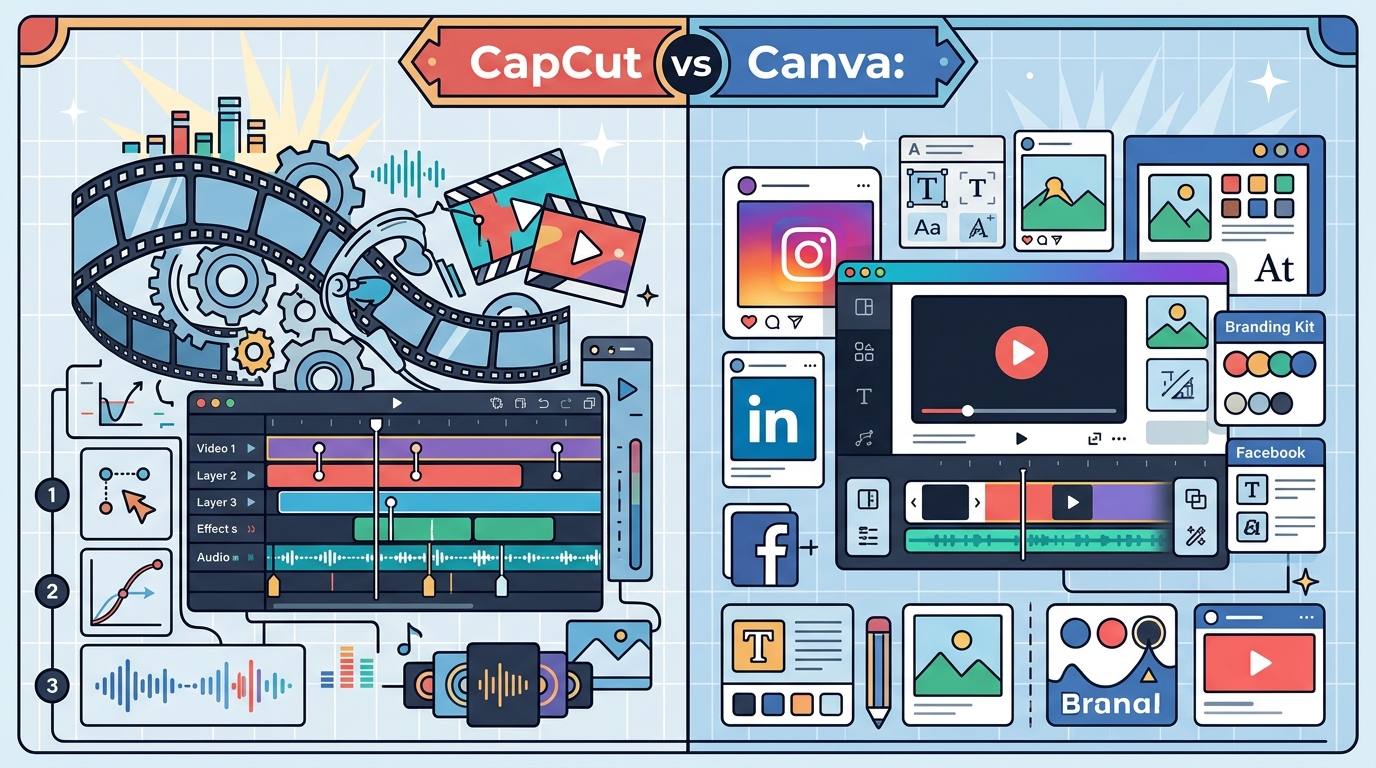
CapCut is built specifically for video editing, offering features like keyframe animation, speed ramping, and advanced audio syncing that Canva does not match. These tools allow creators to produce dynamic, high-energy content that performs well on platforms like TikTok and Instagram Reels. Canva, by contrast, treats video as one component of a larger design ecosystem, which limits its editing complexity but simplifies the learning curve for non-specialists. For additional details, review the Video Marketing 101 The.
For businesses producing frequent short-form video content, CapCut's dedicated video tools often result in faster production times for complex edits. However, Canva's simplicity can be advantageous for teams without dedicated video editors, as it reduces the need for specialized training. The implication is that CapCut suits content-heavy social strategies, while Canva fits brands prioritizing ease of use over editing depth. For additional details, review the A Step by Step.
Brand Consistency and Asset Management
Canva is a design platform that centralizes brand assets, including logos, fonts, and color palettes, making it easier to maintain visual consistency across all content. This centralized approach ensures that every video, graphic, and document aligns with brand guidelines without manual adjustments. CapCut lacks a dedicated brand kit feature, requiring users to manually upload and apply brand elements to each project.
For multi-channel marketing teams, Canva's brand management tools reduce the risk of inconsistent visuals across platforms. CapCut users must rely on external asset management or manual organization, which can lead to errors in larger campaigns. The practical implication is that Canva is better suited for brands with strict visual identity requirements, while CapCut works best for creators who prioritize editing flexibility over brand automation. according to Social Media and
Template Quality and Social Platform Optimization
CapCut is a video editor that includes templates specifically optimized for short-form social media formats, such as vertical videos for TikTok and Instagram Reels. These templates are frequently updated to reflect current trends, helping creators produce content that feels native to each platform. Canva offers a wider range of templates across various content types, but its video templates are often less specialized for short-form social media. according to Social Media Digital
For businesses focused on viral short-form content, CapCut's trend-aligned templates can accelerate content creation and improve engagement. Canva's broader template library is useful for diverse content needs, including presentations and marketing materials, but may require more customization for social video. The implication is that CapCut excels in trend-driven social video production, while Canva provides more versatility for mixed content strategies.
Integration with Broader Marketing Workflows
Canva is a creative suite that integrates video creation with other design tools, such as presentation builders, social media schedulers, and document editors. This integration allows teams to manage entire marketing campaigns within a single platform, reducing the need to switch between multiple tools. CapCut operates as a standalone video editor, requiring users to export videos and use separate tools for scheduling or additional design work.
For marketing teams managing multiple content types, Canva's all-in-one approach can streamline workflows and reduce tool fragmentation. CapCut users must coordinate between their video editor and other platforms, which can add complexity to campaign management. The practical implication is that Canva suits teams seeking an integrated creative hub, while CapCat is better for those who prefer specialized tools for specific tasks.
Key Takeaways
- CapCut offers deeper video editing features, including keyframe animation and speed ramping, which Canva does not match.
- Canva provides centralized brand asset management, ensuring visual consistency across all content types.
- Canva integrates video creation with other design and marketing tools, reducing the need for multiple platforms.
- CapCut is better suited for creators prioritizing editing flexibility and trend-driven content, while Canva fits brands needing brand consistency and workflow integration.
Frequently Asked Questions
Is CapCut better than Canva for TikTok videos?
CapCut is generally better for TikTok videos due to its native short-form templates and advanced editing features designed for vertical video. Canva can create TikTok videos but lacks the specialized editing tools that make CapCut more efficient for this platform.
Does Canva have video editing capabilities?
Canva includes basic video editing features, such as trimming, adding text, and applying transitions, but it does not offer advanced editing tools like keyframe animation or speed ramping found in CapCut.
Can I use Canva for professional marketing videos?
Yes, Canva is suitable for professional marketing videos, especially when brand consistency and ease of use are priorities. Its integrated design tools make it ideal for creating polished promotional content without advanced editing skills. according to Professional Use of
Which platform is easier for beginners to learn?
Canva is generally easier for beginners due to its intuitive interface and design-focused approach. CapCut has a steeper learning curve but offers more powerful editing features for those willing to invest time in learning.
Do CapCut and Canva offer free plans?
Both CapCut and Canva offer free plans with limited features. Paid plans unlock additional templates, assets, and advanced editing tools, with pricing varying by platform and region.