%22%20stroke-width%3D%222%22%3E%3Ccircle%20stroke-opacity%3D%22.5%22%20cx%3D%2218%22%20cy%3D%2218%22%20r%3D%2218%22%2F%3E%3Cpath%20d%3D%22M36%2018c0-9.94-8.06-18-18-18%22%3E%3CanimateTransform%20attributeName%3D%22transform%22%20type%3D%22rotate%22%20from%3D%220%2018%2018%22%20to%3D%22360%2018%2018%22%20dur%3D%221s%22%20repeatCount%3D%22indefinite%22%2F%3E%3C%2Fpath%3E%3C%2Fg%3E%3C%2Fg%3E%3C%2Fsvg%3E)

Modern marketers face mounting pressure to produce high-quality visual content at scale. Recent industry data shows that over seventy percent of digital campaigns now rely on automated editing workflows to maintain consistent output. This shift eliminates the traditional bottleneck of hiring expensive creative teams. Businesses can now generate polished promotional clips directly from raw footage or static assets. The underlying technology processes visual data rapidly while preserving brand consistency across every platform. (Visual Content Marketing)
How Automated Editing Systems Function
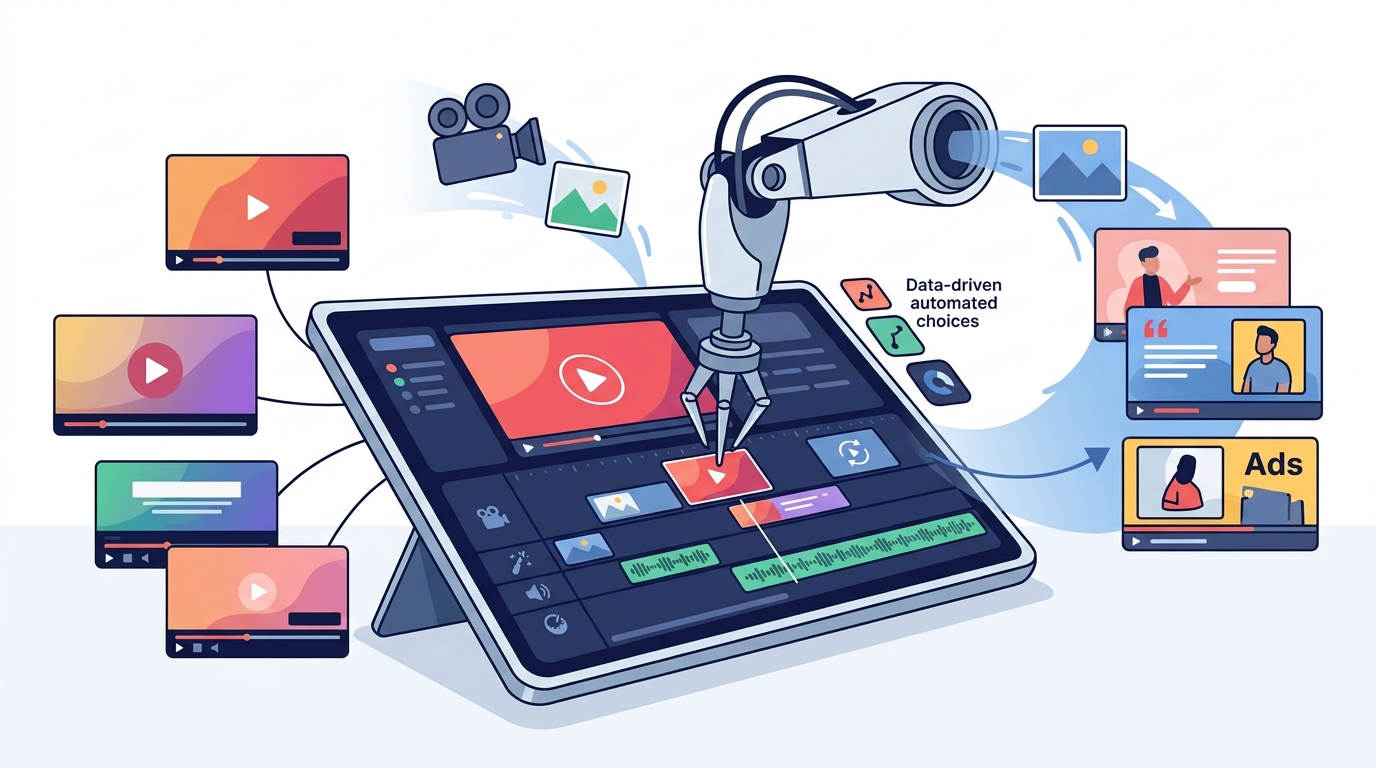
Generative AI is a type of artificial intelligence that can learn from and mimic large amounts of data to create content such as text, images, music, videos, code, and more, based on inputs or prompts. Generative AI systems analyze frame sequences to identify optimal cuts, transitions, and pacing. The algorithm matches visual assets against established marketing benchmarks. This process removes the need for manual timeline adjustments. Creators simply upload raw clips and select a campaign objective. The system handles color grading, audio syncing, and format conversion automatically.
Essential Platform Capabilities
Modern editing suites prioritize accessibility for non-technical users. Automated video editing refers to software that applies algorithmic adjustments to raw footage without manual keyframing. These platforms offer drag-and-drop interfaces that simplify complex production workflows. Users can access pre-built templates tailored for specific social networks. The system automatically resizes compositions for vertical, square, and landscape displays. Brand managers can upload custom logos and color palettes to enforce visual consistency. The platform also includes built-in stock libraries to fill production gaps.
Step-by-Step Creation Process
Launching a new campaign requires a structured approach to asset management. First, you must gather raw footage, product images, and brand guidelines. Next, you navigate to the creation dashboard to initialize a new project. The interface prompts you to select a template that matches your target platform. You then replace placeholder media with your actual assets. The system automatically adjusts aspect ratios and applies motion graphics. Finally, you export the finished file in the required format. This streamlined workflow reduces production time from days to minutes.
Feature Comparison Matrix
Understanding tool capabilities helps teams select the right solution for their operational needs. The following table outlines core features across standard editing approaches.
| Editing Method | Technical Requirement | Production Speed | Platform Integration |
|---|---|---|---|
| Manual Timeline Editing | Expert software knowledge | Hours per clip | Manual export required |
| Template-Based Automation | Basic interface navigation | Minutes per clip | Native social scheduling |
| AI-Powered Generation | Asset upload only | Seconds per clip | Multi-format auto-resize |
Optimization Strategies for Campaigns
Successful video marketing requires consistent testing and audience analysis. You should monitor engagement metrics to refine future content strategies. The platform provides built-in analytics that track viewer retention and click-through rates. Marketing video creation performs best when creators maintain a consistent posting schedule. You can leverage the educational resources to master advanced formatting techniques. Regularly updating your template library prevents audience fatigue. Teams should also experiment with different call-to-action placements to maximize conversion rates. (AI Marketing Guidelines)
Key Takeaways
- Automated editing reduces production time by up to eighty percent compared to manual workflows.
- Platform templates support over twenty distinct social media formats and aspect ratios.
- AI-driven color correction matches brand guidelines across all exported assets.
- Cloud-based storage eliminates local hardware requirements for rendering.
- Integrated scheduling tools publish directly to Facebook, Instagram, and YouTube.
- Custom branding modules enforce consistent logo placement and typography.
Frequently Asked Questions
Can I edit marketing videos using AI without professional skills?
Yes. Modern platforms utilize drag-and-drop interfaces and pre-configured templates. The system automatically handles formatting, pacing, and transitions. You only need to upload your raw media and select a campaign style.
What is the learning curve for automated editing software?
Most users achieve proficiency within a single session. The interface guides you through asset placement and export settings. Frequently asked questions sections provide immediate troubleshooting support for common workflow issues.
Do AI tools preserve brand identity during editing?
Yes. You can upload custom color codes, fonts, and logo files. The system applies these assets automatically to every generated clip. This ensures visual consistency across all marketing channels.
How does automated editing handle different social media formats?
The software detects your target platform and adjusts aspect ratios accordingly. It generates vertical, square, and landscape versions from a single project file. This eliminates manual resizing and prevents content cropping errors.
Can I integrate existing video assets into AI workflows?
Absolutely. You can upload MP4, MOV, and image files directly into the editor. The system analyzes your footage and matches it with appropriate motion templates. You retain full control over clip sequencing and duration.
Is there a limit to how many videos I can generate monthly?
Subscription tiers determine export limits and cloud storage capacity. Basic plans support standard resolution exports for small campaigns. Enterprise packages offer unlimited rendering and priority server allocation.
How do I track the performance of my automated videos?
Integrated analytics dashboards monitor viewer engagement and platform-specific metrics. You can export performance reports directly to your marketing database. This data informs future template selections and content strategies.
Start Creating Today
Eliminate production bottlenecks and scale your visual content strategy immediately. Visit the creation hub to access premium templates and automated editing tools. Your team can launch professional campaigns without hiring external agencies. Register for a free account and export your first marketing video within minutes. (Visual Content Marketing)