

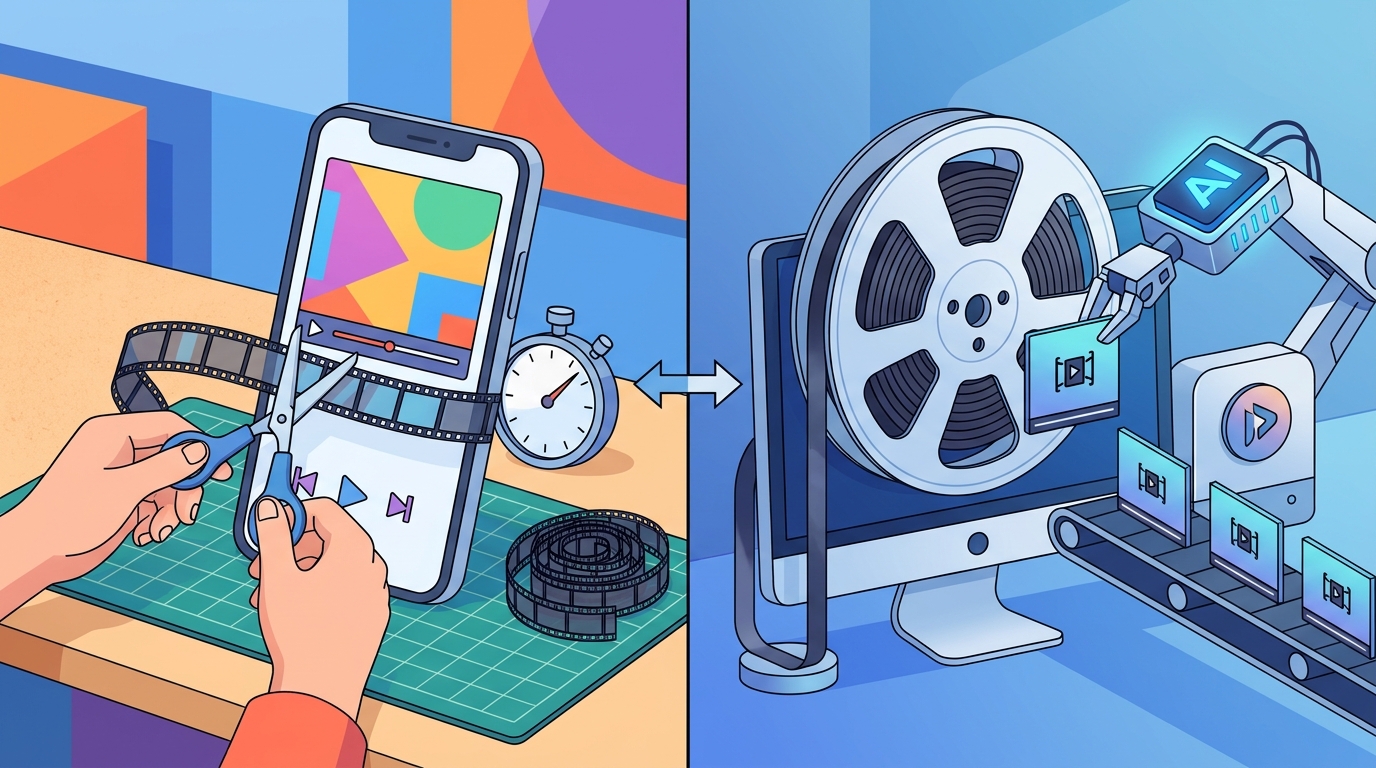
Inshot is a mobile-first video editor that prioritizes speed and simplicity for casual social media creators. While it excels at quick edits and basic formatting, it lacks the advanced AI automation and brand consistency tools found in desktop-centric platforms like Promo.com. For businesses needing scalable, on-brand content, dedicated web-based AI video makers often outperform mobile-only apps in efficiency and output quality. For additional details, review the About Us Promo com.
Core Features and Editing Capabilities
In contrast, web-based platforms like Promo.com focus on template-driven creation. This approach reduces the need for manual frame-by-frame editing. By using pre-designed layouts, creators can maintain visual consistency without mastering complex timelines. The implication for social media managers is that template-based tools reduce the time spent on individual video production, allowing for higher volume output. For additional details, review the Video Marketing 101 The.
AI Automation and Content Generation
AI video generation is the process of using artificial intelligence to create or enhance video content from text or image inputs. Inshot has introduced basic AI features, such as auto-captions and simple background removal. These tools are useful for quick fixes but do not generate full video narratives. The technology in mobile apps is often limited by device processing power, which can slow down generation times. For additional details, review the A Step by Step.
Desktop and web-based AI tools, such as PromoAI, leverage cloud computing to handle heavier processing loads. This allows for the generation of complete video scripts, voiceovers, and visual sequences in a single step. For businesses, this distinction is critical. Cloud-based AI can produce a month's worth of content in minutes, whereas mobile apps typically require manual assembly of each clip. The shift toward cloud AI is changing how brands approach content calendars, moving from manual editing to automated generation. For additional details, review the Social Media Aspect Ratio.
Branding and Consistency for Businesses
Professional video platforms integrate brand kits directly into the creation workflow. Promo.com, for example, allows users to save brand assets and apply them automatically to templates. This ensures that every video, whether for Instagram or YouTube, adheres to corporate guidelines. For small businesses and marketing teams, this automation saves hours of manual work and ensures a professional appearance across all channels. The ability to maintain a cohesive brand identity is a significant advantage for platforms designed for business use. For additional details, review the FAQ Promo com Marketing.
Platform Access and Workflow Integration
Mobile video editors are optimized for on-the-go creation and direct social media posting. Inshot integrates well with Instagram and TikTok, allowing users to export and post directly from the app. This seamless workflow is ideal for influencers and creators who produce content in real-time. However, this mobile-first approach can limit collaboration. Sharing projects with team members or clients is often difficult without exporting final files.
Cost Structure and Licensing
Freemium models are common in mobile video editing, where basic features are free but advanced tools require a subscription. Inshot offers a free version with watermarks and limited exports. Removing watermarks and accessing premium effects requires a paid subscription. The cost is generally low, making it accessible for hobbyists. However, the licensing terms for commercial use can be restrictive in the free tier.
Business-focused platforms often operate on tiered subscription models that include commercial rights. Promo.com offers plans that explicitly cover commercial usage, ensuring that businesses can use their videos for advertising without legal ambiguity. For companies, the clarity of licensing is as important as the editing features. A clear commercial license protects the brand from potential copyright issues. When evaluating tools, businesses should look beyond the monthly price to understand what rights they are purchasing.
Key Takeaways
- Inshot is best for individual creators who need quick, mobile-based edits for personal social media accounts.
- Web-based platforms like Promo.com offer superior AI automation for generating full video content from text.
- Brand consistency tools are more advanced in business-focused platforms, reducing manual errors in marketing.
- Mobile apps excel at direct social media posting, while web platforms offer better team collaboration features.
- Commercial licensing is clearer and more robust in business-oriented video makers compared to freemium mobile apps.
- Cloud-based AI tools can produce higher volumes of content faster than manual mobile editing.
Frequently Asked Questions
Is Inshot good for business marketing?
Inshot is suitable for basic business posts but lacks the advanced branding and AI automation features found in dedicated business video platforms. It is best for simple, quick edits rather than complex marketing campaigns.
Can I use Inshot videos for paid ads?
You can use Inshot videos for paid ads if you have a premium subscription that includes commercial rights. Always verify the specific licensing terms of your subscription plan before using content for commercial purposes.
How does Inshot compare to Promo.com?
Inshot is a mobile app focused on manual editing, while Promo.com is a web-based platform that uses AI to generate videos. Promo.com is better for businesses needing scalable, on-brand content, while Inshot is better for individual mobile creators.
Does Inshot have AI video generation?
Inshot has basic AI features like auto-captions and background removal, but it does not generate full video narratives from text prompts. It is an editing tool, not a generative AI video maker.
Which is better for team collaboration?
Is Inshot free to use?
Inshot offers a free version with watermarks and limited features. A paid subscription is required to remove watermarks and access premium effects and templates.
Conclusion
Choosing between Inshot and other mobile video editors depends on your specific needs. Inshot is a powerful tool for individual creators who value speed and mobile convenience. However, for businesses looking to scale their video marketing, the limitations of mobile-only editing become apparent. Platforms like Promo.com offer the AI automation, brand consistency, and collaboration features necessary for professional marketing teams. If you are ready to move beyond manual editing and create scalable, on-brand video content, explore the capabilities of Promo.com today.