%22%20stroke-width%3D%222%22%3E%3Ccircle%20stroke-opacity%3D%22.5%22%20cx%3D%2218%22%20cy%3D%2218%22%20r%3D%2218%22%2F%3E%3Cpath%20d%3D%22M36%2018c0-9.94-8.06-18-18-18%22%3E%3CanimateTransform%20attributeName%3D%22transform%22%20type%3D%22rotate%22%20from%3D%220%2018%2018%22%20to%3D%22360%2018%2018%22%20dur%3D%221s%22%20repeatCount%3D%22indefinite%22%2F%3E%3C%2Fpath%3E%3C%2Fg%3E%3C%2Fg%3E%3C%2Fsvg%3E)

Video marketing has shifted from a luxury to a necessity, with reports showing that 86% of businesses now use video as a core marketing strategy. However, choosing the right tool to produce this content at scale is a complex decision. For marketing teams and small business owners, the choice often comes down to specialized AI video platforms like Promo.com versus generalist design tools like Canva or text-to-video engines like InVideo. Understanding the distinct operational strengths of each platform is critical for optimizing your content production workflow and maximizing return on ad spend. (About Us Promo com)
Core Differences in AI Video Generation
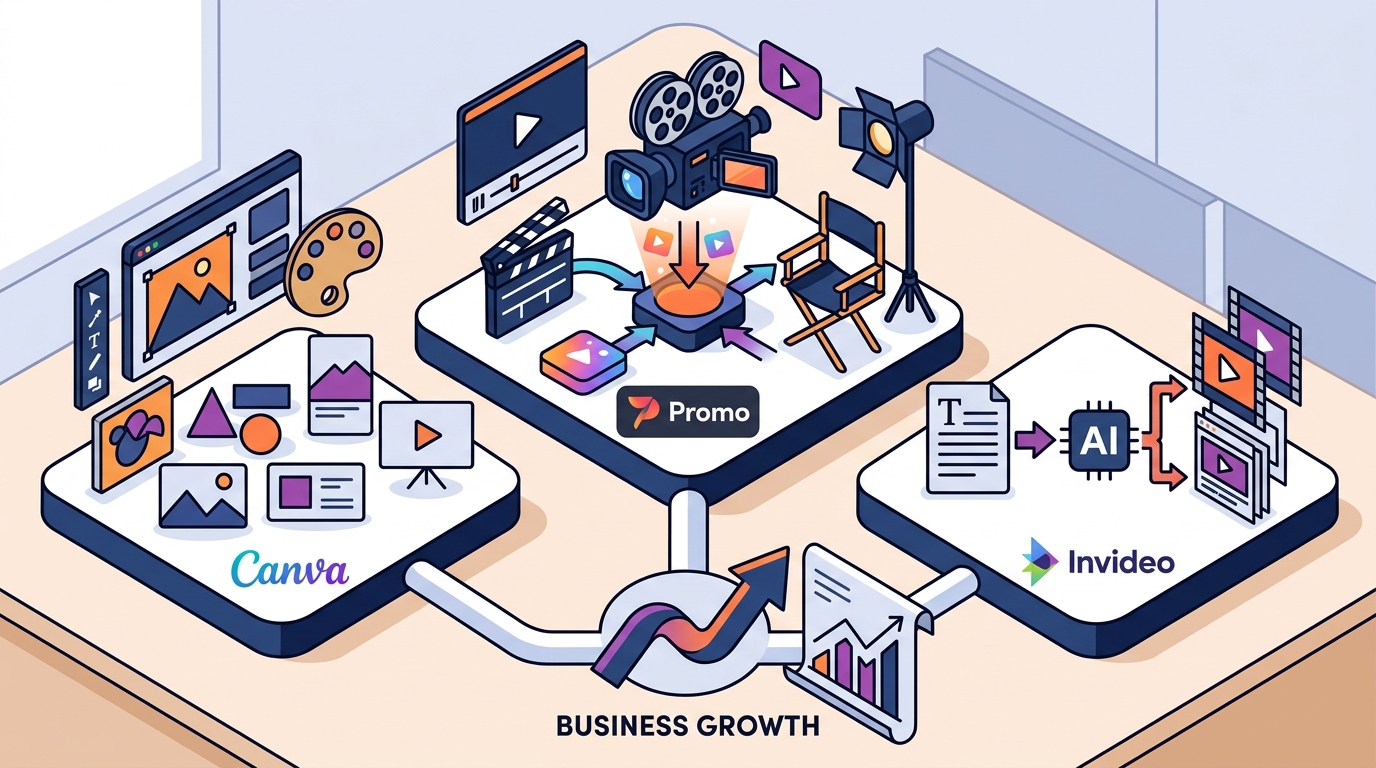
The landscape of AI video creation is fragmented into three distinct categories: specialized ad creators, generalist design suites, and generative text-to-video platforms. Each serves a different primary intent. Specialized tools focus on speed and ad-compliance. Generalist tools focus on brand consistency across all media. Generative tools focus on narrative automation from raw text inputs. (Blog Promo com)
Promo.com positions itself firmly in the first category. It is designed specifically for creating high-converting video ads for social media, e-commerce, and real estate. Unlike generalist tools, it prioritizes aspect ratios, call-to-action placements, and trending audio formats optimized for platforms like Instagram, TikTok, and YouTube. This specialization allows for faster iteration cycles for performance marketing teams. (Promo Academy Learn Video)
Canva, on the other hand, is a comprehensive design platform. While it has integrated AI video features, its primary strength lies in graphic design, document creation, and brand kit management. Its video capabilities are robust but are often secondary to its core design engine. This makes it ideal for teams that need to maintain strict visual consistency across static and dynamic assets.
InVideo represents the third category, leveraging large language models to generate full video narratives from simple text prompts. It is less about editing existing footage and more about assembling stock media, voiceovers, and text overlays automatically. This is powerful for content marketing, explainer videos, and social media storytelling where original footage is not available.
Promo.com: The Specialist Approach
Promo.com operates as an AI video maker for business that emphasizes speed and professional output. The platform is built around the concept of "PromoAI," which acts as a creative co-pilot. This system allows users to generate, schedule, and publish professional videos across multiple channels with minimal manual intervention.
Industry-Specific Templates
One of the most significant advantages of Promo.com is its library of industry-specific templates. Whether you are in real estate, fitness, fashion, or restaurant services, the platform provides pre-structured layouts that adhere to current design trends. These templates are not generic; they are engineered to highlight key selling points relevant to each sector. For example, real estate templates prioritize property highlights and contact information, while fitness templates focus on dynamic movement and motivational messaging.
Social Media Optimization
Promo.com is deeply integrated with the requirements of major social platforms. It offers dedicated tools for creating Facebook Story Ads, Instagram Story Ads, and LinkedIn Video Ads. The platform automatically handles aspect ratio conversions, ensuring that your content looks optimal on mobile devices and desktop feeds alike. This is crucial because data shows that over 70% of video consumption happens on mobile devices.
Brand Consistency Tools
For businesses with established brand identities, Promo.com allows for the upload of custom logos, color palettes, and fonts. This ensures that every generated video aligns with your brand guidelines. The platform also supports the integration of your own media library, allowing you to mix AI-generated elements with your proprietary footage.
Canva: The Design Ecosystem
Canva is a free online design tool that has expanded into video creation. It is best suited for users who already use Canva for graphic design and want to extend that workflow to video. The platform offers a vast library of templates, stock photos, and video clips.
Unified Brand Management
The primary advantage of Canva is its Brand Kit feature. Users can store their brand colors, fonts, and logos in one place, ensuring that all designs, including videos, maintain visual consistency. This is particularly valuable for small businesses and marketing teams that need to produce a high volume of content across different formats.
Collaboration Features
Canva excels in collaboration. Multiple team members can work on the same video project simultaneously, leaving comments and suggestions in real-time. This makes it an excellent choice for remote teams that need to review and approve content quickly.
Limited AI Video Specificity
While Canva has added AI features, they are not as specialized for video marketing as those in Promo.com. Canva's AI tools are more focused on generating images and text rather than structuring video narratives for ad performance. Users may find themselves spending more time manually adjusting layouts and timing to achieve professional results.
InVideo: The Text-to-Video Engine
InVideo is a cloud-based video creation platform that uses AI to turn text prompts into complete videos. It is ideal for creating explainer videos, YouTube content, and social media clips without needing to film anything yourself.
Text-to-Video Capability
InVideo's core feature is its ability to generate a video from a simple text description. You provide a script or a topic, and the AI selects relevant stock footage, adds voiceovers, and applies transitions. This is incredibly fast for creating content from scratch, especially for topics where original footage is difficult to obtain.
Stock Media Library
InVideo provides access to a massive library of stock videos and music tracks. This reduces the need for external assets and allows for rapid prototyping of video ideas. The platform supports multiple aspect ratios and formats, making it versatile for different social media channels.
Less Control Over Design
Because InVideo relies heavily on AI generation, users have less granular control over the design elements compared to Promo.com or Canva. While this speed is advantageous, it can be a limitation for brands that require precise control over visual details and brand alignment.
Pricing and Value Analysis
Choosing the right platform also depends on your budget and the volume of content you need to produce. Here is a comparison of the typical pricing structures for these platforms.
| Feature | Promo.com | Canva | InVideo |
|---|---|---|---|
| Primary Focus | AI Video Ads & Social Content | General Design & Video | Text-to-Video Generation |
| AI Video Specificity | High (Ad-optimized) | Medium (Design-assist) | High (Narrative generation) |
| Brand Kit Integration | Yes | Yes (Advanced) | Limited |
| Best For | Marketers & E-commerce | Small Businesses & Designers | Content Creators & Explainers |
| Free Tier | Limited | Yes (With Watermark) | Yes (With Watermark) |
Promo.com offers a free trial that allows users to explore its features before committing. Its paid plans are structured to support high-volume content creation, making it cost-effective for businesses that need to produce dozens of videos per month. Canva's free tier is generous but includes watermarks on video exports, which may not be suitable for professional use. InVideo also offers a free tier with watermarks, but its paid plans are competitive for users who rely heavily on stock media.
Key Takeaways
- Promo.com is the superior choice for businesses focused on creating high-converting video ads for social media, real estate, and e-commerce.
- Canva is ideal for teams that need a unified platform for both graphic design and video, with strong brand management tools.
- InVideo is best for generating narrative-driven videos from text prompts, leveraging a vast stock media library.
- Promo.com offers industry-specific templates that are optimized for current social media trends and ad performance.
- All three platforms offer free tiers, but professional use typically requires a paid subscription to remove watermarks and access advanced features.
- Video marketing is essential, with HubSpot reports indicating that 91% of businesses use video as a marketing tool.
- Promo.com's AI tools are designed to streamline the workflow from creation to publication, saving time for marketing teams.
Frequently Asked Questions
Is Promo.com better than Canva for video ads?
Yes, if your primary goal is creating video ads. Promo.com is specialized for ad creation with templates optimized for conversion, while Canva is a general design tool. Promo.com offers more specific features for social media ad formats.
Can I use Promo.com for free?
Promo.com offers a free trial that allows you to create and export videos with a watermark. For professional use without watermarks and access to all features, a paid subscription is required.
Does InVideo use AI to generate video from text?
Yes, InVideo's core feature is its AI text-to-video engine. You can input a script or topic, and the AI will generate a complete video using stock footage, voiceovers, and music.
What industries does Promo.com support?
Promo.com supports a wide range of industries including real estate, fitness, fashion, restaurant, travel, and e-commerce. It provides tailored templates for each sector.
How does Promo.com handle brand consistency?
Promo.com allows you to upload your brand's logo, colors, and fonts. This ensures that all generated videos align with your brand identity, maintaining consistency across your marketing efforts.
Is Promo.com suitable for beginners?
Yes, Promo.com is designed to be user-friendly. Its AI tools and intuitive interface make it accessible for beginners, while still offering advanced features for experienced marketers.
Can I edit videos in Promo.com?
Yes, Promo.com includes a video editor that allows you to customize templates, add your own media, adjust timing, and add text overlays. It provides more control than pure AI generators but is simpler than professional software like Adobe Premiere.
Start Creating Today
Choosing the right video creation tool can significantly impact your marketing success. If you are looking for a specialized AI video maker that streamlines the creation of high-converting ads for social media, e-commerce, and real estate, Promo.com is the ideal solution. With its industry-specific templates, brand consistency tools, and AI-powered workflow, you can produce professional videos faster and more efficiently.
Ready to transform your video marketing? Visit Promo.com to start your free trial and experience the power of AI-driven video creation.