%20-%20http%3A%2F%2Fwww.bohemiancoding.com%2Fsketch%20--%3E%3Ctitle%3EF21EF66B-AC70-4761-BD58-0CF80940AF0E%3C%2Ftitle%3E%3Cdesc%3ECreated%20with%20sketchtool.%3C%2Fdesc%3E%3Cdefs%3E%3ClinearGradient%20x1%3D%220.00537998663%25%22%20y1%3D%2249.9970053%25%22%20x2%3D%22100.036289%25%22%20y2%3D%2249.9970053%25%22%20id%3D%22linearGradient-1%22%3E%3Cstop%20stop-color%3D%22%23FF3176%22%20offset%3D%220%25%22%3E%3C%2Fstop%3E%3Cstop%20stop-color%3D%22%23FF7369%22%20offset%3D%22100%25%22%3E%3C%2Fstop%3E%3C%2FlinearGradient%3E%3ClinearGradient%20x1%3D%2248.5798817%25%22%20y1%3D%2254.2967493%25%22%20x2%3D%2255.1676529%25%22%20y2%3D%2234.4061796%25%22%20id%3D%22linearGradient-2%22%3E%3Cstop%20stop-color%3D%22%23FFFFFF%22%20offset%3D%220%25%22%3E%3C%2Fstop%3E%3Cstop%20stop-color%3D%22%23000000%22%20offset%3D%22100%25%22%3E%3C%2Fstop%3E%3C%2FlinearGradient%3E%3C%2Fdefs%3E%3Cg%20id%3D%22Page-1%22%20stroke%3D%22none%22%20stroke-width%3D%221%22%20fill%3D%22none%22%20fill-rule%3D%22evenodd%22%3E%3Cg%20id%3D%22Share-Collection-Page%22%20transform%3D%22translate(-428.000000%2C%20-134.000000)%22%3E%3Cg%20id%3D%22logo%22%20transform%3D%22translate(428.000000%2C%20134.000000)%22%3E%3Cpath%20d%3D%22M20.2986321%2C10.9688889%20L3.64248989%2C0.458888889%20C2.93397974%2C0.0108924108%202.04660609%2C-0.00636245151%201.32230058%2C0.413773117%20C0.597995072%2C0.833908685%200.149820407%2C1.62585232%200.150471698%2C2.48444444%20L0.150471698%2C14.6233333%20C0.132465611%2C15.4836852%200.56615818%2C16.2867701%201.28404255%2C16.7224094%20C2.00192692%2C17.1580487%202.89162767%2C17.1580487%203.60951203%2C16.7224094%20C4.3273964%2C16.2867701%204.76108897%2C15.4836852%204.74308288%2C14.6233333%20L4.74308288%2C6.71444444%20L7.45802224%2C8.42777778%20L12.9061725%2C11.8655556%20L12.935192%2C11.8844444%20L14.7365532%2C13.0211111%20L10.3997439%2C15.8311111%20L8.52852089%2C17.0422222%20C7.79949217%2C17.4755559%207.35782454%2C18.2861166%207.37715348%2C19.1552437%20C7.39648242%2C20.0243707%207.87371725%2C20.8130913%208.62123974%2C21.2113308%20C9.36876222%2C21.6095703%2010.267044%2C21.5536505%2010.962938%2C21.0655556%20L20.3136792%2C15.0055556%20C20.9876242%2C14.5689795%2021.3949851%2C13.8029055%2021.3903879%2C12.9807208%20C21.3857907%2C12.158536%2020.9698904%2C11.3973815%2020.2911085%2C10.9688889%20L20.2986321%2C10.9688889%20Z%20M2.51502695%2C20.9288889%20C1.54073252%2C20.928889%200.662393628%2C21.5356783%200.289647775%2C22.466264%20C-0.0830980782%2C23.3968496%200.123170463%2C24.4679301%200.812254393%2C25.1799777%20C1.50133832%2C25.8920252%202.53750581%2C26.1047847%203.43751166%2C25.7190299%20C4.3375175%2C25.3332751%204.92408368%2C24.4249898%204.92364892%2C23.4177778%20C4.92187147%2C22.0435305%203.84436182%2C20.930113%202.51502695%2C20.9288889%20Z%22%20fill%3D%22url(%23linearGradient-1)%22%20fill-rule%3D%22nonzero%22%3E%3C%2Fpath%3E%3Cpolygon%20id%3D%22Path%22%20fill%3D%22url(%23linearGradient-2)%22%20points%3D%2212.9061725%2011.8655556%207.45802224%208.42777778%207.45694744%208.41333333%22%3E%3C%2Fpolygon%3E%3C%2Fg%3E%3C%2Fg%3E%3C%2Fg%3E%3C%2Fsvg%3E)

Video marketing has become the dominant force in digital advertising, with reports indicating that video content drives significant engagement across all major social platforms. According to recent industry data, businesses that integrate video into their marketing strategy see a substantial increase in conversion rates compared to those relying solely on text or static images. The challenge for many organizations is not the desire to create video, but the ability to produce high-quality assets at scale without exhausting creative teams. This guide outlines the precise steps to leverage AI-driven tools and streamlined workflows to generate professional marketing videos rapidly.
Understanding AI Video Technology
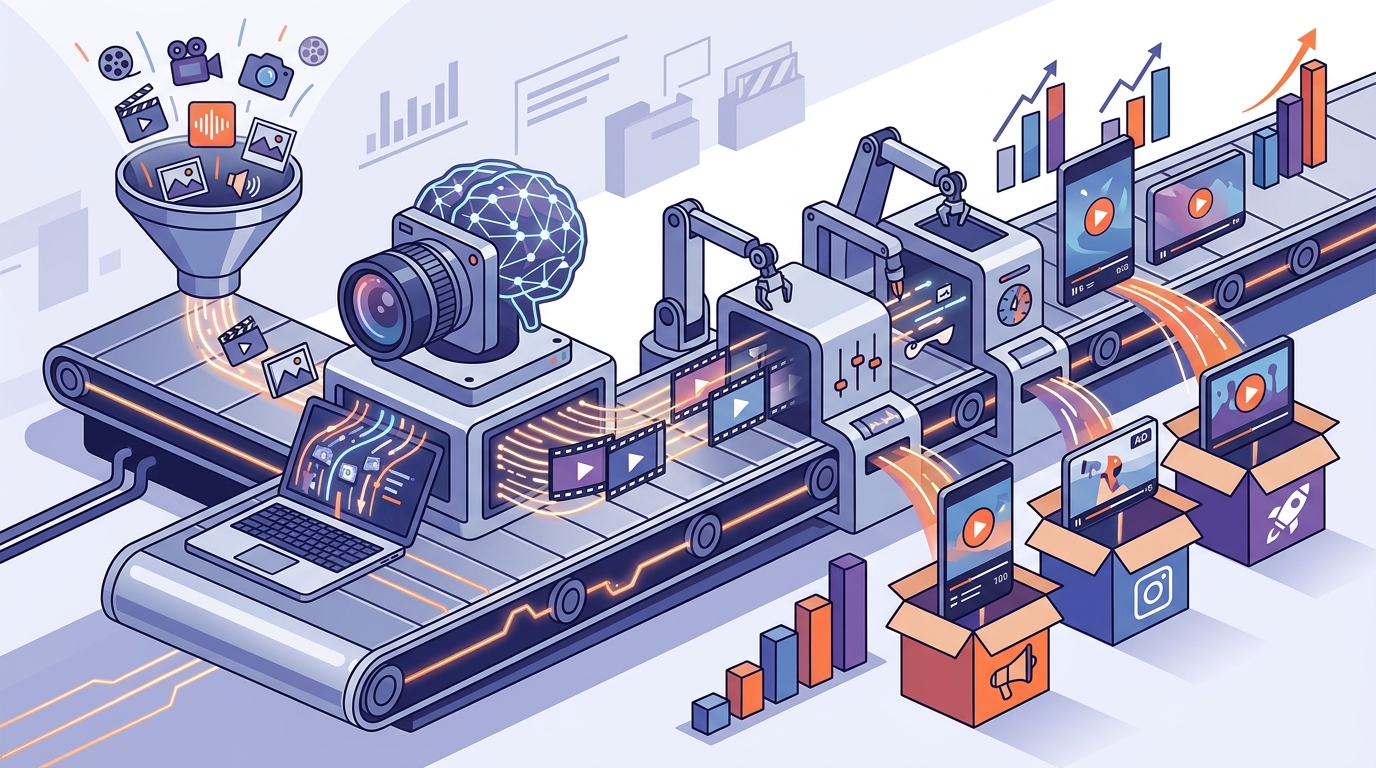
The landscape of video production has shifted dramatically with the advent of artificial intelligence. AI video technology allows marketers to generate, edit, and publish professional-grade content without needing advanced technical skills or expensive hardware. This technology automates the most time-consuming aspects of video creation, such as scripting, voiceover generation, and scene assembly.
AI Video Maker is a software system that uses machine learning algorithms to assemble video clips, text overlays, and audio tracks based on user input. By leveraging these tools, businesses can reduce production time from weeks to minutes. The core benefit is scalability, enabling brands to produce hundreds of variations of a single campaign asset for different audiences.
Online Video Maker tools further democratize this process by removing the need for local installation. These cloud-based platforms allow teams to collaborate in real-time, ensuring that brand guidelines are maintained across all generated content. The integration of these technologies means that even small teams can compete with larger enterprises in terms of content volume and quality.
Choosing the Right Platform
Selecting the correct tool is critical for maintaining speed and quality. Not all video generators are created equal. Some platforms specialize in social media ads, while others focus on long-form educational content. For marketing campaigns, you need a platform that offers a wide array of templates and industry-specific assets.
Promo.com provides a comprehensive suite of tools designed specifically for business marketing success. Their platform includes dedicated sections for Social Media content, ensuring that your videos are optimized for the unique algorithms of Facebook, Instagram, and TikTok. Additionally, their Templates library is constantly updated with trending formats, allowing you to stay relevant without starting from scratch.
When evaluating platforms, look for features like PromoAI, which acts as a creative co-pilot. This feature helps automate the initial creative direction, suggesting layouts and music that align with your brand voice. The ability to switch between different formats, such as Video Ad Maker for paid campaigns and Slideshow Maker for presentations, adds significant value to your marketing stack.
Step-by-Step Generation Process
Generating video content quickly requires a structured approach. Follow these steps to streamline your workflow and ensure consistent output.
1. Define Your Objective and Audience
Before opening any software, clearly define the goal of the video. Is it to drive sales, increase brand awareness, or educate customers? Your objective will dictate the tone, length, and call-to-action. For example, Real Estate Videos require a different pacing and visual style compared to Fitness Videos.
2. Select a Relevant Template
Use a pre-designed template to jumpstart the process. Platforms like Promo.com offer categorized templates for various industries, including Restaurant Videos and Travel Videos. Choosing a template ensures that the aspect ratio, font hierarchy, and transition timing are already optimized for the target platform.
3. Customize with Brand Assets
Upload your brand assets, including logos, color palettes, and specific imagery. This step is crucial for maintaining brand identity. Most AI tools allow you to save brand kits, which automatically apply your colors and fonts to every new video. This consistency builds trust with your audience and reinforces brand recognition.
4. Generate Voiceover and Music
Utilize the platform's built-in audio library. AI voiceover tools can generate natural-sounding narration from your script, eliminating the need for professional voice actors for every piece of content. Pair this with royalty-free music tracks that match the mood of your video. The Add Audio to Video feature allows for precise timing adjustments to ensure the audio syncs perfectly with the visual cuts.
5. Review and Export
Preview the video across different devices to ensure readability and clarity. Once satisfied, export the file in the appropriate format. For social media, MP4 is the standard. For web embedding, consider file size optimization to ensure fast loading times.
Optimizing for Social Platforms
Different social media platforms have distinct requirements for video content. Ignoring these nuances can result in poor performance despite high production quality.
Facebook and Instagram favor vertical or square formats for Stories and Reels. These platforms prioritize content that captures attention within the first three seconds. Use the Facebook Story Ads and Instagram Story Ads templates to create engaging, full-screen experiences that drive immediate action.
YouTube supports both horizontal and vertical content, but the approach differs. YouTube Ads require a strong hook to prevent viewers from skipping. The YouTube Ads section of your platform should be used to create concise, high-impact videos that deliver your message quickly. Additionally, YouTube Intro Videos help establish brand presence at the start of longer content.
TikTok demands authenticity and trend-awareness. Use the Meme Videos and 6 Second Videos tools to create short, punchy content that aligns with current trends. The key here is speed and relevance, leveraging the platform's fast-paced nature.
Scaling Your Video Output
Once you have mastered the generation process, the next step is scaling. Consistency is key in marketing, and producing video content daily can be challenging without the right tools.
Utilize the Social Media Calendar feature to plan and schedule your video releases. This ensures a steady stream of content without last-minute rushes. Many platforms offer a Video Production Cost Estimator to help you budget for larger campaigns, allowing you to allocate resources effectively.
Consider creating a library of reusable assets. By saving your best-performing clips, text styles, and audio tracks, you can assemble new videos in minutes. This modular approach to video creation allows you to test multiple variations of a campaign simultaneously, optimizing for the best results.
Comparison of Video Generation Approaches
| Method | Speed | Cost | Best For | Scalability |
|---|---|---|---|---|
| AI Video Maker | Very Fast | Low to Medium | Social Media Ads | High |
| Online Video Editor | Medium | Medium | Custom Branding | Medium |
| Slideshow Maker | Fast | Low | Presentations | High |
| Manual Production | Slow | High | High-End Commercials | Low |
Key Takeaways
- AI video tools can reduce production time by up to 90% compared to traditional methods.
- Using platform-specific templates ensures optimal formatting for Facebook, Instagram, and YouTube.
- Consistent branding across all generated videos builds trust and recognition.
- Automated voiceover and music selection streamline the post-production workflow.
- Scheduling content via a social media calendar maintains a steady marketing rhythm.
- Testing multiple video variations helps identify the most effective creative assets.
- Cloud-based platforms enable real-time collaboration and remote team management.
Frequently Asked Questions
How long does it take to generate a video using AI?
Generating a video using AI tools typically takes between 5 to 15 minutes, depending on the complexity of the script and the number of custom assets required. This is significantly faster than traditional production methods which can take days or weeks.
Can I use my own brand assets with AI video makers?
Yes, most AI video platforms allow you to upload your own logos, images, and videos. You can also save your brand colors and fonts to ensure consistency across all generated content.
What is the best format for social media video ads?
Vertical (9:16) and square (1:1) formats are generally the most effective for social media ads, particularly on Instagram and TikTok. Horizontal (16:9) is best for YouTube and LinkedIn.
Do I need professional video editing skills to use these tools?
No, AI video makers are designed for users with little to no editing experience. The intuitive interfaces and pre-designed templates make it easy to create professional-looking videos.
How can I ensure my videos comply with platform guidelines?
Most AI video platforms include built-in checks for platform-specific guidelines, such as text size limits and duration constraints. Always review the final output before publishing.
Is it cost-effective to use AI for video marketing?
Yes, AI video tools offer a high return on investment by reducing the need for expensive production crews and studio time. The ability to produce content at scale allows for more frequent testing and optimization.
Can I edit AI-generated videos after they are created?
Yes, most platforms allow for post-generation editing. You can adjust text, swap clips, change music, and modify timing to fine-tune the final result.
Start Creating Today
Generating high-quality video content for your marketing campaigns no longer requires a large budget or a dedicated production team. By leveraging AI-driven tools and streamlined workflows, you can produce professional videos in minutes. Start by exploring the Create section of Promo.com to access a wide range of templates and tools designed for business success. Visit the Pricing page to find a plan that fits your needs, and join thousands of marketers who are already accelerating their growth with AI video technology.