%20-%20http%3A%2F%2Fwww.bohemiancoding.com%2Fsketch%20--%3E%3Ctitle%3EF21EF66B-AC70-4761-BD58-0CF80940AF0E%3C%2Ftitle%3E%3Cdesc%3ECreated%20with%20sketchtool.%3C%2Fdesc%3E%3Cdefs%3E%3ClinearGradient%20x1%3D%220.00537998663%25%22%20y1%3D%2249.9970053%25%22%20x2%3D%22100.036289%25%22%20y2%3D%2249.9970053%25%22%20id%3D%22linearGradient-1%22%3E%3Cstop%20stop-color%3D%22%23FF3176%22%20offset%3D%220%25%22%3E%3C%2Fstop%3E%3Cstop%20stop-color%3D%22%23FF7369%22%20offset%3D%22100%25%22%3E%3C%2Fstop%3E%3C%2FlinearGradient%3E%3ClinearGradient%20x1%3D%2248.5798817%25%22%20y1%3D%2254.2967493%25%22%20x2%3D%2255.1676529%25%22%20y2%3D%2234.4061796%25%22%20id%3D%22linearGradient-2%22%3E%3Cstop%20stop-color%3D%22%23FFFFFF%22%20offset%3D%220%25%22%3E%3C%2Fstop%3E%3Cstop%20stop-color%3D%22%23000000%22%20offset%3D%22100%25%22%3E%3C%2Fstop%3E%3C%2FlinearGradient%3E%3C%2Fdefs%3E%3Cg%20id%3D%22Page-1%22%20stroke%3D%22none%22%20stroke-width%3D%221%22%20fill%3D%22none%22%20fill-rule%3D%22evenodd%22%3E%3Cg%20id%3D%22Share-Collection-Page%22%20transform%3D%22translate(-428.000000%2C%20-134.000000)%22%3E%3Cg%20id%3D%22logo%22%20transform%3D%22translate(428.000000%2C%20134.000000)%22%3E%3Cpath%20d%3D%22M20.2986321%2C10.9688889%20L3.64248989%2C0.458888889%20C2.93397974%2C0.0108924108%202.04660609%2C-0.00636245151%201.32230058%2C0.413773117%20C0.597995072%2C0.833908685%200.149820407%2C1.62585232%200.150471698%2C2.48444444%20L0.150471698%2C14.6233333%20C0.132465611%2C15.4836852%200.56615818%2C16.2867701%201.28404255%2C16.7224094%20C2.00192692%2C17.1580487%202.89162767%2C17.1580487%203.60951203%2C16.7224094%20C4.3273964%2C16.2867701%204.76108897%2C15.4836852%204.74308288%2C14.6233333%20L4.74308288%2C6.71444444%20L7.45802224%2C8.42777778%20L12.9061725%2C11.8655556%20L12.935192%2C11.8844444%20L14.7365532%2C13.0211111%20L10.3997439%2C15.8311111%20L8.52852089%2C17.0422222%20C7.79949217%2C17.4755559%207.35782454%2C18.2861166%207.37715348%2C19.1552437%20C7.39648242%2C20.0243707%207.87371725%2C20.8130913%208.62123974%2C21.2113308%20C9.36876222%2C21.6095703%2010.267044%2C21.5536505%2010.962938%2C21.0655556%20L20.3136792%2C15.0055556%20C20.9876242%2C14.5689795%2021.3949851%2C13.8029055%2021.3903879%2C12.9807208%20C21.3857907%2C12.158536%2020.9698904%2C11.3973815%2020.2911085%2C10.9688889%20L20.2986321%2C10.9688889%20Z%20M2.51502695%2C20.9288889%20C1.54073252%2C20.928889%200.662393628%2C21.5356783%200.289647775%2C22.466264%20C-0.0830980782%2C23.3968496%200.123170463%2C24.4679301%200.812254393%2C25.1799777%20C1.50133832%2C25.8920252%202.53750581%2C26.1047847%203.43751166%2C25.7190299%20C4.3375175%2C25.3332751%204.92408368%2C24.4249898%204.92364892%2C23.4177778%20C4.92187147%2C22.0435305%203.84436182%2C20.930113%202.51502695%2C20.9288889%20Z%22%20fill%3D%22url(%23linearGradient-1)%22%20fill-rule%3D%22nonzero%22%3E%3C%2Fpath%3E%3Cpolygon%20id%3D%22Path%22%20fill%3D%22url(%23linearGradient-2)%22%20points%3D%2212.9061725%2011.8655556%207.45802224%208.42777778%207.45694744%208.41333333%22%3E%3C%2Fpolygon%3E%3C%2Fg%3E%3C%2Fg%3E%3C%2Fg%3E%3C%2Fsvg%3E)

How to Quickly Generate Video Content for Marketing Campaigns
Video marketing has become the dominant force in digital advertising, with reports indicating that video content drives significantly higher engagement rates than static text or images. According to recent industry data, businesses that utilize video in their marketing strategies see a substantial increase in conversion rates and brand recall. However, the traditional production pipeline often creates bottlenecks that slow down campaign launches. This guide explains how to leverage AI-powered tools to bypass those delays and produce professional-grade assets rapidly. (About Us Promo com)
Understanding AI Video Generation
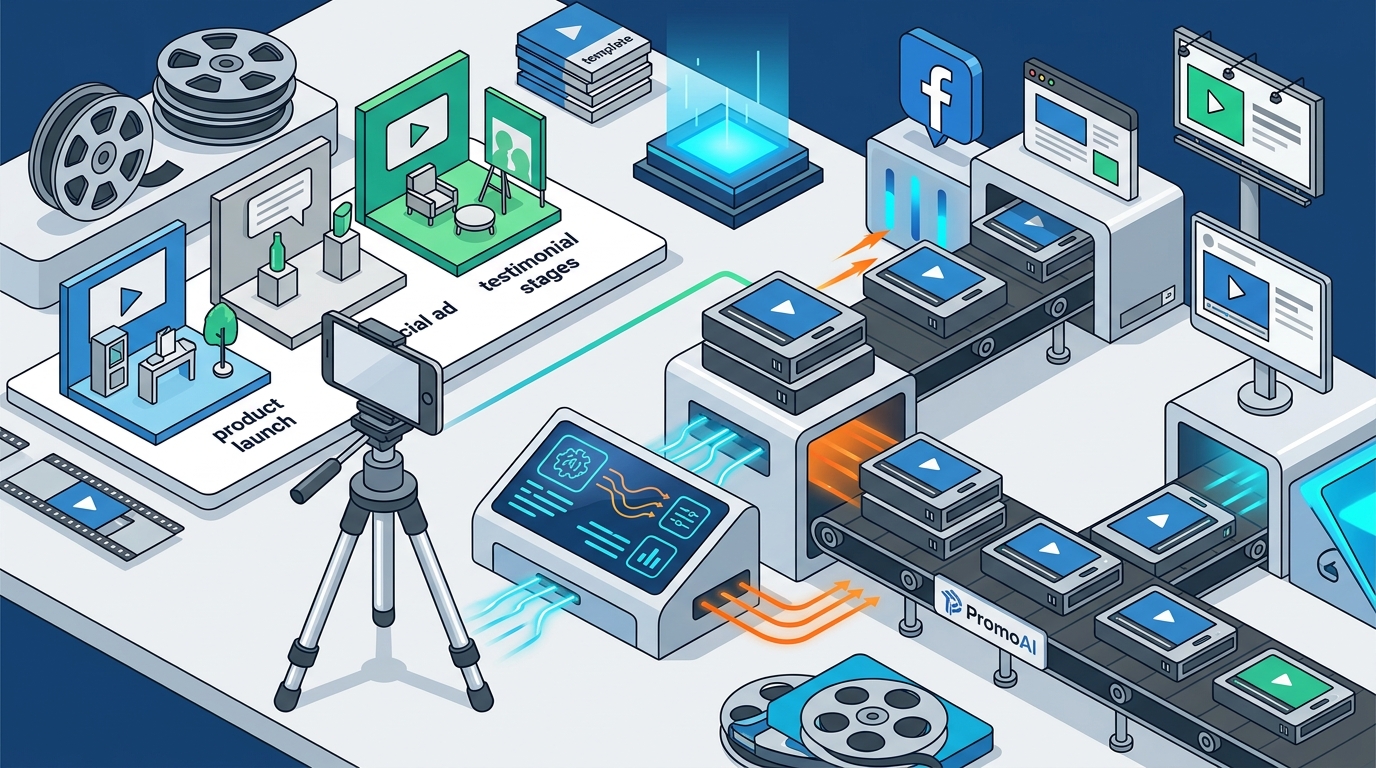
Artificial Intelligence has transformed the landscape of digital content creation. The core technology behind these tools allows marketers to generate videos without needing advanced editing skills or expensive hardware. PromoAI is a creative video copilot designed to streamline this process for business marketing success. By utilizing machine learning algorithms, these platforms can interpret text prompts, select appropriate stock footage, apply brand colors, and add voiceovers automatically. (FAQ Promo com Marketing)
This technology is not just about speed; it is about scalability. Marketing teams can now produce dozens of variations of a single campaign asset for different social media channels in a fraction of the time it used to take. The ability to generate content at scale ensures that your brand remains visible across multiple touchpoints without exhausting creative resources.
Choosing the Right Platform
Selecting the correct tool is the first step in your optimization journey. You need a platform that aligns with your specific industry needs, whether that is real estate, e-commerce, or general social media marketing. Promo.com offers a comprehensive suite of tools designed for these exact purposes. Their platform provides access to thousands of templates tailored for specific industries, ensuring that your content looks professional from the first frame.
When evaluating platforms, look for features that support direct integration with your social media calendars. The ability to schedule and publish videos directly from the editor reduces the friction between creation and distribution. Promo.com includes a Social Media Calendar that helps you plan your content strategy alongside your video production.
Workflow Optimization Steps
To achieve maximum efficiency, you must integrate video generation into your existing marketing workflow. Here is a streamlined approach to generating content quickly:
1. Define Your Campaign Goal
Before opening any software, clarify the objective. Are you creating a YouTube intro, a Facebook Story ad, or an Instagram reel? Each format requires different aspect ratios and pacing. Promo.com provides specific templates for Facebook Videos, Instagram Videos, and YouTube Videos, ensuring the output matches platform specifications.
2. Utilize AI-Driven Templates
3. Select a Template: Browse the trending or industry-specific collections. For example, if you are in the Real Estate sector, use templates designed for property showcases. If you are in Health & Fitness, choose dynamic, high-energy layouts. 4. Customize with Brand Assets: Upload your logo, select your brand fonts, and choose your color palette. The AI will automatically apply these styles to the text overlays and transitions, maintaining brand consistency across all generated videos. 5. Add Media and Audio: Upload your product photos or select from the platform's stock library. Add background music from the curated library or upload your own audio track. Promo.com also offers tools to Add Audio to Video with precision timing. 6. Review and Export: Preview the video on different device mockups to ensure readability. Once satisfied, export in the highest resolution supported by your target platform.Platform Feature Comparison
Understanding the capabilities of different tools helps you decide where to invest your time. The table below outlines key features relevant to rapid video generation.
| Feature | Promo.com | Traditional Editing | Basic Template Sites |
|---|---|---|---|
| AI Video Generation | Yes (PromoAI) | No | Limited |
| Industry-Specific Templates | Extensive Library | Manual Creation | Generic Only |
| Social Media Scheduling | Integrated Calendar | External Tools | None |
| Brand Kit Management | Automatic Application | Manual Adjustment | Limited |
| Ad Format Support | Facebook, Instagram, LinkedIn, YouTube | Manual Export | Basic |
For businesses looking to dive deeper into the technical aspects of video creation, resources like The Complete Guide to Video Aspect Ratios provide essential knowledge for optimizing visual content.
Key Takeaways
- Speed to Market: AI tools can reduce video production time by up to 90% compared to traditional methods.
- Brand Consistency: Automated brand kits ensure that every video aligns with your visual identity.
- Scalability: You can generate multiple variations of a single campaign for A/B testing without extra cost.
- Accessibility: No advanced editing skills are required to produce professional results.
- Integration: Direct publishing to social platforms eliminates manual upload steps.
- Cost Efficiency: Subscription models are often more affordable than hiring freelance editors for high-volume needs.
- Industry Relevance: Specialized templates for sectors like Food & Drink and Education ensure contextual relevance.
Frequently Asked Questions
How long does it take to generate a video with AI?
Depending on the length and complexity, AI video generation can take anywhere from a few minutes to under an hour, significantly faster than manual editing.
Can I use my own brand assets with these tools?
Yes, most platforms allow you to upload logos, fonts, and color palettes to create a custom brand kit that is automatically applied to new videos.
Is Promo.com suitable for e-commerce businesses?
Absolutely. Promo.com offers specific templates for E-commerce & Retail, including Amazon video ads and product showcase slideshows.
Do I need to pay for stock footage?
Many AI video platforms include access to royalty-free stock libraries as part of their subscription, reducing additional costs.
How do I ensure my videos look professional?
Using industry-specific templates and adhering to the platform's design guidelines ensures that your videos meet professional standards.
Can I schedule videos directly from the editor?
Yes, integrated tools like the Social Media Calendar allow you to plan and schedule posts without leaving the dashboard.
What types of ads can I create?
You can create various ad formats, including Facebook Story Ads, Instagram Story Ads, and YouTube Ads.
Start Creating Today
Stop letting production bottlenecks slow down your marketing efforts. With the right AI-powered tools, you can generate high-quality video content that drives results. Visit Promo.com Pricing to explore plans that fit your business needs, or Login to access your workspace and start creating immediately. For more insights, check out the Promo Blog for tips on video marketing strategy.