%20-%20http%3A%2F%2Fwww.bohemiancoding.com%2Fsketch%20--%3E%3Ctitle%3EF21EF66B-AC70-4761-BD58-0CF80940AF0E%3C%2Ftitle%3E%3Cdesc%3ECreated%20with%20sketchtool.%3C%2Fdesc%3E%3Cdefs%3E%3ClinearGradient%20x1%3D%220.00537998663%25%22%20y1%3D%2249.9970053%25%22%20x2%3D%22100.036289%25%22%20y2%3D%2249.9970053%25%22%20id%3D%22linearGradient-1%22%3E%3Cstop%20stop-color%3D%22%23FF3176%22%20offset%3D%220%25%22%3E%3C%2Fstop%3E%3Cstop%20stop-color%3D%22%23FF7369%22%20offset%3D%22100%25%22%3E%3C%2Fstop%3E%3C%2FlinearGradient%3E%3ClinearGradient%20x1%3D%2248.5798817%25%22%20y1%3D%2254.2967493%25%22%20x2%3D%2255.1676529%25%22%20y2%3D%2234.4061796%25%22%20id%3D%22linearGradient-2%22%3E%3Cstop%20stop-color%3D%22%23FFFFFF%22%20offset%3D%220%25%22%3E%3C%2Fstop%3E%3Cstop%20stop-color%3D%22%23000000%22%20offset%3D%22100%25%22%3E%3C%2Fstop%3E%3C%2FlinearGradient%3E%3C%2Fdefs%3E%3Cg%20id%3D%22Page-1%22%20stroke%3D%22none%22%20stroke-width%3D%221%22%20fill%3D%22none%22%20fill-rule%3D%22evenodd%22%3E%3Cg%20id%3D%22Share-Collection-Page%22%20transform%3D%22translate(-428.000000%2C%20-134.000000)%22%3E%3Cg%20id%3D%22logo%22%20transform%3D%22translate(428.000000%2C%20134.000000)%22%3E%3Cpath%20d%3D%22M20.2986321%2C10.9688889%20L3.64248989%2C0.458888889%20C2.93397974%2C0.0108924108%202.04660609%2C-0.00636245151%201.32230058%2C0.413773117%20C0.597995072%2C0.833908685%200.149820407%2C1.62585232%200.150471698%2C2.48444444%20L0.150471698%2C14.6233333%20C0.132465611%2C15.4836852%200.56615818%2C16.2867701%201.28404255%2C16.7224094%20C2.00192692%2C17.1580487%202.89162767%2C17.1580487%203.60951203%2C16.7224094%20C4.3273964%2C16.2867701%204.76108897%2C15.4836852%204.74308288%2C14.6233333%20L4.74308288%2C6.71444444%20L7.45802224%2C8.42777778%20L12.9061725%2C11.8655556%20L12.935192%2C11.8844444%20L14.7365532%2C13.0211111%20L10.3997439%2C15.8311111%20L8.52852089%2C17.0422222%20C7.79949217%2C17.4755559%207.35782454%2C18.2861166%207.37715348%2C19.1552437%20C7.39648242%2C20.0243707%207.87371725%2C20.8130913%208.62123974%2C21.2113308%20C9.36876222%2C21.6095703%2010.267044%2C21.5536505%2010.962938%2C21.0655556%20L20.3136792%2C15.0055556%20C20.9876242%2C14.5689795%2021.3949851%2C13.8029055%2021.3903879%2C12.9807208%20C21.3857907%2C12.158536%2020.9698904%2C11.3973815%2020.2911085%2C10.9688889%20L20.2986321%2C10.9688889%20Z%20M2.51502695%2C20.9288889%20C1.54073252%2C20.928889%200.662393628%2C21.5356783%200.289647775%2C22.466264%20C-0.0830980782%2C23.3968496%200.123170463%2C24.4679301%200.812254393%2C25.1799777%20C1.50133832%2C25.8920252%202.53750581%2C26.1047847%203.43751166%2C25.7190299%20C4.3375175%2C25.3332751%204.92408368%2C24.4249898%204.92364892%2C23.4177778%20C4.92187147%2C22.0435305%203.84436182%2C20.930113%202.51502695%2C20.9288889%20Z%22%20fill%3D%22url(%23linearGradient-1)%22%20fill-rule%3D%22nonzero%22%3E%3C%2Fpath%3E%3Cpolygon%20id%3D%22Path%22%20fill%3D%22url(%23linearGradient-2)%22%20points%3D%2212.9061725%2011.8655556%207.45802224%208.42777778%207.45694744%208.41333333%22%3E%3C%2Fpolygon%3E%3C%2Fg%3E%3C%2Fg%3E%3C%2Fg%3E%3C%2Fsvg%3E)

Creating polished marketing videos used to demand expensive software, hours of editing, and a steep learning curve. That reality has changed. AI video editing is the use of artificial intelligence to automate tasks like scene selection, text placement, music syncing, and formatting, so anyone can produce professional-quality content in minutes. In 2026, 91% of businesses use video as a marketing tool, according to Wyzowl, yet many teams still struggle with production time and cost. This guide shows you exactly how to create and edit marketing videos with AI, even if you have zero editing experience.
Why AI Video Editing Is a Game-Changer for Marketers
The traditional video production workflow, from scriptwriting to filming to post-production, can consume 4 to 6 hours for a single short tutorial. For small teams and solo marketers, that is simply not sustainable when content calendars demand daily output.
AI removes the biggest bottlenecks. According to Digital Applied, AI-powered tools have reduced the median video production cost from $4,200 to $2,500 per finished minute, a 40% drop. Meanwhile, 34% of marketing teams now use AI video tools, up from just 18% in 2025.
The business case is clear: 82% of video marketers report positive ROI, and 85% say video has helped them generate leads effectively. AI makes it possible to capture that value without hiring a dedicated video team.
How AI Video Editing Actually Works
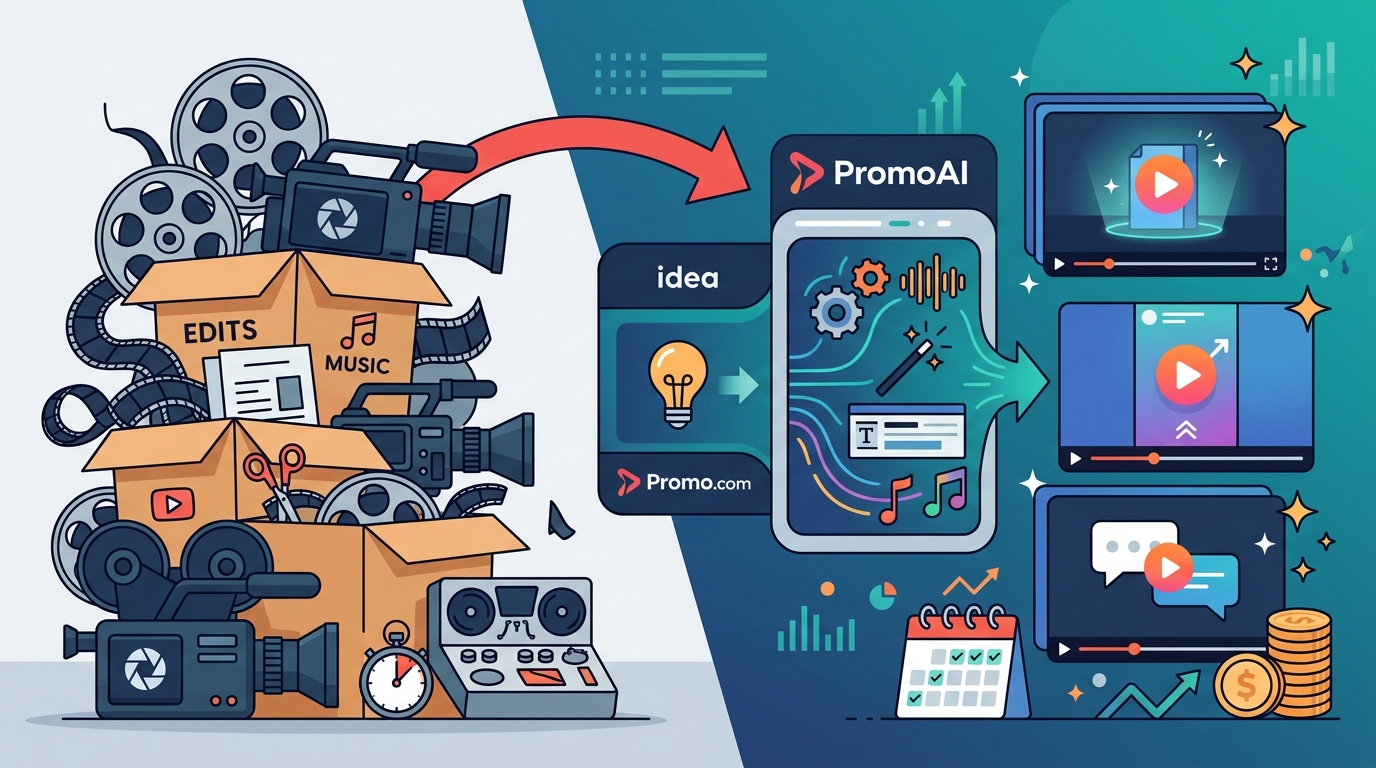
An AI video editor is software that uses machine learning to handle repetitive production tasks automatically. Instead of dragging clips onto a timeline, you provide an input, such as a website URL, product link, or simple text prompt, and the AI builds your video from there.
Automated Media Selection
The AI analyzes your input and selects relevant footage, images, and music from a licensed library. PromoAI, for example, automatically picks the best Getty Images footage for your content, ensuring brand-aligned visuals without manual searching.
Chat-Based Editing
Rather than learning complex software, you simply type what you want changed. A chat-based editor is an interface that lets you modify video elements through natural language commands instead of manual controls. This approach means anyone on the team can refine a video, not just those with editing experience.
Smart Formatting and Publishing
AI tools automatically resize videos for different platforms, whether you need a 9:16 vertical for Instagram Reels or a 16:9 landscape for YouTube. Many also generate captions, titles, and descriptions as part of the workflow.
Step-by-Step: Create a Marketing Video With PromoAI
Here is how to go from zero to a finished marketing video using PromoAI, with no editing skills required:
- Enter your website URL or topic. PromoAI reads your site and pulls relevant brand information, imagery, and messaging automatically.
- Review AI-generated videos. The platform creates up to 30 unique video variations personalized for your business in a single click.
- Refine with chat commands. Want to swap a clip, change the music, or adjust text? Simply type your request in the built-in chat editor.
- Apply your branding. Add your logo, brand colors, and fonts. Pre-built templates ensure visual consistency across all your content.
- Publish or schedule. Export your video or publish directly to social media platforms, including Facebook, Instagram, YouTube, LinkedIn, and TikTok.
The entire process takes minutes, not hours. Because PromoAI handles media selection, pacing, and layout, you focus on messaging rather than technical execution.
Key Features to Look for in an AI Video Editor
Not all AI video tools deliver the same value. Here is how core features compare across approaches:
| Feature | Traditional Editor | Basic AI Tool | PromoAI |
|---|---|---|---|
| Learning curve | Steep (weeks) | Moderate (hours) | Minimal (minutes) |
| Media library | Self-sourced | Limited stock | 275M+ Getty Images assets |
| Editing method | Manual timeline | Templates only | Chat-based + templates |
| Brand customization | Full but manual | Basic | AI-guided with brand controls |
| Multi-platform formatting | Manual resize | Partial | Automatic for all platforms |
| Licensing protection | User responsibility | Varies | Uncapped Getty indemnification |
A licensed media library is a collection of professionally produced images and video clips cleared for commercial use. Access to one eliminates the risk of copyright claims and saves hours of sourcing. PromoAI provides access to over 275 million royalty-free assets backed by Getty Images indemnification, a critical advantage for teams producing content at scale.
Common Use Cases for AI-Edited Marketing Videos
Social Media Content
Social media videos are the most popular use case, with 69% of video marketers creating them in 2026. AI tools let you produce daily content for platforms like Instagram, TikTok, and LinkedIn without burning out your team. Explore vertical video templates optimized for mobile-first platforms.
Product and Service Promotions
Whether you sell physical products on Amazon or offer professional services, AI can turn product pages and service descriptions into compelling video ads that drive conversions. Adding video to a landing page can boost conversion rates by up to 86%, according to Kapwing research.
Brand Awareness Campaigns
Video helps 93% of marketers increase brand awareness. AI-generated videos maintain brand consistency across campaigns because the tool enforces your colors, fonts, and logo placement automatically.
Tips for Getting the Best Results
Start with a clear goal. Define whether your video is meant to educate, promote, or entertain before you begin. This shapes the AI's output quality.
Use specific prompts. The more precise your input, the better the result. Include details about your target audience, key message, and preferred tone.
Review and humanize. While AI handles the heavy lifting, always add a personal touch. Adjust phrasing, swap in unique brand assets, and ensure the final product sounds authentic.
Repurpose across platforms. Create once and resize for every channel. PromoAI's automatic formatting handles this so one piece of content works everywhere, from marketing campaign templates to quick social clips.
Key Takeaways
- AI video editing eliminates the need for professional editing skills, enabling anyone to create polished marketing videos.
- 91% of businesses already use video marketing, and AI tools are accelerating adoption by cutting costs by up to 40%.
- PromoAI lets you generate up to 30 branded videos from a single URL input in minutes.
- Chat-based editing replaces complex timelines, making revisions as simple as typing a sentence.
- Access to 275 million+ licensed media assets removes copyright risk and sourcing headaches.
- Automatic multi-platform formatting saves hours of manual resizing for each social channel.
- Short-form video delivers 2.5x more engagement per impression than any other content format.
Frequently Asked Questions
Do I need video editing experience to use AI video tools?
No. AI video editors like PromoAI are designed for beginners. You provide a URL or topic, and the AI handles media selection, editing, and formatting. Revisions are made through simple text commands rather than complex software controls.
How long does it take to create a marketing video with AI?
Most AI tools produce a finished video in under five minutes. PromoAI can generate up to 30 unique video variations from a single input, giving you a month of content almost instantly.
Is AI-generated video good enough for professional marketing?
Yes. AI-generated video achieves comparable engagement for social clips and ads. According to industry data, 82% of marketers report positive ROI from video, and AI tools are increasingly used for product demos, social content, and personalized campaigns.
What types of marketing videos can I create with AI?
You can create social media posts, product promotions, event announcements, brand awareness campaigns, blog teasers, and video ads. PromoAI supports all major formats and platforms.
Are AI-selected media clips safe to use commercially?
When using a platform like PromoAI, yes. All media comes from Getty Images with royalty-free licensing and uncapped indemnification, which means you are protected from copyright claims.
Can I customize AI-generated videos with my own branding?
Absolutely. You can add your logo, brand colors, fonts, and custom text. PromoAI applies your branding consistently across every video it generates.
How does AI video editing compare to hiring a professional editor?
Hiring a professional editor typically costs $50 to $150 per hour and requires days of turnaround. AI tools deliver results in minutes at a fraction of the cost, making them ideal for teams that need consistent, high-volume content.
What platforms can I publish AI-created videos to?
PromoAI supports direct publishing to Facebook, Instagram, YouTube, LinkedIn, TikTok, and more. Videos can also be downloaded for use on websites, in emails, or in ad campaigns.
Start Creating Professional Marketing Videos Today
You do not need a production team, expensive software, or years of editing experience. With PromoAI, you can turn your website or a simple idea into scroll-stopping marketing videos in minutes. Try PromoAI for free and see how easy professional video marketing can be.