%20-%20http%3A%2F%2Fwww.bohemiancoding.com%2Fsketch%20--%3E%3Ctitle%3EF21EF66B-AC70-4761-BD58-0CF80940AF0E%3C%2Ftitle%3E%3Cdesc%3ECreated%20with%20sketchtool.%3C%2Fdesc%3E%3Cdefs%3E%3ClinearGradient%20x1%3D%220.00537998663%25%22%20y1%3D%2249.9970053%25%22%20x2%3D%22100.036289%25%22%20y2%3D%2249.9970053%25%22%20id%3D%22linearGradient-1%22%3E%3Cstop%20stop-color%3D%22%23FF3176%22%20offset%3D%220%25%22%3E%3C%2Fstop%3E%3Cstop%20stop-color%3D%22%23FF7369%22%20offset%3D%22100%25%22%3E%3C%2Fstop%3E%3C%2FlinearGradient%3E%3ClinearGradient%20x1%3D%2248.5798817%25%22%20y1%3D%2254.2967493%25%22%20x2%3D%2255.1676529%25%22%20y2%3D%2234.4061796%25%22%20id%3D%22linearGradient-2%22%3E%3Cstop%20stop-color%3D%22%23FFFFFF%22%20offset%3D%220%25%22%3E%3C%2Fstop%3E%3Cstop%20stop-color%3D%22%23000000%22%20offset%3D%22100%25%22%3E%3C%2Fstop%3E%3C%2FlinearGradient%3E%3C%2Fdefs%3E%3Cg%20id%3D%22Page-1%22%20stroke%3D%22none%22%20stroke-width%3D%221%22%20fill%3D%22none%22%20fill-rule%3D%22evenodd%22%3E%3Cg%20id%3D%22Share-Collection-Page%22%20transform%3D%22translate(-428.000000%2C%20-134.000000)%22%3E%3Cg%20id%3D%22logo%22%20transform%3D%22translate(428.000000%2C%20134.000000)%22%3E%3Cpath%20d%3D%22M20.2986321%2C10.9688889%20L3.64248989%2C0.458888889%20C2.93397974%2C0.0108924108%202.04660609%2C-0.00636245151%201.32230058%2C0.413773117%20C0.597995072%2C0.833908685%200.149820407%2C1.62585232%200.150471698%2C2.48444444%20L0.150471698%2C14.6233333%20C0.132465611%2C15.4836852%200.56615818%2C16.2867701%201.28404255%2C16.7224094%20C2.00192692%2C17.1580487%202.89162767%2C17.1580487%203.60951203%2C16.7224094%20C4.3273964%2C16.2867701%204.76108897%2C15.4836852%204.74308288%2C14.6233333%20L4.74308288%2C6.71444444%20L7.45802224%2C8.42777778%20L12.9061725%2C11.8655556%20L12.935192%2C11.8844444%20L14.7365532%2C13.0211111%20L10.3997439%2C15.8311111%20L8.52852089%2C17.0422222%20C7.79949217%2C17.4755559%207.35782454%2C18.2861166%207.37715348%2C19.1552437%20C7.39648242%2C20.0243707%207.87371725%2C20.8130913%208.62123974%2C21.2113308%20C9.36876222%2C21.6095703%2010.267044%2C21.5536505%2010.962938%2C21.0655556%20L20.3136792%2C15.0055556%20C20.9876242%2C14.5689795%2021.3949851%2C13.8029055%2021.3903879%2C12.9807208%20C21.3857907%2C12.158536%2020.9698904%2C11.3973815%2020.2911085%2C10.9688889%20L20.2986321%2C10.9688889%20Z%20M2.51502695%2C20.9288889%20C1.54073252%2C20.928889%200.662393628%2C21.5356783%200.289647775%2C22.466264%20C-0.0830980782%2C23.3968496%200.123170463%2C24.4679301%200.812254393%2C25.1799777%20C1.50133832%2C25.8920252%202.53750581%2C26.1047847%203.43751166%2C25.7190299%20C4.3375175%2C25.3332751%204.92408368%2C24.4249898%204.92364892%2C23.4177778%20C4.92187147%2C22.0435305%203.84436182%2C20.930113%202.51502695%2C20.9288889%20Z%22%20fill%3D%22url(%23linearGradient-1)%22%20fill-rule%3D%22nonzero%22%3E%3C%2Fpath%3E%3Cpolygon%20id%3D%22Path%22%20fill%3D%22url(%23linearGradient-2)%22%20points%3D%2212.9061725%2011.8655556%207.45802224%208.42777778%207.45694744%208.41333333%22%3E%3C%2Fpolygon%3E%3C%2Fg%3E%3C%2Fg%3E%3C%2Fg%3E%3C%2Fsvg%3E)

Creating polished marketing videos used to demand expensive software, years of editing experience, and hours of painstaking timeline work. That era is over. AI video editing tools now let anyone produce scroll-stopping content for social media, ads, and campaigns in minutes rather than days. Whether you are a solo entrepreneur, a startup marketer, or an agency manager juggling multiple brands, AI-powered platforms have removed the skill barrier entirely. Below, you will learn exactly how AI video editing works, what features to look for, and how to start creating professional content today.
What Is AI Video Editing?
AI video editing is the use of artificial intelligence to automate tasks like clip selection, text placement, transitions, music syncing, and brand styling that traditionally required manual effort in timeline-based editors. An AI video editor is a software platform that handles these production steps through automated generation rather than frame-by-frame human input.
Modern AI platforms go well beyond basic templates. PromoAI's video maker, for instance, turns a simple website URL or topic prompt into a structured, ready-to-publish video, automatically selecting media, pacing scenes, and applying your brand assets. The result is studio-quality output without the studio.
Why the Skills Gap No Longer Matters
For years, the biggest barrier to video marketing was not budget but skill. According to Wyzowl's 2026 State of Video Marketing survey, 43% of marketers cite lack of in-house skills as the top reason they do not produce video, while 37% say they simply do not know where to start.
AI tools are specifically designed to dismantle these barriers. They replace complex timelines with chat-based commands, swap manual media sourcing with intelligent auto-selection, and ensure brand consistency without a design degree. About 58% of creators now use AI-assisted editing, marking a tipping point where AI is no longer experimental but standard practice.
The Cost Shift
Production costs have also plummeted. A project that cost $1,500 with a freelancer in 2020 can now render for under $15 using AI, according to ngram's AI video statistics report. That makes professional video accessible to businesses of every size.
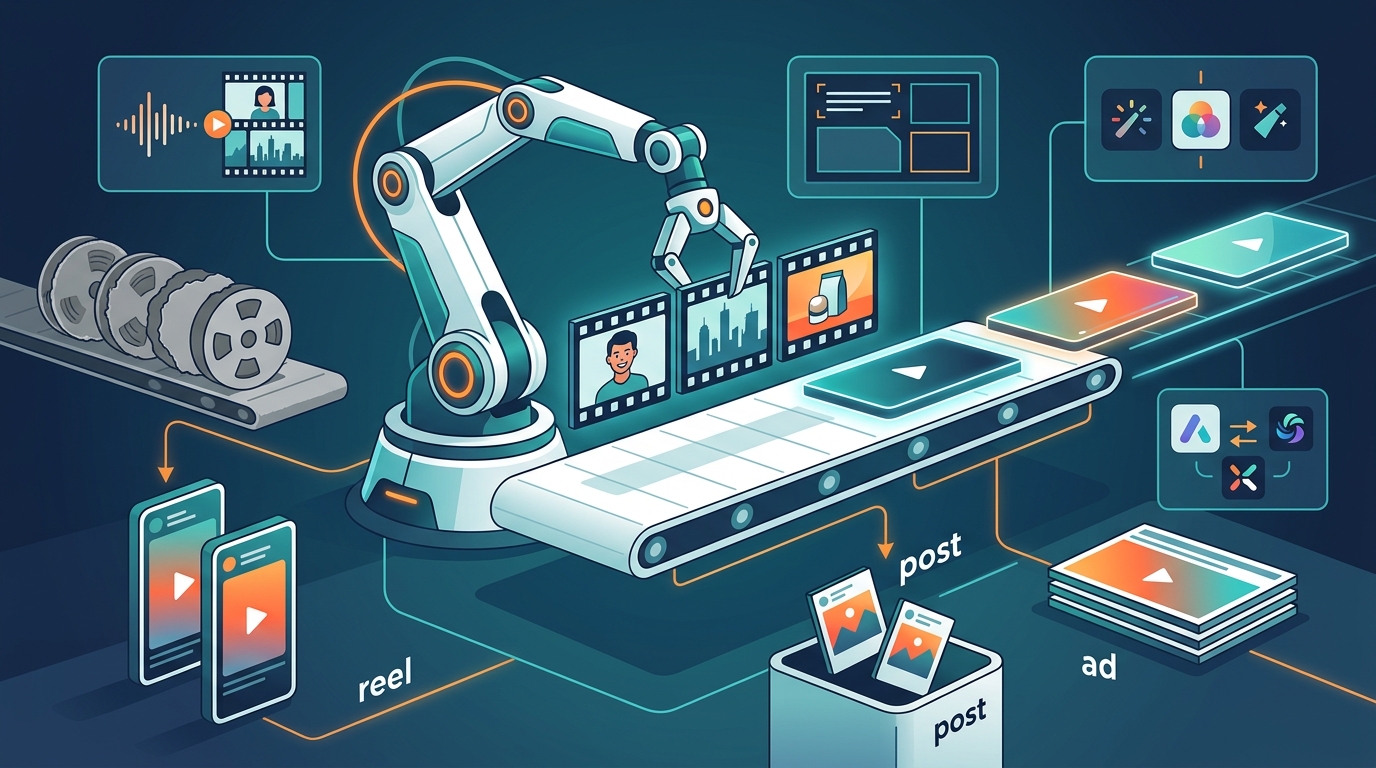
How AI Video Editing Works Step by Step
Here is how you can create a marketing video using an AI-powered platform like Promo.com, with no prior editing experience:
- Provide your input. Paste your website URL, product link, or simply type a topic. The AI analyzes your content and generates a video concept automatically.
- Review the AI-generated draft. The platform assembles scenes using premium stock footage, adds text overlays, selects background music, and applies your brand colors and logo.
- Refine with chat commands. Instead of dragging clips on a timeline, type instructions like "swap the second scene" or "change the music tone." The AI executes edits in real time.
- Choose your format. Select the aspect ratio for your target platform, whether 16:9 for YouTube, 9:16 for Instagram Reels, or 1:1 for Facebook feeds.
- Publish directly. Schedule and publish the finished video to your social channels without leaving the platform.
Key Features to Look For in an AI Video Editor
Licensed Media Library
A strong AI editor should include built-in access to licensed footage so you never worry about copyright. Promo.com's ad maker provides access to over 110 million Getty Images clips and photos, all royalty-free with uncapped indemnification.
Brand Consistency Controls
Look for tools that automatically apply your logo, fonts, and color palette across every video. This is critical for agencies managing multiple clients. PromoAI offers centralized brand controls that keep every deliverable on-brand.
Multi-Platform Publishing
The best platforms let you resize, schedule, and publish to Facebook, Instagram, TikTok, YouTube, and LinkedIn from a single dashboard, saving hours of reformatting. Promo's online video maker handles this entire workflow.
Traditional Editing vs. AI Video Editing
| Factor | Traditional Editing | AI Video Editing |
|---|---|---|
| Skills required | Timeline expertise, color grading, audio mixing | None; chat or prompt-based |
| Time per video | 3 to 8 hours (skilled editor) | 5 to 15 minutes |
| Typical cost | $500 to $1,500+ per project | Under $15 per video |
| Media sourcing | Manual search, separate licenses | Built-in licensed libraries |
| Brand consistency | Depends on editor's attention | Automated brand kits |
| Multi-platform output | Re-export per format | One-click resize and publish |
Tips for Getting Better Results With AI Video Editing
Use clear, specific prompts. The more precise your input, the more relevant the AI output. Include your industry, target audience, and desired tone.
Start with templates. Platforms like Promo.com offer social media video templates and Facebook ad templates that give you a proven structure to build from.
Humanize your output. AI handles the heavy lifting, but adding a personal voiceover or custom imagery makes content feel authentic. Review every video before publishing.
Iterate quickly. One of AI's greatest advantages is speed. Test multiple variations of an ad, measure performance, and refine rather than spending a week perfecting one version.
Key Takeaways
- AI video editing removes the need for professional skills, timeline expertise, or expensive software.
- The top barrier to video marketing is lack of skills (43%), not cost, and AI directly solves this.
- 58% of creators already use AI-assisted editing, making it the new standard.
- Production costs have dropped roughly 97% from 2020 to 2026 thanks to AI tools.
- Platforms like PromoAI let you go from a URL or topic to a published video in minutes.
- Built-in licensed media, brand controls, and multi-platform publishing streamline the entire workflow.
- The global AI video generator market is projected to reach $847 million in 2026, growing 3.6x faster than traditional video editing software.
Frequently Asked Questions
Can I really edit marketing videos with AI if I have zero experience?
Yes. AI video platforms are designed for non-editors. You provide a prompt, URL, or topic, and the AI handles clip selection, arrangement, text, music, and branding automatically. No timeline skills are needed.
What is PromoAI?
PromoAI is an AI-powered video creation platform by Promo.com that turns business inputs like a website URL or product link into professional, brand-ready marketing videos in minutes.
How long does it take to create a marketing video with AI?
Most AI platforms produce a first draft in under five minutes. Refining with chat-based edits typically adds another five to ten minutes, depending on complexity.
Is AI-generated video good enough for professional campaigns?
Yes. AI video quality now matches the bar required for social media feeds, paid ads, and email campaigns. Premium stock footage and brand controls ensure a polished look.
Do I need to worry about licensing when using AI video tools?
Not if your platform includes licensed media. Promo.com, for example, provides royalty-free Getty Images footage with uncapped indemnification, meaning you are fully protected from copyright claims.
What types of marketing videos can I create with AI?
You can produce social media ads, product demos, promotional campaigns, YouTube intros, Instagram Reels, Facebook Stories, testimonial videos, e-commerce ads, and more.
How much does AI video editing cost compared to hiring an editor?
AI tools range from free tiers to subscription plans under $50 per month, while freelance editors typically charge $50 to $150 per hour. The cost difference is significant at scale.
Will AI video editing replace human editors entirely?
AI handles repetitive production tasks, but human creativity remains essential for strategy, storytelling, and brand voice. Think of AI as a force multiplier, not a full replacement.
Start Creating Marketing Videos Today
You do not need editing skills, expensive software, or a production team to create professional marketing videos. Try PromoAI for free and turn your next idea into a publish-ready video in minutes. No credit card required.