%20-%20http%3A%2F%2Fwww.bohemiancoding.com%2Fsketch%20--%3E%3Ctitle%3EF21EF66B-AC70-4761-BD58-0CF80940AF0E%3C%2Ftitle%3E%3Cdesc%3ECreated%20with%20sketchtool.%3C%2Fdesc%3E%3Cdefs%3E%3ClinearGradient%20x1%3D%220.00537998663%25%22%20y1%3D%2249.9970053%25%22%20x2%3D%22100.036289%25%22%20y2%3D%2249.9970053%25%22%20id%3D%22linearGradient-1%22%3E%3Cstop%20stop-color%3D%22%23FF3176%22%20offset%3D%220%25%22%3E%3C%2Fstop%3E%3Cstop%20stop-color%3D%22%23FF7369%22%20offset%3D%22100%25%22%3E%3C%2Fstop%3E%3C%2FlinearGradient%3E%3ClinearGradient%20x1%3D%2248.5798817%25%22%20y1%3D%2254.2967493%25%22%20x2%3D%2255.1676529%25%22%20y2%3D%2234.4061796%25%22%20id%3D%22linearGradient-2%22%3E%3Cstop%20stop-color%3D%22%23FFFFFF%22%20offset%3D%220%25%22%3E%3C%2Fstop%3E%3Cstop%20stop-color%3D%22%23000000%22%20offset%3D%22100%25%22%3E%3C%2Fstop%3E%3C%2FlinearGradient%3E%3C%2Fdefs%3E%3Cg%20id%3D%22Page-1%22%20stroke%3D%22none%22%20stroke-width%3D%221%22%20fill%3D%22none%22%20fill-rule%3D%22evenodd%22%3E%3Cg%20id%3D%22Share-Collection-Page%22%20transform%3D%22translate(-428.000000%2C%20-134.000000)%22%3E%3Cg%20id%3D%22logo%22%20transform%3D%22translate(428.000000%2C%20134.000000)%22%3E%3Cpath%20d%3D%22M20.2986321%2C10.9688889%20L3.64248989%2C0.458888889%20C2.93397974%2C0.0108924108%202.04660609%2C-0.00636245151%201.32230058%2C0.413773117%20C0.597995072%2C0.833908685%200.149820407%2C1.62585232%200.150471698%2C2.48444444%20L0.150471698%2C14.6233333%20C0.132465611%2C15.4836852%200.56615818%2C16.2867701%201.28404255%2C16.7224094%20C2.00192692%2C17.1580487%202.89162767%2C17.1580487%203.60951203%2C16.7224094%20C4.3273964%2C16.2867701%204.76108897%2C15.4836852%204.74308288%2C14.6233333%20L4.74308288%2C6.71444444%20L7.45802224%2C8.42777778%20L12.9061725%2C11.8655556%20L12.935192%2C11.8844444%20L14.7365532%2C13.0211111%20L10.3997439%2C15.8311111%20L8.52852089%2C17.0422222%20C7.79949217%2C17.4755559%207.35782454%2C18.2861166%207.37715348%2C19.1552437%20C7.39648242%2C20.0243707%207.87371725%2C20.8130913%208.62123974%2C21.2113308%20C9.36876222%2C21.6095703%2010.267044%2C21.5536505%2010.962938%2C21.0655556%20L20.3136792%2C15.0055556%20C20.9876242%2C14.5689795%2021.3949851%2C13.8029055%2021.3903879%2C12.9807208%20C21.3857907%2C12.158536%2020.9698904%2C11.3973815%2020.2911085%2C10.9688889%20L20.2986321%2C10.9688889%20Z%20M2.51502695%2C20.9288889%20C1.54073252%2C20.928889%200.662393628%2C21.5356783%200.289647775%2C22.466264%20C-0.0830980782%2C23.3968496%200.123170463%2C24.4679301%200.812254393%2C25.1799777%20C1.50133832%2C25.8920252%202.53750581%2C26.1047847%203.43751166%2C25.7190299%20C4.3375175%2C25.3332751%204.92408368%2C24.4249898%204.92364892%2C23.4177778%20C4.92187147%2C22.0435305%203.84436182%2C20.930113%202.51502695%2C20.9288889%20Z%22%20fill%3D%22url(%23linearGradient-1)%22%20fill-rule%3D%22nonzero%22%3E%3C%2Fpath%3E%3Cpolygon%20id%3D%22Path%22%20fill%3D%22url(%23linearGradient-2)%22%20points%3D%2212.9061725%2011.8655556%207.45802224%208.42777778%207.45694744%208.41333333%22%3E%3C%2Fpolygon%3E%3C%2Fg%3E%3C%2Fg%3E%3C%2Fg%3E%3C%2Fsvg%3E)

Social media feeds move fast, and brands that publish video consistently win more attention, engagement, and sales. Yet most marketing teams still struggle with slow production cycles that drain time and budget. The good news: AI-powered video tools have dramatically shortened the path from idea to published content. In this guide, you will learn a clear, step-by-step workflow for creating marketing videos faster, without sacrificing quality. Whether you run a small business or manage content for an agency, these practical strategies will help you keep up with the relentless demand for fresh video.
Why Speed Matters in Video Marketing
According to Wyzowl's 2026 survey, 91% of businesses now use video as a marketing tool, and 69% of video marketers create social media videos as their top use case. The competition for attention is fierce.
Audiences scroll faster, attention windows are shorter, and the volume of content competing for a single impression grows every quarter. A brand that publishes three strong video ads per week will reach more people than one that publishes a single polished video per month. Speed is not a luxury; it is a competitive requirement.
Meanwhile, Wistia's 2026 State of Video Report found that company size and limited resources remain the top barriers to producing more video. AI-powered tools directly address this bottleneck by automating the most time-consuming steps.
What Is an AI Video Maker?
An AI video maker is a software platform that uses artificial intelligence to automate video creation tasks such as scripting, scene assembly, captioning, and resizing. Instead of manually editing footage frame by frame, you provide a simple input and the tool generates a professional video in minutes.
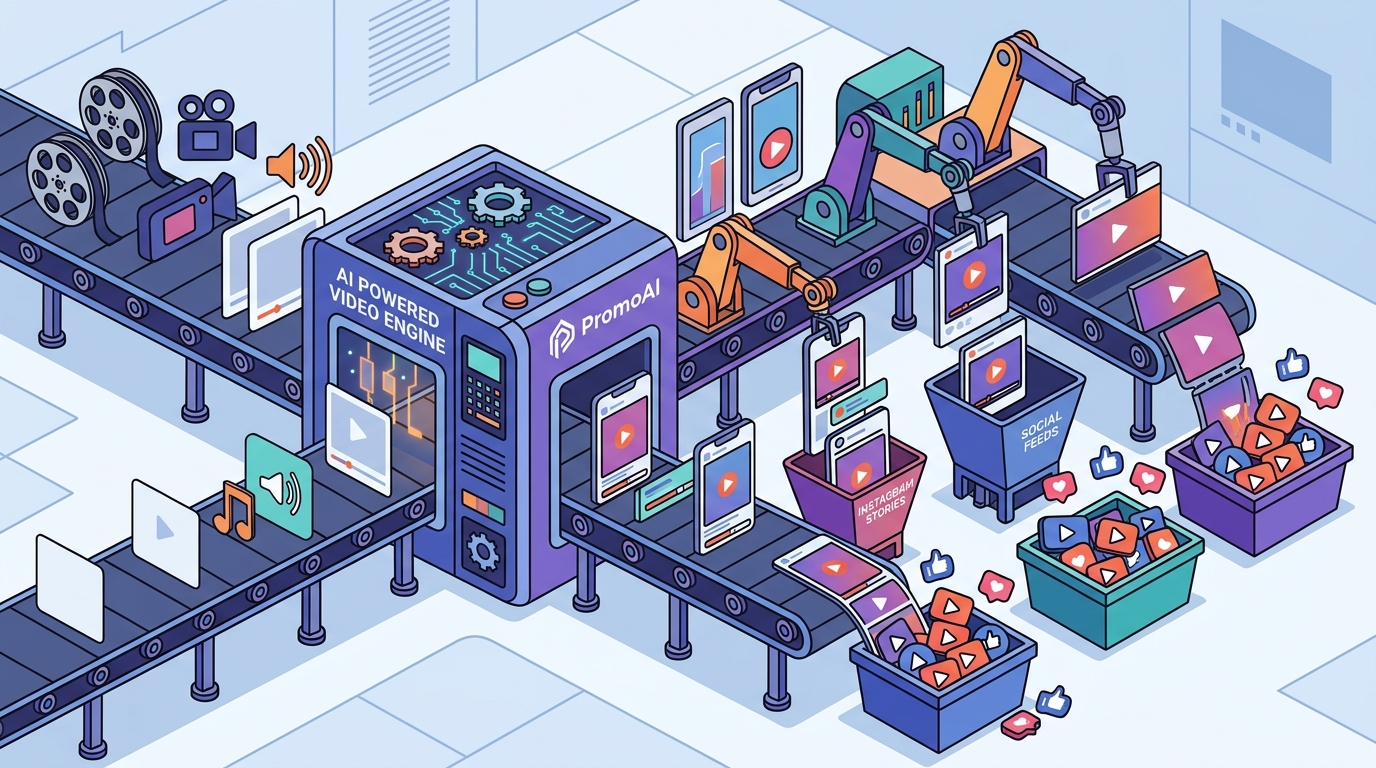
PromoAI is an AI-based platform that assists companies in producing quality promotional videos efficiently. It simplifies all steps of production and allows businesses to transform ideas into professional videos within minutes. You can input a website URL, a product link, or just a topic, and the platform builds a structured, brand-ready video around it.
Step-by-Step: Create a Marketing Video in Minutes
1. Define Your Goal and Platform
Before creating anything, identify what the video should achieve: sales, leads, brand awareness, or engagement. Your marketing video strategy should also define the target platform, because a LinkedIn explainer looks different from a TikTok ad.
2. Enter Your URL or Topic
With PromoAI, the process starts by entering your website or landing page URL. The AI learns your brand style, pulls relevant visuals, and generates a tailored video automatically. No filming, no manual scripting required.
3. Customize and Edit with Chat Commands
PromoAI supports chat-based editing. Need a different clip, new text overlay, or adjusted pacing? Type it in and the change happens instantly. There is no need for video editing experience, which means anyone on the team can make revisions without waiting for a specialist.
Leverage Ready-Made Templates
A video template is a convenient, ready-made video that has been professionally tested to perform well. Social media video templates on Promo.com can be customized to match any business, product, or idea, making your social channels stand out.
Templates save hours because the layout, transitions, and timing are already optimized. You simply swap in your text, logo, and media. Promo.com offers templates organized by platform (Facebook, Instagram, TikTok, YouTube) and by industry, so you always start with a relevant foundation. Browse the full template library to find one that fits your next campaign.
Optimize for Every Social Platform
Each platform has unique specs. Instagram Stories and TikTok require 9:16 vertical video. YouTube prefers 16:9 widescreen. LinkedIn increasingly favors vertical formats as well. Manually reformatting a single video for five platforms is tedious and error-prone.
PromoAI automatically handles aspect ratio adjustments so a campaign can be repurposed for multiple platforms without starting from scratch each time. The platform also generates AI-powered captions, titles, and descriptions as part of the publishing workflow, letting you create social media videos and schedule them directly from one hub.
Traditional vs. AI Video Production
| Factor | Traditional Production | AI Video Maker (e.g., PromoAI) |
|---|---|---|
| Time to First Video | Days to weeks | Under 5 minutes |
| Cost per Finished Minute | $1,000 - $5,000+ | Fraction of the cost |
| Editing Skills Needed | Professional editor required | No experience needed |
| Platform Resizing | Manual re-export per format | Automatic multi-format output |
| Media Library | Source separately (stock sites) | 275M+ licensed assets built in |
| Publishing | Upload to each platform manually | Schedule and publish from one dashboard |
According to Digital Applied, AI-powered tools have reduced the median video production cost from $4,200 to $2,500 per finished minute, a 40% drop. For small and mid-size businesses, this cost compression makes consistent video output achievable for the first time.
Key Takeaways
- 91% of businesses use video marketing in 2026; consistent output is now table stakes.
- An AI video maker automates scripting, editing, captioning, and resizing to cut production time from days to minutes.
- Starting with a URL or topic input eliminates the need for filming or manual scripting.
- Ready-made promo video templates provide a tested foundation you can customize in seconds.
- Automatic platform resizing ensures your video is optimized for Instagram, TikTok, YouTube, Facebook, and LinkedIn.
- AI production tools have cut average video costs by roughly 40%, making video accessible to smaller teams.
- Chat-based editing lets any team member make revisions instantly, removing the specialist bottleneck.
Frequently Asked Questions
How long does it take to create a marketing video with AI?
With an AI video maker like PromoAI, you can go from idea to finished video in under five minutes. The platform handles scripting, media selection, and assembly automatically.
Do I need video editing experience?
No. PromoAI enables amateurs to edit and make videos using simple guided tools and chat-based commands. No technical skills are required.
What types of marketing videos can I create?
You can create product showcases, social media ads, promo videos, event announcements, testimonial compilations, and more. Promo.com offers templates across categories including video ads, e-commerce, real estate, and fitness.
Can I publish videos directly to social media?
Yes. PromoAI includes planning, scheduling, and publishing features that let you post directly to Facebook, Instagram, TikTok, LinkedIn, YouTube, and more from a single dashboard.
Is the stock media licensed for commercial use?
Yes. All media in PromoAI's library is royalty-free and protected under Getty Images' indemnification, so you can use it in ads and campaigns without copyright concerns.
How does AI video creation affect quality?
AI-generated social clips achieve roughly 87% comparable engagement to human-produced content, according to industry benchmarks. For most social media use cases, the quality is more than sufficient to drive results.
What social platforms does PromoAI support?
PromoAI supports all major platforms including Facebook, Instagram, TikTok, YouTube, and LinkedIn. Videos are automatically formatted for each platform's recommended aspect ratio.
How much does it cost to get started?
You can sign up for PromoAI for free and explore templates, the media library, and AI editing features before choosing a subscription plan.
Start Creating Faster Marketing Videos Today
The gap between brands that thrive on social media and those that fall behind often comes down to one thing: production speed. With PromoAI, you can eliminate the bottleneck, create professional, brand-ready videos in minutes, and publish them across every platform from a single workspace. Try PromoAI free today and see how fast your next campaign can go live.